Try it free

Investigations

  • Latest Dynatrace
  • App
About the app

What you'll learn

  • Define and execute queries while combining functionalities.
  • Search for relevant log information.
  • Grasp structured information from log records.
  • Extract fields and get instant feedback on patterns.
  • Track your path, navigate to previous steps, view your investigation history.
  • Define the time range for your data queries.
  • Attach relevant findings as evidence, while preserving the investigation context.
  • Add reputation context to IP addresses with IP enrichment powered by third-party threat intelligence.
  • Bookmark investigations for quick access across sessions.
  • Collaborate with peers on investigations using controlled access.
  • Interact with compatible apps for further insights.
  • Create and use lookup tables to enrich investigations with contextual data.

Target audience

Investigations Investigations supports a wide range of evidence-driven investigations, empowering users to explore, analyze, and resolve complex scenarios — across security, operations, compliance, and fraud.

It's ideal for:

  • Incident response

  • Root cause analysis

  • Threat hunting

  • Fraud investigations

  • Data forensics

Investigations Investigations is designed for anyone who needs to investigate and act on data with precision and context — including security analysts, SREs, DevOps engineers, operations teams, internal auditors, and more.

Prerequisites
  • To investigate ingested logs, you need to set up log ingestion.

  • Permissions: For a list of permissions required, go to Hub, select Investigations Investigations, and display Technical information.

  • Basic knowledge of

    • Dynatrace Query Language (DQL)

    • Dynatrace Pattern Language (DPL)

Investigations Investigations is designed to streamline evidence-driven investigations on data in Grail — whether you're resolving incidents, analyzing root causes, or conducting threat or fraud investigations, by

  • Eliminating manual, repetitive tasks

  • Providing contextual enrichment without tool-switching

  • Offering fast, detailed access to your data

  • Enhancing user experience for quick issue identification

It features assisted functionalities and automations to expedite and support investigation resolution, leveraging logs, metrics, and traces ingested into Grail.
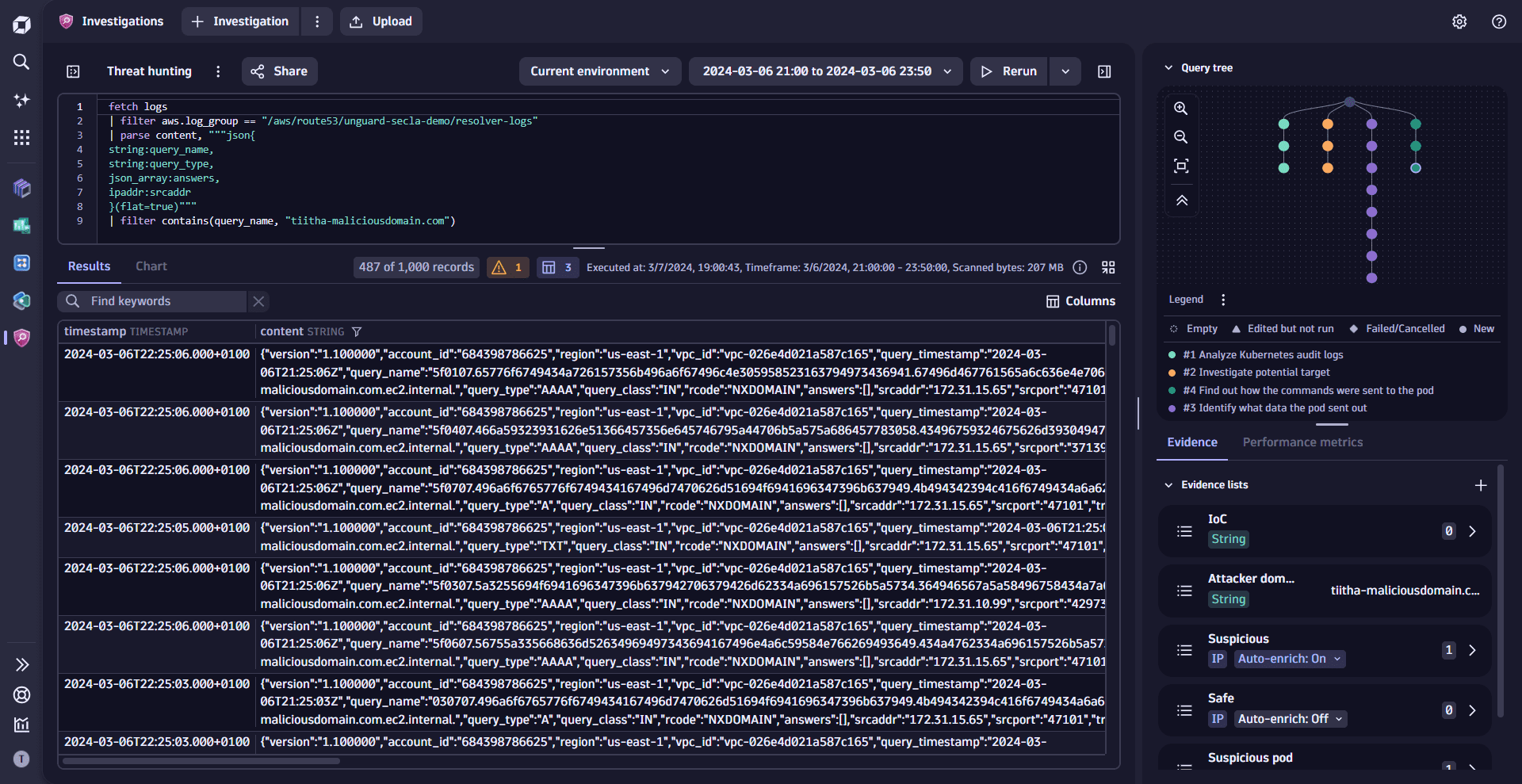
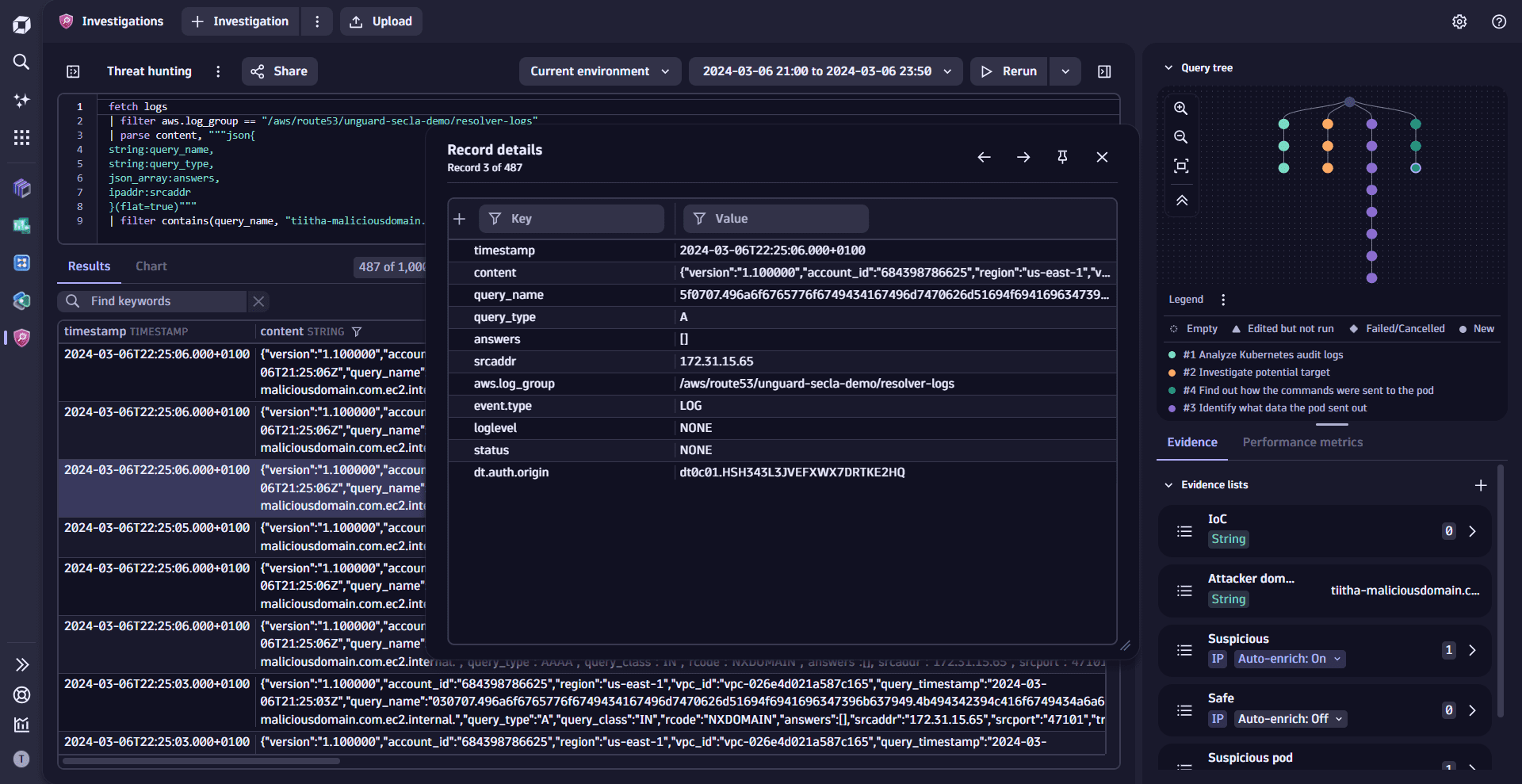
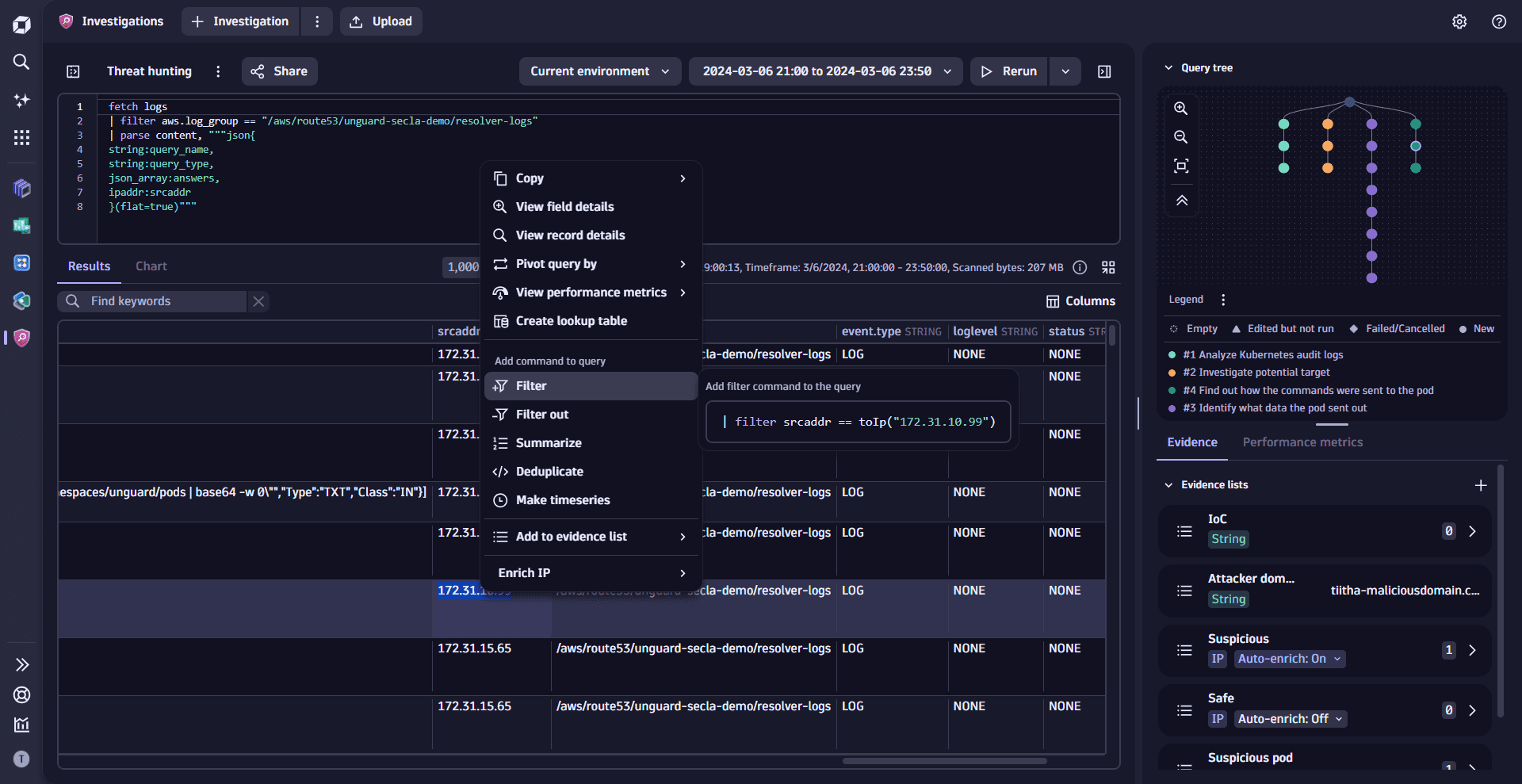
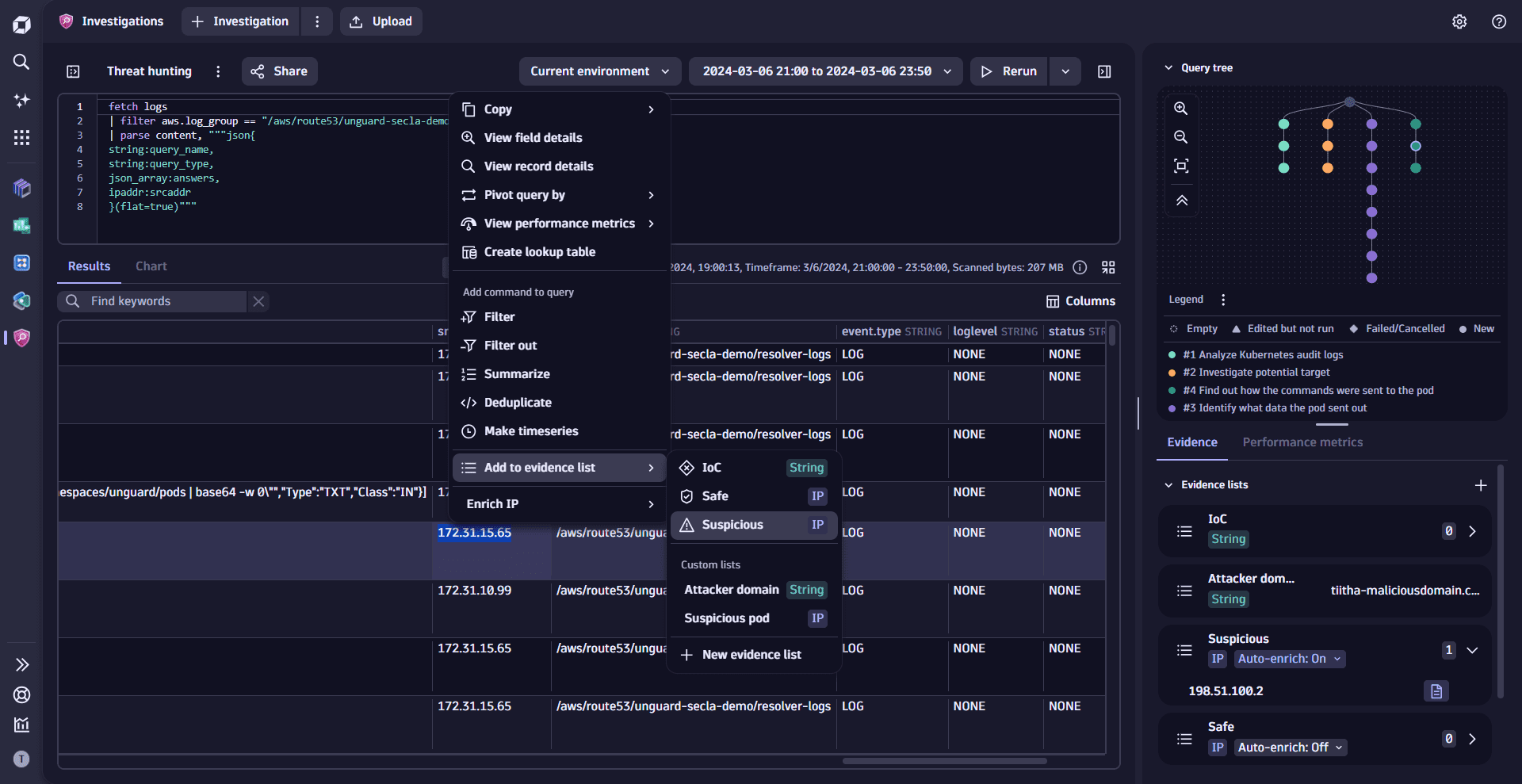
View your whole investigation flow as you go along with the ability to always jump back to the previous step of the investigation.Detailed view of the record shows all record fields at once; you can drill down to the details of the field or move between records.Use the data in results with the character precision: you can create new evidence of DQL filters by selecting a portion of the field.Manipulate evidence and filter with multiple values at once: you can select the range of IPs and create a DQL filter based on the values.
1 of 4View your whole investigation flow as you go along with the ability to always jump back to the previous step of the investigation.

To get started and create your first investigation scenario, open Investigations Investigations and select Add Investigation.

Try Investigations Investigations and share your feedback to help us improve.

Learning modules

01Execute queries
  • How-to guide
  • Run investigations using Dynatrace Query Language in Investigations.
02Filter logs
  • How-to guide
  • Narrow down data to relevant entries in Investigations.
03Extract fields with DPL Architect
  • How-to guide
  • Pull specific data points from logs in Investigations.
04Manage time
  • How-to guide
  • Adjust time ranges for data analysis and event correlation in Investigations.
05Manage results
  • How-to guide
  • Organize and interpret query outputs across investigations --- from performance analysis to threat detection.
06Manage the query tree
  • How-to guide
  • Visualize and structure complex queries in Investigations.
07Manage evidence
  • How-to guide
  • Collect and preserve investigation artifacts in Investigations.
08Manage investigations
  • How-to guide
  • Bookmark, share, duplicate, and control access to investigations across teams in Dynatrace Investigations.
09Manage templates
  • How-to guide
  • Reuse common queries and workflows in Investigations.
10Accelerate root cause analysis
  • How-to guide
  • Identify causes faster and smarter in Investigations.
11Collaborate with other apps
  • How-to guide
  • Share insights and integrate Investigations with other Dynatrace apps and tools for deeper analysis.
Threat hunting and forensics

Search for indicators of compromise (IoC) and perform forensic investigations and threat hunting activities.

  • Threat hunting and forensics

Resolve incidents faster with templates

Speed up your log-related investigations with Investigations Investigations templates.

  • Resolve incidents faster with Investigations templates

Speed up incident response with reference time

Enhance your log-related investigations with Investigations Investigations's reference time.

  • Speed up incident response with Dynatrace Investigations reference time

Operationalize DQL query results

Build DQL queries from your query results faster and more conveniently with Investigations Investigations.

  • Operationalize DQL query results with Investigations

Analyze AWS CloudTrail logs

Analyze CloudTrail logs and find potential security issues with Investigations Investigations.

  • Analyze AWS CloudTrail logs with Investigations

Analyze Amazon API Gateway access logs

Monitor and identify errors in your Amazon API Gateway access logs with Investigations Investigations.

  • Analyze Amazon API Gateway access logs with Investigations

Detect threats against your AWS Secrets

Monitor and identify potential threats against your AWS Secrets with Investigations Investigations.

  • Detect threats against your AWS Secrets with Investigations

Browse through some of the most relevant topics to get you started with Investigations Investigations.

  • Dynatrace Investigations Investigations sneak peek:

    Dynatrace Investigations
  • Observability forensics: Finding the unknown in logs, metrics, and traces:

    Finding the Unknown in Logs, Metrics, and Traces
  • Insights into DPL Architect:

    Additional insights into DPL Architect
  • Elevate security with Dynatrace Anomaly Detection - new Anomaly Detection:

    Elevating Security with Dynatrace Anomaly Detection
  • From incident response to everyday analytics: Introducing Dynatrace Investigations

  • Enhanced incident response based on performance-metric insights

  • Revolutionizing cloud security with observability context: Dynatrace Cloud Security addressing CADR

  • Dynatrace Investigations offers reputation analysis and context for IP addresses

  • Threat detection in cloud native environments: Detecting suspicious Kubernetes service account behavior

  • Revisiting Spring4Shell: How Cloud Application Detection and Response (CADR) offers multi-layer protection

  • Speed up evidence-driven security investigations and threat hunting with Dynatrace Investigations

  • Speed up your security investigations with DPL Architect

  • Collaborate with peers in hunting security threats

  • Duplicate investigations: A game changer for Dynatrace Investigations productivity and efficiency

  • Reduce incident response time with investigation templates

  • Create context in Dynatrace Investigations with reference times

  • Pivot the perspective of your investigative queries with Dynatrace Investigations

  • Generate security events from Dynatrace Investigations via OpenPipeline

  • Context-aware security incident response with Dynatrace Automations and Tetragon

  • Dynatrace Investigations - Practitioner guide

  • Dynatrace Investigations - Explore an investigation

  • Pro Tip: Four things you didn't know about Dynatrace Investigations

  • How to create DQL filters faster in Dynatrace Investigations

  • Christmas hands-on: Who stole Santa’s secret file?

  • Valentine's Day hands-on: Heartbeat failed

Related topics

  • Threat hunting and forensics
  • DPL Architect
  • Notebooks
  • Dynatrace Query Language
  • Use DQL queries
  • DQL commands
  • DQL functions
  • DQL operators
  • DQL data types
  • Conversion and casting functions
  • DQL selection and modification commands
Related tags
Threat ObservabilityInvestigationsInvestigations