Set up Vulnerability Verification Agent
- Latest Dynatrace
- How-to guide
- 3-min read
Vulnerability Verification Agent is a Dynatrace agentic workflow that helps prioritize code and build-time vulnerability findings with runtime context. This workflow maps ingested third-party vulnerability findings to runtime entities to verify whether production applications are affected by them, and creates work tickets with the enriched information.
Prerequisites
- Ensure that your DPS license includes AI Units capabilities.
- Enable Runtime Vulnerability Analytics.
- Set up
 Jira Connector to create Jira tickets.
 - Optional Ingest security events from third-party products to broaden the data available during triage.
Get started
To set up the workflow, follow the steps below.
-
In
 Workflows, select Workflow.
 -
In the left-hand menu, select the Dynatrace Intelligence app.
-
Search for and select the Vulnerability Verification Agent template.
-
Follow the on-screen guidance to configure the workflow.
After deployment, adjust the workflow as needed (for example, in the create-jira-ticket task, specify the details of the project, assignee, and so on).
What's next?
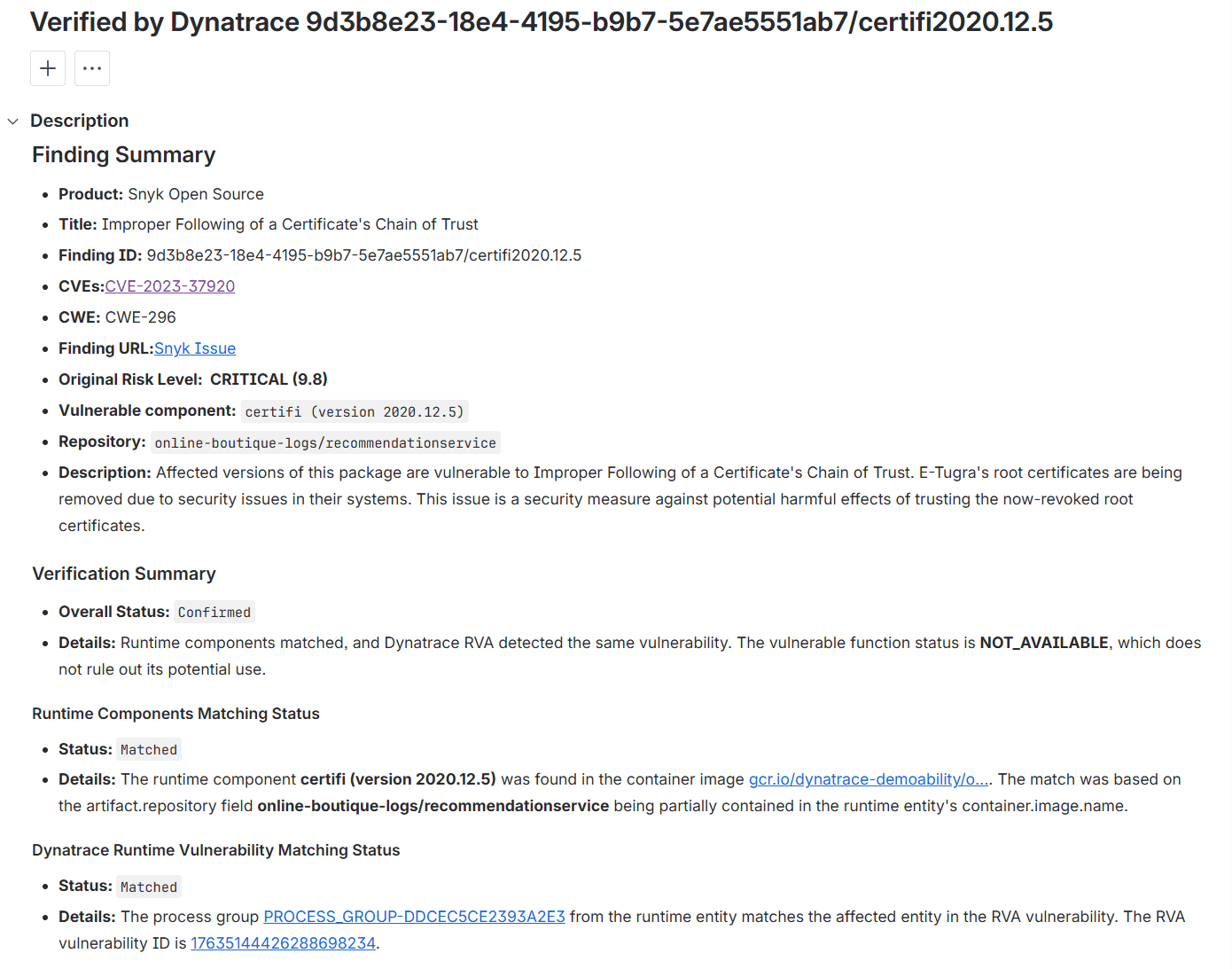
Vulnerability Verification Agent is triggered when new matched vulnerability findings are ingested into Dynatrace. It maps each finding to monitored entities using information about the code artifacts, repositories, and vulnerable components. It also cross‑checks dependency vulnerabilities with Runtime Vulnerability Analytics to determine whether the same issues are confirmed at runtime. The final verification status is summarized in a Jira ticket.
The following vulnerability findings are supported for the runtime enrichment:
-
Dependency vulnerabilities reported by SCA products, such as Snyk, GitHub, and Sonatype Lifecycle
-
Code vulnerabilities reported by SAST products, such as Snyk, GitHub, and Sonarqube Coming soon
Sample Jira ticket: