Set up Security Insights Report Agent
- Latest Dynatrace
- How-to guide
- 3-min read
- Published Mar 04, 2026
- Preview
- Agentic workflows
- Set up Alert Reduction Agent
- Set up Database Operations Agent
- Set up Infrastructure Optimization Agent
- Set up Kubernetes Troubleshooting Agent
- Set up Mobile Crash Remediation Agent
- Set up Threat Triage Agent
- Set up Vulnerability Verification Agent
- Set up Security Insights Report Agent
- Set up Security Association Agent
- Set up Kubernetes Operations Agent
- Set up SRE Agent
Security Insights Report Agent is a Dynatrace agentic workflow that generates comprehensive security insights reports by automatically analyzing security findings and trends over a specified period of time. It provides actionable recommendations to enhance the organization's security posture.
Prerequisites
- Subscribe to and install Dynatrace Intelligence (Preview) to enable IOC extraction and summary generation.
- Set up
 Email for Workflows to receive email notifications.
 - Recommended Enable Runtime Vulnerability Analytics.
- Recommended Enable Security Posture Management.
- Optional Enable Runtime Application Protection.
- Optional Ingest security events from third-party products to broaden the data available during triage.
Get started
To set up the workflow, follow the steps below.
-
In
 Workflows, select Workflow.
 -
In the left-hand menu, select the Dynatrace Intelligence (Preview) app.
-
Search for and select the Security Insights Report Agent template.
-
Follow the on-screen guidance to configure the workflow.
After the workflow is deployed:
- Update the workflow tasks as needed (for example, in the
send-emailtask, specify the destination email address). - Review the workflow trigger, adjust the schedule according to your needs, and enable the trigger.
What's next?
After you set up the workflow, Security Insights Report Agent is triggered on a defined period and looks for new security findings in your environment.
It analyzes the following security finding types:
-
Vulnerability findings—both findings generated by Dynatrace and ingested with third-party integrations, such as Snyk, GitHub, and SonarQube.
-
Compliance findings—both findings generated by Dynatrace and ingested with third-party integrations, such as Microsoft Defender for Cloud and AWS Security Hub.
-
Detection findings—both findings generated by Dynatrace and ingested with third-party integrations, such as Amazon GuardDuty and Microsoft Sentinel.
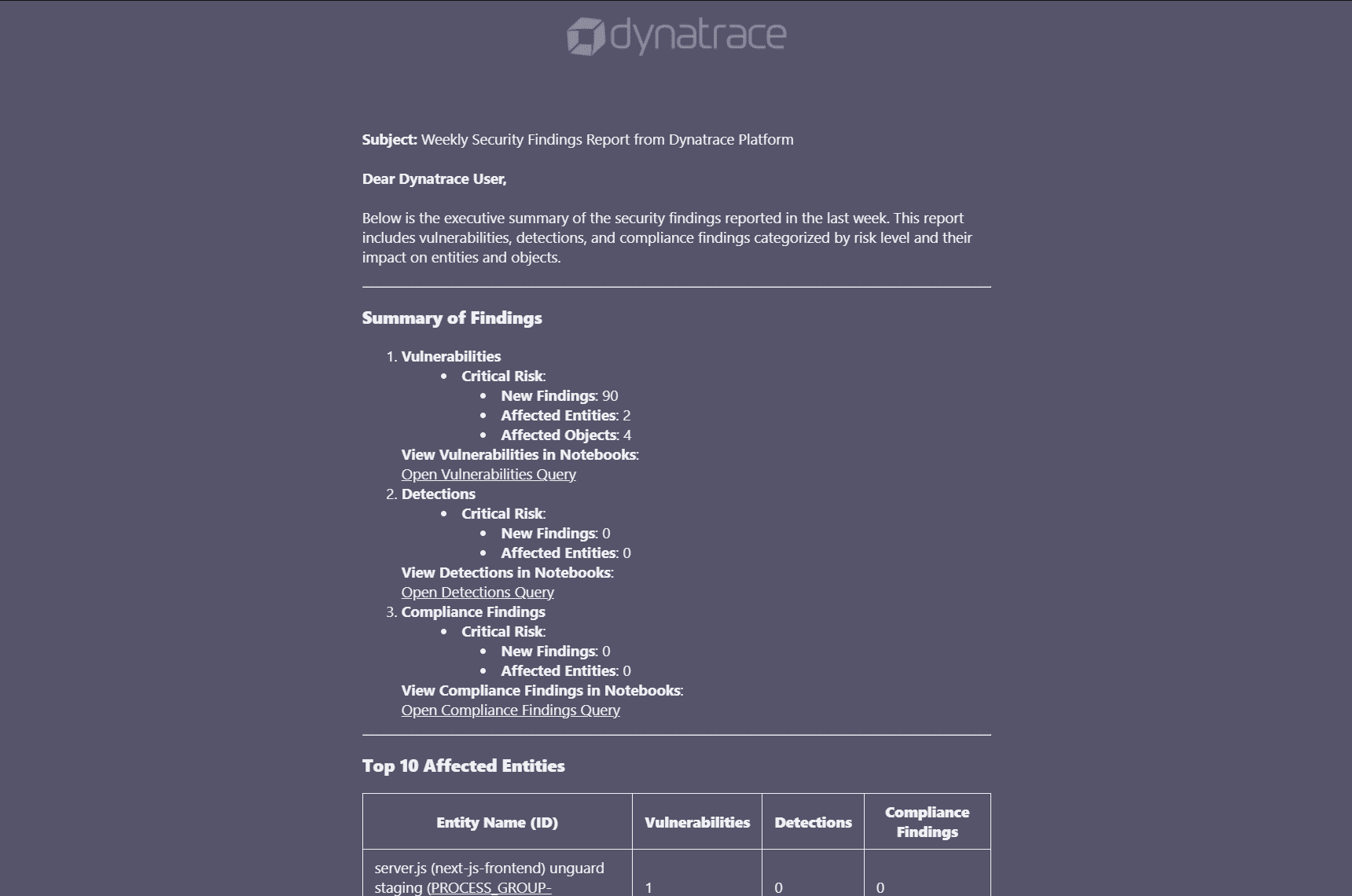
Sample email report: