Set up Kubernetes Operations Agent
- Latest Dynatrace
- How-to guide
- 3-min read
Kubernetes Operations Agent is a Dynatrace agentic workflow that automatically analyzes workload misconfigurations, generates YAML code to fix the insecure configuration, and pushes the fix suggestion to Jira for tracking and remediation.
Prerequisites
- Ensure that your DPS license includes AI Units capabilities.
- Enable Security Posture Management.
- Set up
 Jira Connector to create Jira tickets.
 - Optional Ingest security events from third-party products to broaden the data available during triage.
Get started
1. Set up the Kubernetes Operations Agent workflow
-
In
 Workflows, select Workflow.
 -
In the left-hand menu, select the Dynatrace Intelligence app.
-
Search for and select the Kubernetes Operations Agent template.
-
Follow the on-screen guidance to configure the workflow.
-
After deployment, adjust the workflow as needed (for example, in the
create_jira_issuetask, specify the details of the project and assignee).
2. Set up the triggering workflow
- Save the
trigger-kubernetes-operations-agent.yaml locally. - Deploy it in Workflows.
- Adjust the workflow default inputs as needed.
- For the
suggest_k8s_fixestask, go to Input > Run workflow, and then search for and select Kubernetes Operations Agent. - Adjust and enable the workflow trigger.
What's next?
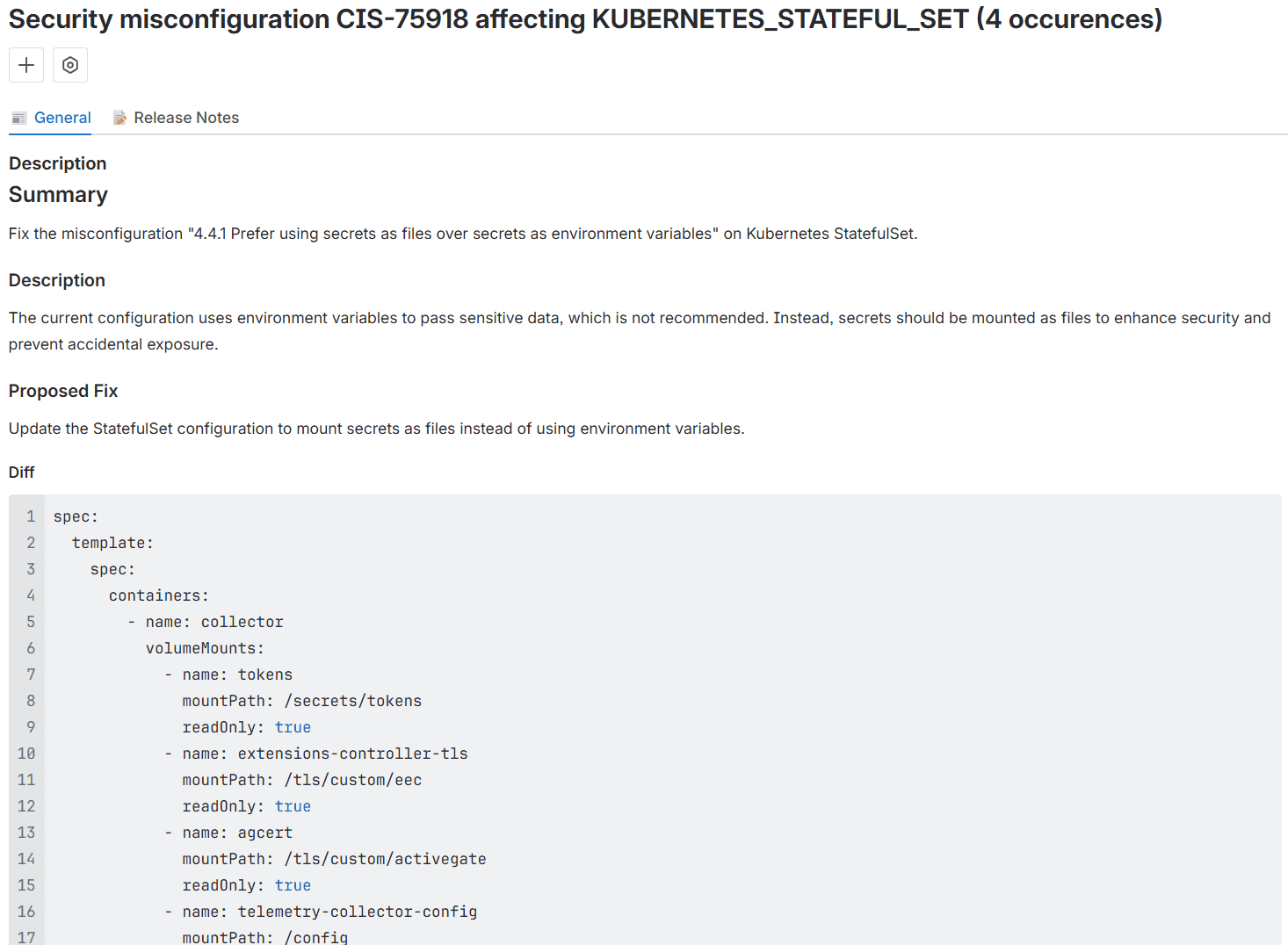
After you set up the workflows, the Kubernetes Operations Agent is triggered when Dynatrace detects new Kubernetes misconfiguration findings. It only acts on new findings and creates Jira tickets per misconfiguration together with the suggested fix.
Sample Jira ticket: