Set up Kubernetes Troubleshooting Agent
- Latest Dynatrace
- How-to guide
- 2-min read
- Published Jan 28, 2026
- Preview
- Agentic workflows
- Set up Alert Reduction Agent
- Set up Database Operations Agent
- Set up Infrastructure Optimization Agent
- Set up Kubernetes Troubleshooting Agent
- Set up Mobile Crash Remediation Agent
- Set up Threat Triage Agent
- Set up Vulnerability Verification Agent
- Set up Security Insights Report Agent
- Set up Security Association Agent
- Set up Kubernetes Operations Agent
- Set up SRE Agent
The Kubernetes Troubleshooting Agent performs comprehensive analysis of active issues to help make troubleshooting faster.
Using Dynatrace Intelligence and out-of-the-box alerts, the Kubernetes Troubleshooting Agent:
- Correlates relevant signals such as metrics, events, and logs
- Summarizes key findings
- Creates a pull request with the remediation steps
- Recommends remediation steps
Prerequisites
To use the Kubernetes Troubleshooting Agent, you must deploy a workflow that is included in the product as a preconfigured workflow template. For details, see Agentic workflows.
Get started
To set up the agent
-
Go to
 Workflows and select Workflow.
 -
From the Create workflow from template list that opens, select Kubernetes Troubleshooting Agent.
-
Install all the required apps (as needed), define the connections, and select Create workflow.
-
Optional To configure the JSON workflow input, select and scroll down to the Workflow input and result and Default input sections.
-
Update the
generateRecommendationparameter value totrueto automatically enrich any Kubernetes problem with the output from the agent, or tofalseto stop the agent output. The default value istrue. -
Update the
generatePullRequestparameter value totrueto extract the YAML from the agent's suggestions and create a pull request with the changes, or tofalseto disable this functionality. The default value isfalse.To enable this functionality, the
create_pull_request_1step must be properly configured in your Git repository.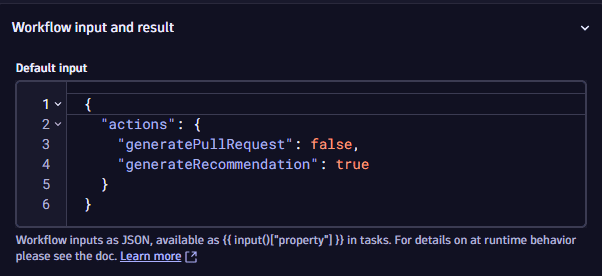 Setup for the Kubernetes Troubleshooting Agent in Workflows to trigger a diagnostic process for every new Kubernetes issue.
-
-
Test the workflow with a manual run by selecting Run.
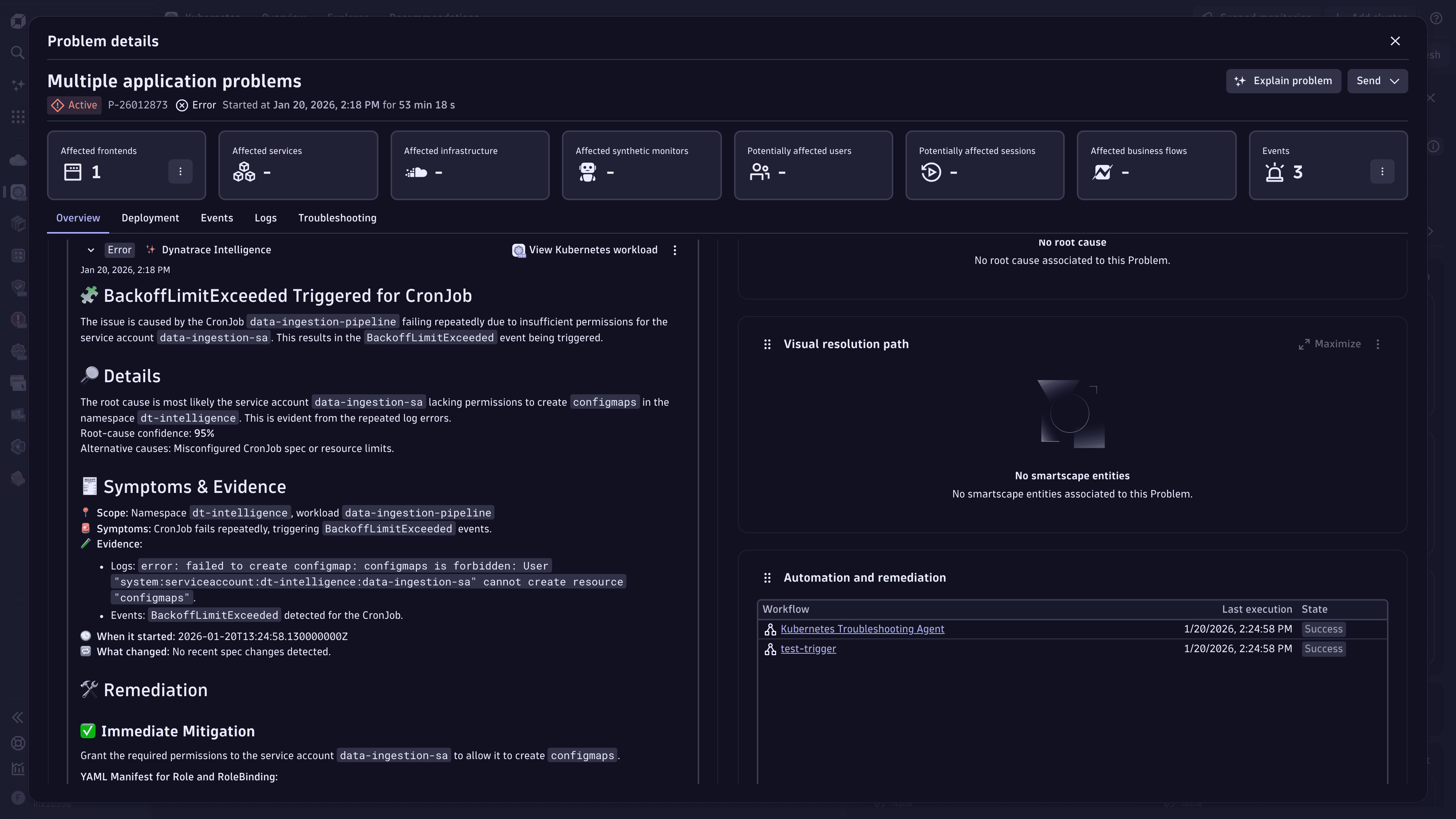
If the test works as expected, no additional action is needed. The workflow will integrate AI-driven diagnostics into your Kubernetes environment and displays results in  Problems.
Related topics
 KubernetesGenerative AI for Workflows