Set up Infrastructure Optimization Agent
- Latest Dynatrace
- How-to guide
- 2-min read
The Infrastructure Optimization Agent provides recommendations to reduce costs and minimize risks by optimizing your infrastructure. The agent queries Grail and provides data to Dynatrace Assist, which generates recommendations that are sent to email addresses of your choice.
Prerequisites
To use the Infrastructure Optimization Agent, you must deploy a workflow that is included in the product as a preconfigured workflow template. For more details, see Agentic workflows.
Get started
To set up the agent
-
Go to
 Workflows and select Workflow.
 -
From the Create workflow from template list that opens, select Infrastructure Optimization Agent.
-
Install all the required apps (as needed), define the connections, and select Create workflow.
-
To configure the JSON workflow input, select and scroll down to the Workflow input and result and Default input sections.
-
Update the
scopeparameter values to include or exclude the desired scope. If you are not monitoring some domains (for example, network), set the scope for them tofalse. -
Update the
emailsparameter values (to,cc,bcc) to be an array of strings. For example,"to": [ "me@example.com", "you@example.com"].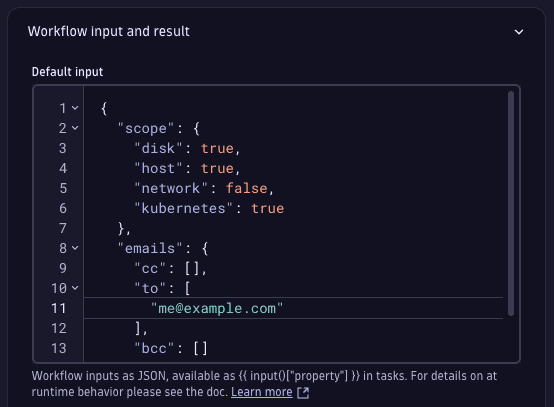 Setup for the Infrastructure Optimization Agent in Workflows to add email recipients.
-
-
Test the workflow with a manual run by selecting Run.
-
If the workflow works as expected, you can continue triggering it manually, or select Change trigger to change it to a scheduled one, for example, weekly, daily, or according to your preference.
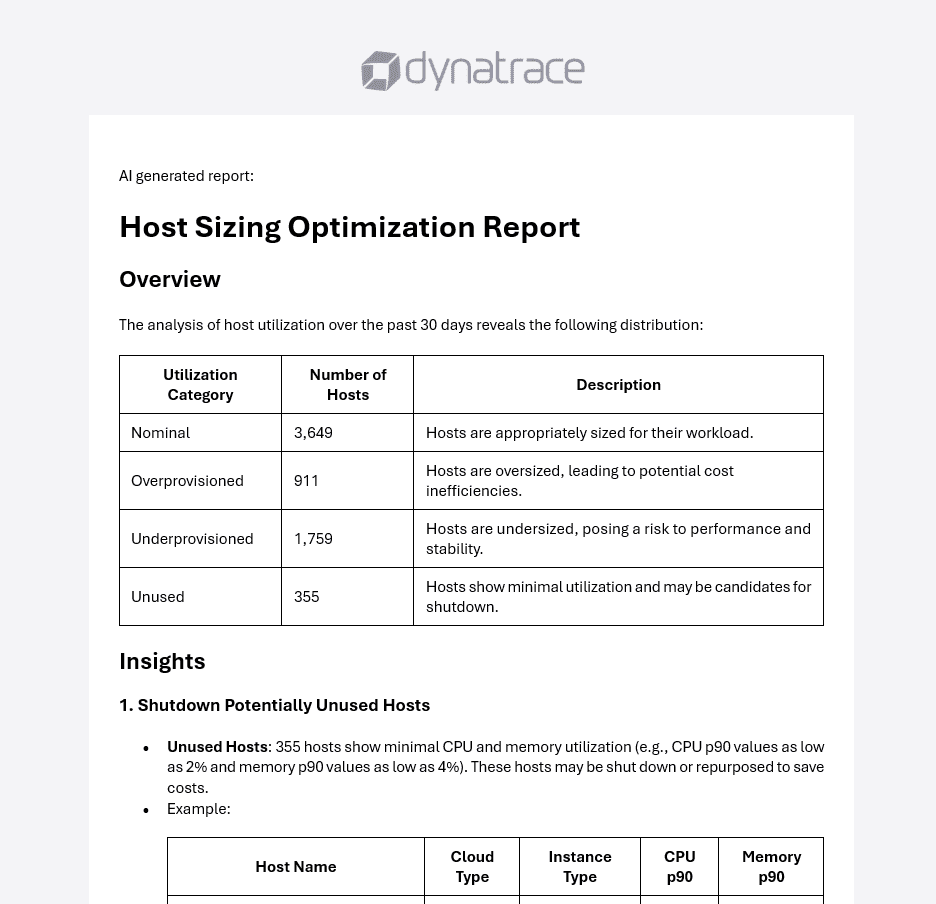
When the workflow is triggered, the recipients receive an email with an AI-generated report containing analyses, insights, and recommendations.
Related topics
 Infrastructure & OperationsGenerative and agentic AI for WorkflowsAI agents for Workflows