Set up Threat Triage Agent
- Latest Dynatrace
- How-to guide
- 3-min read
- Published Jan 28, 2026
- Preview
- Agentic workflows
- Set up Alert Reduction Agent
- Set up Database Operations Agent
- Set up Infrastructure Optimization Agent
- Set up Kubernetes Troubleshooting Agent
- Set up Mobile Crash Remediation Agent
- Set up Threat Triage Agent
- Set up Vulnerability Verification Agent
- Set up Security Insights Report Agent
- Set up Security Association Agent
- Set up Kubernetes Operations Agent
- Set up SRE Agent
Threat Triage Agent is a Dynatrace agentic workflow that automatically extracts indicators of compromise (IOCs) from threat alerts and analyzes the resulting exposure across your environment. By turning raw threat intelligence into actionable insights, it helps you quickly understand where you’re at risk and move efficiently toward remediation using the data already available in Dynatrace.
Prerequisites
- Enable Runtime Vulnerability Analytics.
- Subscribe to a threat‑intelligence data source, for example LevelBlue Labs OTX (alienvault), so the integration workflow can retrieve threat alerts.
- Set up
 Slack Connector to receive notifications.
 - Subscribe to and install Dynatrace Intelligence (Preview) to enable IOC extraction and summary generation.
- Optional Enable Runtime Application Protection to enrich exposure analysis with runtime protection insights.
- Optional Ingest security events from third-party products to broaden the data available during triage.
Get started
1. Set up the integration workflow
- Download the AlienVault integration workflow template.
- Deploy it in
 Workflows and configure it as needed.
2. Set up the Threat Triage Agent workflow
-
In
Workflows, select Workflow. -
In the left-hand menu, select the Dynatrace Intelligence (Preview) app.
-
Search for and select the Threat Triage Agent template.
-
Follow the on-screen guidance to configure the workflow.
-
After deployment, adjust the workflow as needed (for example, in the
notify_in_slacktask, choose the Slack channel).
What's next?
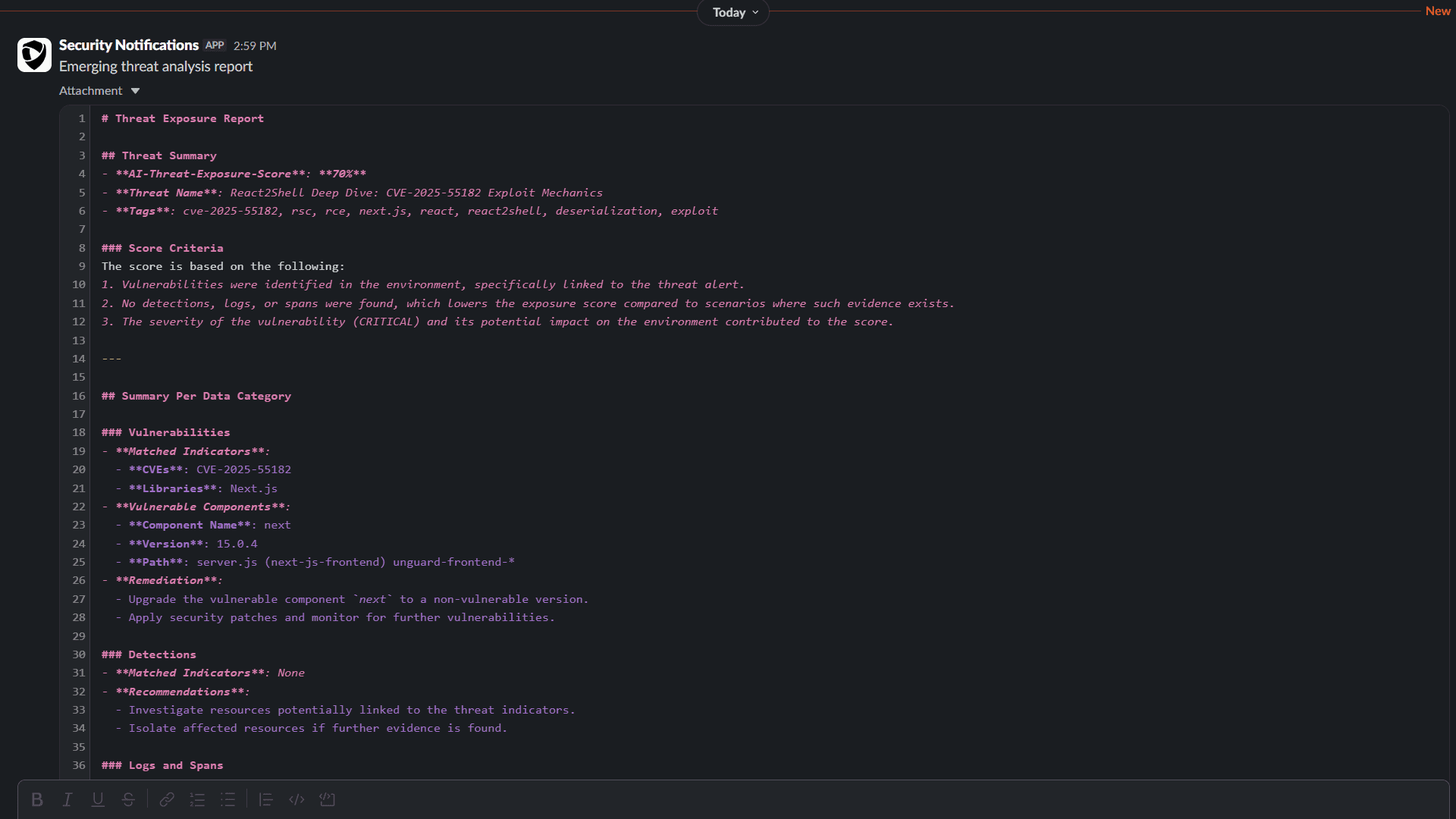
After you set up the workflows, the integration workflow begins querying alerts from your selected threat‑intelligence source (for example, AlienVault) for the latest emerging threats (such as React2Shell). When an alert report is received, it automatically triggers the Threat Triage Agent workflow.
The Threat Triage Agent workflow then:
- Extracts IOCs from the alert report using the Dynatrace Intelligence action.
- Runs multiple queries for vulnerabilities, detections, spans, and logs based on those IOCs.
- Generates a summary that includes the Threat Exposure Score, IOC details, affected and related entities, and the sample queries used during the investigation.
- Sends a notification to your selected Slack channel.
Sample report: