Where to view your costs
- Explanation
- 6-min read
Dynatrace exposes the same underlying cost and usage data through several surfaces. Choose the one that fits your task:
- Account Management: The front door for subscription totals, capability and environment breakdowns, billing reports, and the APIs that expose this same data programmatically.
- DQL: When you need granular analysis, use DQL to query billing events.
Overview
Dynatrace records every metered usage record to Grail as a billing event. Account Management surfaces this data as ready-made summaries, breakdowns, and reports. The same data is queryable directly with DQL , and exportable for finance integrations.
Use cases
- Check your current subscription consumption against your annual commitment.
- Compare cost across environments, capabilities, or time periods.
- Build a custom DQL query for a cost question Account Management doesn't answer.
- Pull billing data into Excel, Power BI, or another finance tool.
Account Management
Account Management gives you hourly reporting on DPS usage, daily updates on your current budget, and a drill-down view that lets you compare costs across time periods, environments, and capabilities.
Cost overviews
You can get an overview of your Dynatrace Platform Subscription consumption in Account Management > Subscription.
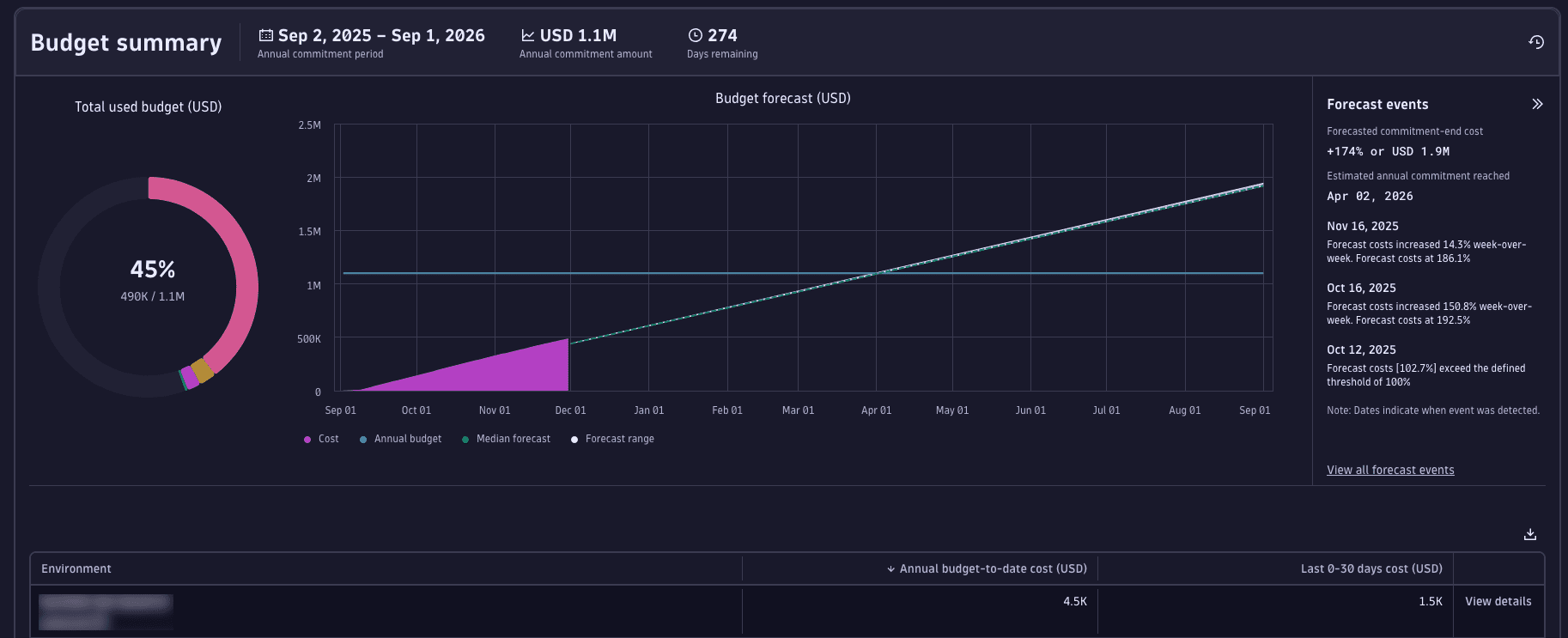
- Budget summary: a summary of total subscription period costs and forecast, with a breakdown by environment.
- Cost and usage breakdown: a detailed cost and usage breakdown for the last 30 days, including consumption by capability and by environment.
- Cost and usage analysis: a flexible drill-down view where you can compare time periods, filter by environment or capability, and identify cost drivers and trends.
For a detailed walkthrough of the UI, see Overview (Dynatrace Platform Subscription).
Costs are calculated daily at 02:00:00 UTC based upon the availability of on-premise clusters and an active connection to Dynatrace. When clusters are unavailable, this results in late delivery of usage data for cost calculations and delays budget notifications. When the cluster becomes available and usage data uploads to Dynatrace, costs will be calculated at the next 02:00:00 UTC interval and processed several hours later. This can impact the timeliness of budget notifications.
Billing report
Your billing report provides details about accrued costs per booking date. Use this view to determine which Dynatrace monitoring costs were recognized and booked on which day.
Billing reports are available in Account Management > Subscription > Billing report.
For more information, see Billing report.
APIs for cost data integration
Every usage and cost data point you see in Account Management is also available via the Dynatrace API. This means you can export your consumption data, share it across teams, and integrate it into any tool your organization already uses, from finance systems to custom dashboards. Common use cases:
- Share cost visibility with budget owners and finance teams.
- Feed consumption data into enterprise tools.
- Automate budget reports and alerts.
- Integrate with internal cost allocation or chargeback systems.
You can also explore all available endpoints directly in the API Explorer in Account Management or via the Account Management API documentation.
 Dynatrace Platform Subscription