Migrate from OneAgent Operator to Dynatrace Operator
- Latest Dynatrace
- 5-min read
Understand and configure the DynaKube custom resource
The DynaKube custom resource (CR) replaces the OneAgent custom resource. The DynaKube CR follows the "don't repeat yourself" (DRY) principle to deploy a number of different components to your Kubernetes cluster.
Each section includes an illustration of the differences between the two custom resources, what changes from the old custom resource to the new one (marked with green), and what stays the same in both custom resource (marked with blue).
Changing operators will change the host ID calculations for monitored hosts, which will lead to monitoring anomalies in the Dynatrace UI.
Classic full-stack migration
Follow the instructions below to migrate from OneAgent Operator to Dynatrace Operator for classic full-stack injection.
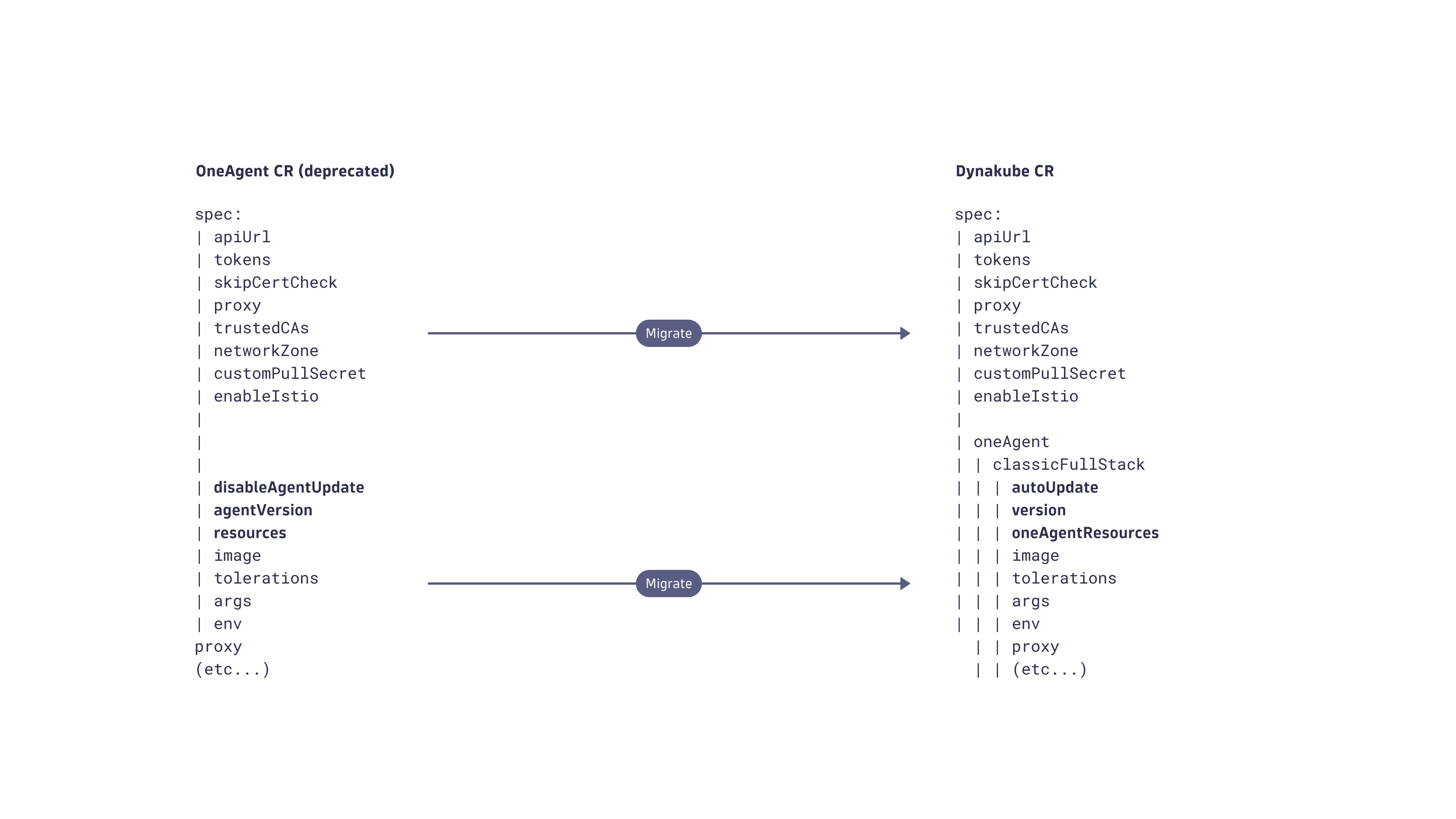
Global parameters (spec)
The following settings are global, shared by every component, and located under spec.
-
apiUrl -
tokens1 -
skipCertCheck -
proxy -
trustedCAs -
networkZone -
customPullSecret -
enableIstio
Tokens must point to an existing secret.
Application-only migration
Follow the instructions below to migrate from OneAgent Operator to Dynatrace Operator for automatic application-only injection.
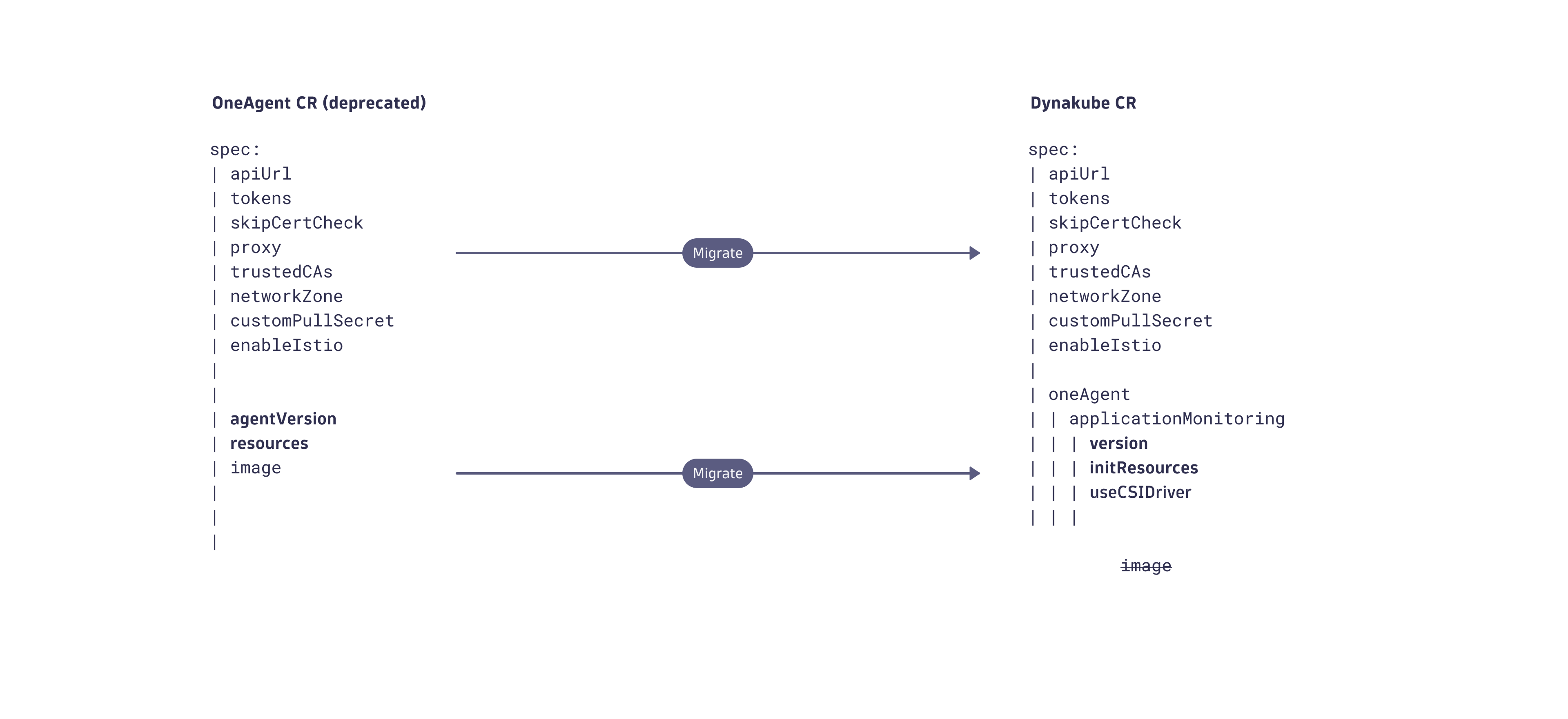
Global parameters (spec)
The following settings are global, shared by every component, and located under spec.
-
apiUrl -
tokens1 -
skipCertCheck -
proxy -
trustedCAs -
networkZone -
customPullSecret -
enableIstio
Tokens must point to an existing secret.
Migrate from OneAgent Operator to Dynatrace Operator
You can migrate from the deprecated OneAgent Operator to the new Dynatrace Operator that manages the lifecycle of several Dynatrace components such as OneAgent, routing, and Kubernetes API Monitor. Additional components will be added as new observability features become available.
Select one of the following options, depending on your deployment methods.

Migrate manifests
-
Delete OneAgent Operator and the
dynatracenamespace/project.kubectl delete -f https://github.com/Dynatrace/dynatrace-oneagent-operator/releases/download/<version>/kubernetes.yamlkubectl delete namespace dynatrace
Migrate with Helm
-
Remove OneAgent Operator, the Helm repository, and the
dynatracenamespace/project.helm uninstall dynatrace-oneagent-operatorkubectl delete -f https://github.com/Dynatrace/dynatrace-oneagent-operator/releases/download/v0.10.2/dynatrace.com_oneagentapms.yamlkubectl delete -f https://github.com/Dynatrace/dynatrace-oneagent-operator/releases/download/v0.10.2/dynatrace.com_oneagents.yamlhelm repo remove dynatracekubectl delete namespace dynatrace