Data collected with Dynatrace database monitoring
- Latest Dynatrace
- Reference
When you enable a DB Extension, it automatically collects all metrics defined in the corresponding integration documentation. These include metrics related to database configuration, activity, uptime, connections, buffer pools, query performance, and many others used by the Databases app.
All collected data can also be used in dashboards, alerts, notebooks, and any other metric-based workflows within Dynatrace.
For a complete list of metrics collected, select your database vendor from the list below.
Data collection details
Normalized queries
To protect sensitive information and improve analysis, queries are normalized before storage. This process replaces literal parameter values with placeholders, ensuring that Personally Identifiable Information (PII) is removed.
For example:
Before normalization
SELECT * FROM customers WHERE email = 'john.doe@example.com';SELECT * FROM customers WHERE email = 'J.I.Jane@other_example.com';
After normalization
SELECT * FROM customers WHERE email = ?;
This approach also applies to execution plans, where parameter values are stripped out to prevent exposure of sensitive data.
Monitored database instances
Database monitoring supports multiple database technologies through Extensions. However, only the first 70 databases discovered or configured are actively monitored. This limit ensures optimal performance and resource usage.
Monitored database queries
Query monitoring focuses on the most resource-intensive and longest-running queries. Since data is collected at regular intervals, the reported queries won't be identical on each run. Despite that variation, clear trends emerge over time, making overall usage patterns and consistently expensive queries easy to spot. For details about database query capture, see Database query capture intervals.
A query interval shorter than the default one might incur additional costs.
During database instance configuration, you can adjust the query collection interval and other endpoint settings.
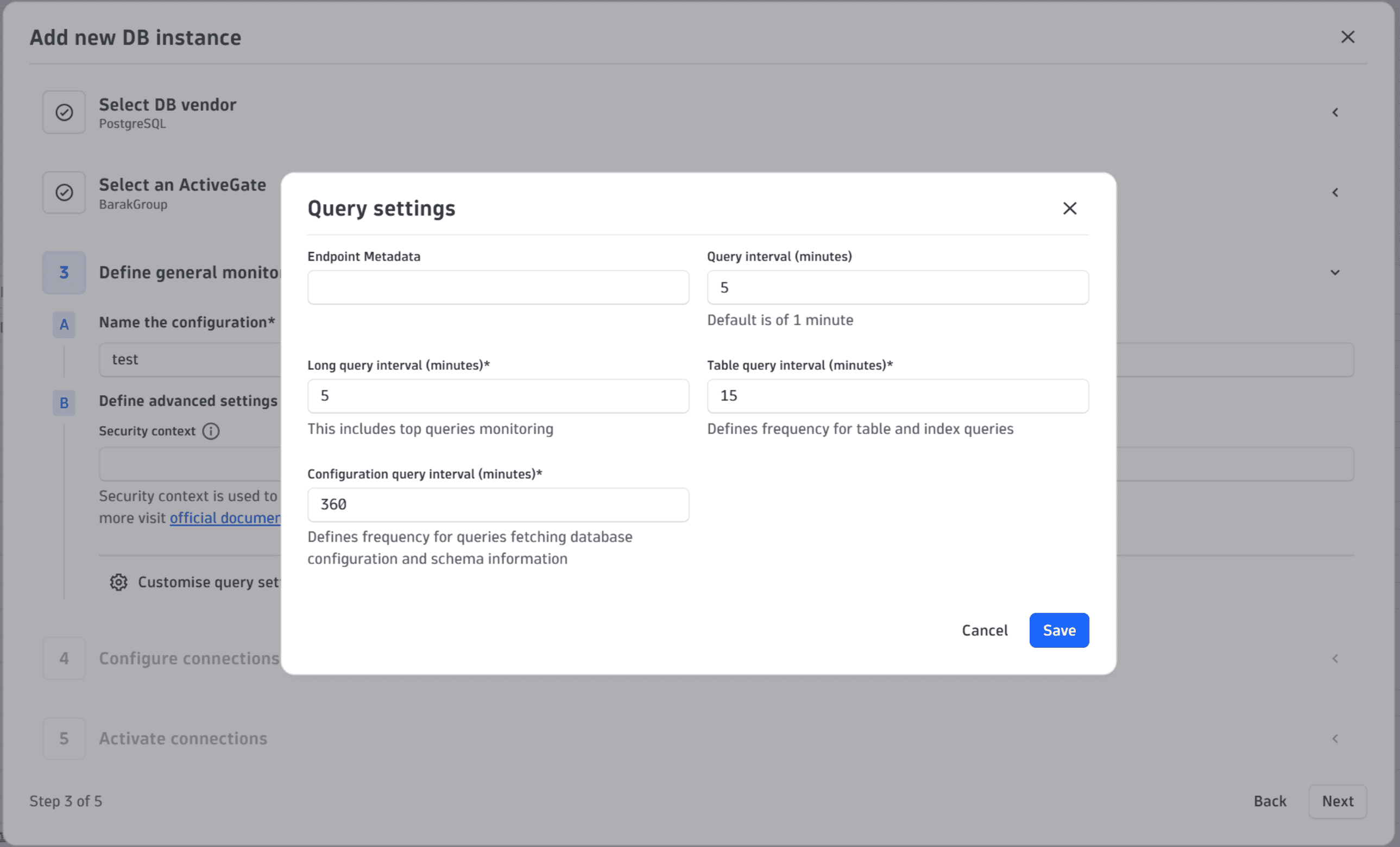
Control feature sets and data collection frequency
You can control certain feature sets, which determine what data is collected. For example:
-
Query metrics: Enable or disable query-level monitoring.
-
Execution plans: Enable or disable the collection of query plans.
-
Activity metrics: Control instance-level data frequency.
For selected feature sets, you can adjust the collection frequency to balance detail and overhead. For example:
- Collect query metrics every 1 minute or every 5 minutes.
- Adjust instance activity polling intervals.
However, not all feature sets can be disabled, as some are essential for core functionality.
Remove PII
To comply with privacy standards:
- Query parameters are replaced with placeholders during normalization.
- Execution plans are sanitized to remove sensitive values.
This ensures that no PII is stored or exposed in monitoring data.
Data retention
Collected data is retained based on the configuration of the data bucket. By default, data is stored for 35 days, after which it is automatically purged. You can adjust retention settings according to your organization’s compliance and storage requirements.
Supported database vendors
The Dynatrace  Databases is designed to minimize impact on monitored database instances and follows industry best practices for low-overhead observability.
To ensure efficient data collection:
- Database instance metrics are collected every 1 minute and use lightweight system tables that avoid performance penalties.
- Host metrics are sourced from the operating system or cloud monitoring services. This approach doesn't require direct polling from the database.
- Database-level metrics are also gathered every 1 minute, but only display for a limited number of databases to reduce load.
- Query metrics are collected every 1 minute, but only for a limited set of queries, selected to balance insight with performance.
- Slow query log collection is optional (only for Postgres and MySQL). To minimize overhead, configure a high threshold and enable sampling to limit the number of queries logged as slow.
- Configuration data (only for Postgres and MySQL) is retrieved every 24 hours to ensure visibility without frequent access.
This architecture ensures that monitoring remains lightweight and scalable, even in environments with multiple databases per instance.
Databases