Send Claude Platform traces to Dynatrace
- Latest Dynatrace
- How-to guide
- 5-min read
- Published Oct 16, 2026
The Claude Platform can export OpenTelemetry (OTel) traces for Messages API requests, tool uses, and Claude Managed Agents sessions.
The spans follow the GenAI semantic conventions, which  AI Observability natively understands.
You can collect traces from two sources, and combine them:
- API tracing: The Claude API sends server-side spans directly to Dynatrace. You configure it once in the Claude Console, no code changes required.
- SDK tracing: The Claude SDK emits client-side spans through the OTel tracer provider of your application, so Claude calls appear inside your own distributed traces.
OpenTelemetry export on the Claude Platform is in beta. Span and attribute names may change.
Who is this for?
This guide is for:
- AI engineering teams building applications and agents on the Claude API or Claude Managed Agents.
- Site Reliability Engineers responsible for monitoring AI workloads.
- Platform engineers integrating OTel data from AI providers into Dynatrace.
What will you learn?
By following this guide, you'll learn:
- How to add Dynatrace as an OTel destination in the Claude Console.
- How to export Claude SDK spans to Dynatrace from your application.
- How to view Claude requests, prompts, token usage, and latency in AI Observability.
Before you begin
Prerequisites
To get started, you need to have:
- The Admin role in your Claude Console organization (for API tracing).
- Dynatrace SaaS with a Dynatrace Platform Subscription (DPS) license that has Traces powered by Grail enabled.
- OTLP ingestion enabled, see OpenTelemetry and Dynatrace.
- A platform token with the
openpipeline:traces:ingestscope.
Prior knowledge
It's helpful to have some basic knowledge of:
- OTel concepts like spans, exporters, and OTLP.
- Dynatrace permissions and data ingestion.
Send API traces to Dynatrace
1. Add Dynatrace as a destination
-
In the Claude Console, go to Settings > OpenTelemetry and select Add destination.
-
For Provider, select Custom.
-
For OTLP endpoint URL, enter
https://<your-environment-id>.live.dynatrace.com/api/v2/otlp. Don't append/v1/traces; the Claude API adds it. -
Under Request headers, add the
Authorizationheader with the valueBearer <your-platform-token>. -
Choose a Content mode:
- Metadata only (default): identifiers, timing, status, and token counts.
- Full content: also includes prompts and responses, which populate the Prompts view in AI Observability.
-
Select the Workspaces to export, then save the destination.
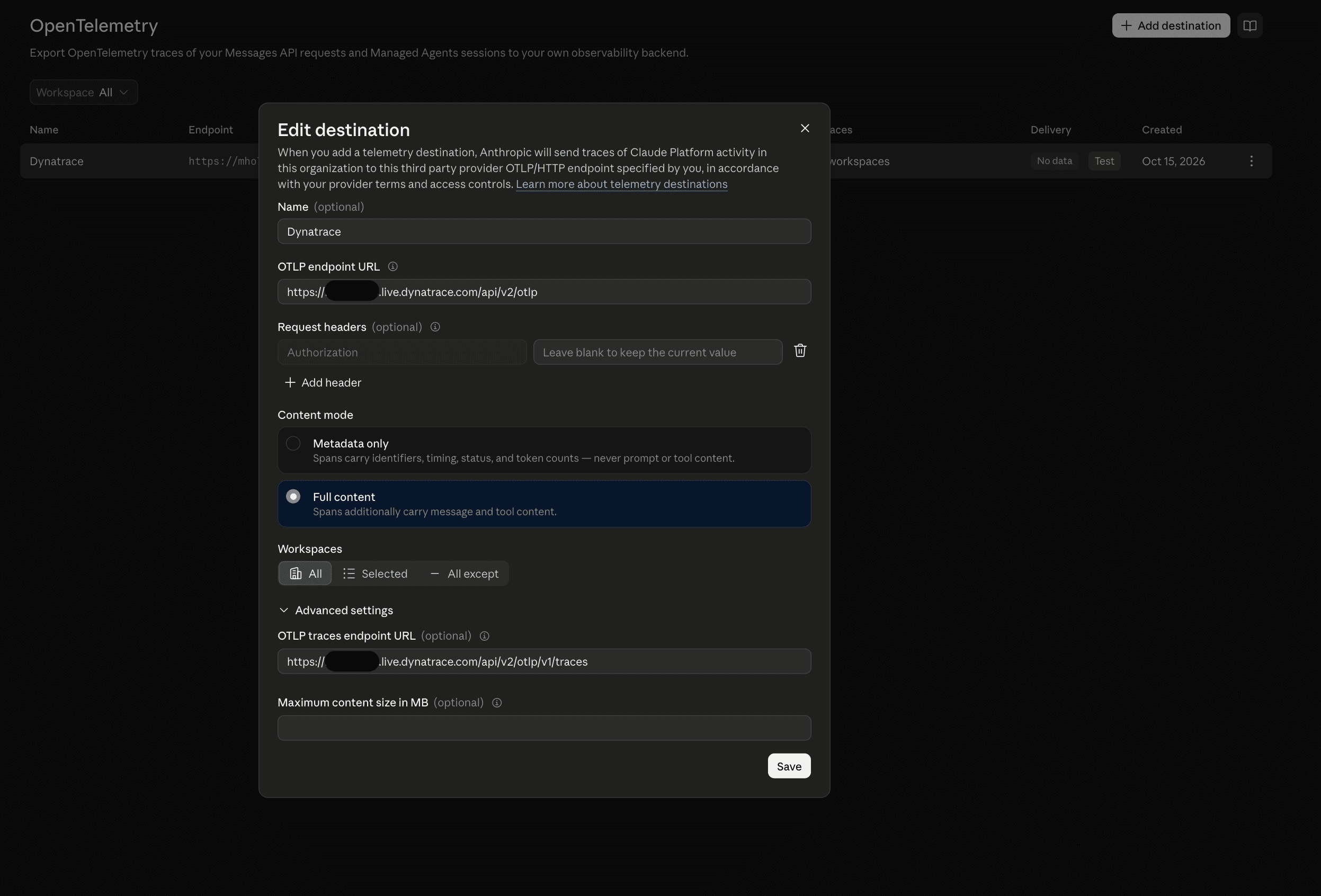
With Full content, the default Maximum content size in MB of 0.75 MB per span works with Dynatrace. Dynatrace accepts OTLP trace requests of up to 8 MB. For details, see OTLP trace ingest limits. If you raise the limit under Advanced settings, keep it well below 8 MB, because a single request can contain several spans.
2. Test the destination
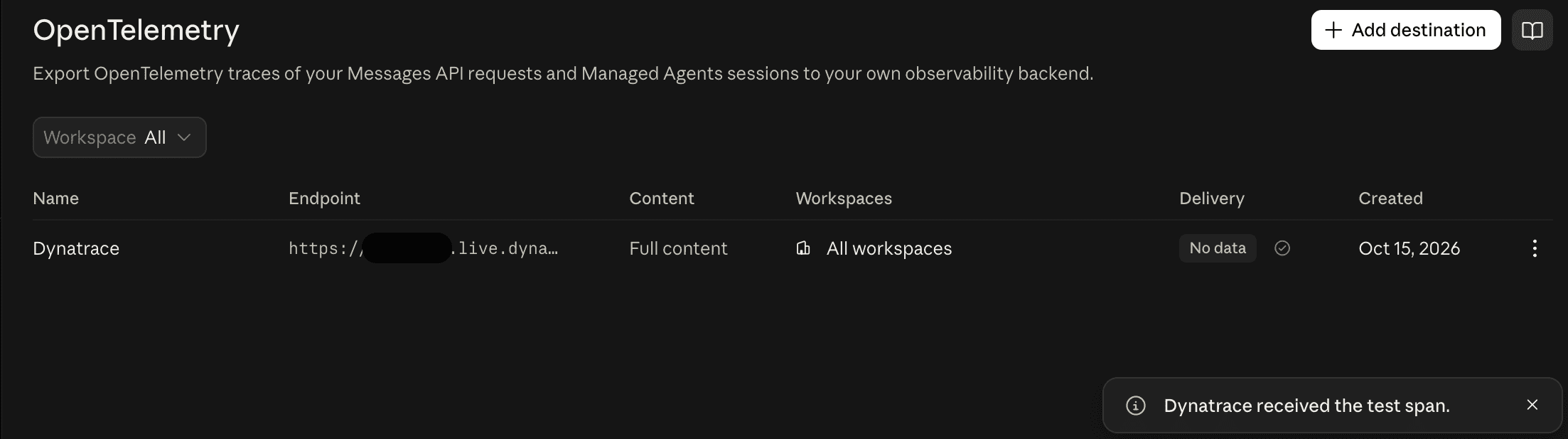
In the destination's More actions menu, select Test.
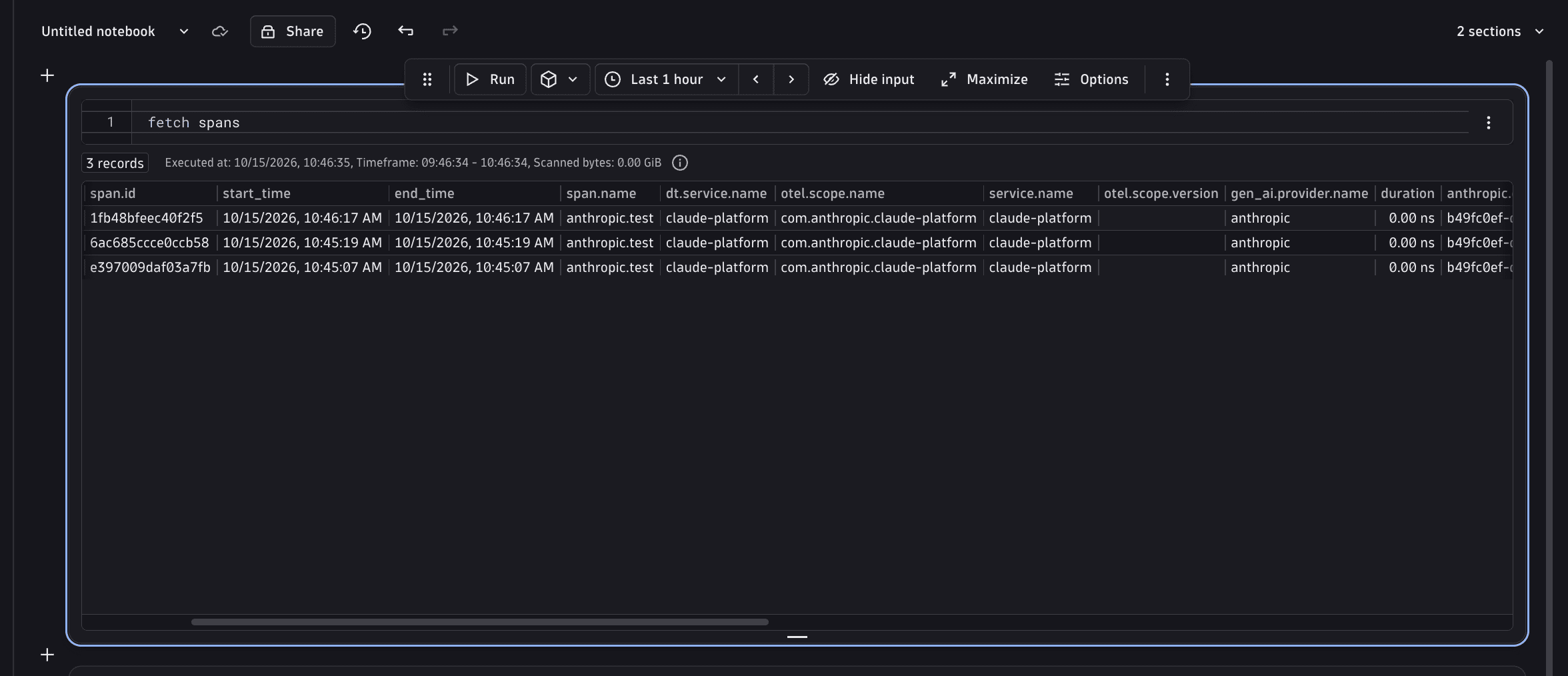
The Claude API sends a single anthropic.test span to Dynatrace and reports whether delivery succeeded.
After real traffic flows, the Delivery column shows Healthy.
Send SDK traces to Dynatrace
The Claude SDK emits spans through the tracer provider registered in your application. Configure an OTLP exporter that points to Dynatrace, then pass the provider to the client. The following example uses Python; the SDKs for TypeScript, Java, Go, C#, PHP, and Ruby support the same options.
1. Install dependencies
pip install anthropic opentelemetry-sdk opentelemetry-exporter-otlp-proto-http
2. Configure the exporter
export OTEL_EXPORTER_OTLP_TRACES_ENDPOINT="https://<your-environment-id>.live.dynatrace.com/api/v2/otlp/v1/traces"export OTEL_EXPORTER_OTLP_TRACES_HEADERS="Authorization=Bearer <your-platform-token>"export OTEL_SERVICE_NAME="my-claude-app"
from anthropic import Anthropicfrom opentelemetry import tracefrom opentelemetry.exporter.otlp.proto.http.trace_exporter import OTLPSpanExporterfrom opentelemetry.sdk.trace import TracerProviderfrom opentelemetry.sdk.trace.export import BatchSpanProcessorprovider = TracerProvider()provider.add_span_processor(BatchSpanProcessor(OTLPSpanExporter()))trace.set_tracer_provider(provider)client = Anthropic(open_telemetry={"tracer_provider": provider,"traces": {"content_mode": "content"}, # omit for metadata only})message = client.messages.create(model="claude-sonnet-5-5",max_tokens=256,messages=[{"role": "user", "content": "Write a haiku about observability."}],)print(message.content[0].text)provider.shutdown()
Use API tracing and SDK tracing together, both sending to Dynatrace.
The SDK propagates the W3C traceparent header, so the API's server spans join your application's trace.
Observe in Dynatrace
- In Dynatrace, go to AI Observability.
- Go to the Prompts tab and filter by provider
anthropicor by your model to find Claude requests. - Open a trace to inspect
anthropic.messages.create,anthropic.model_request, and tool spans and theirgen_ai.*attributes.
The Agents topology view shows how your applications, the claude-platform service, the anthropic model provider, and the Claude models connect.
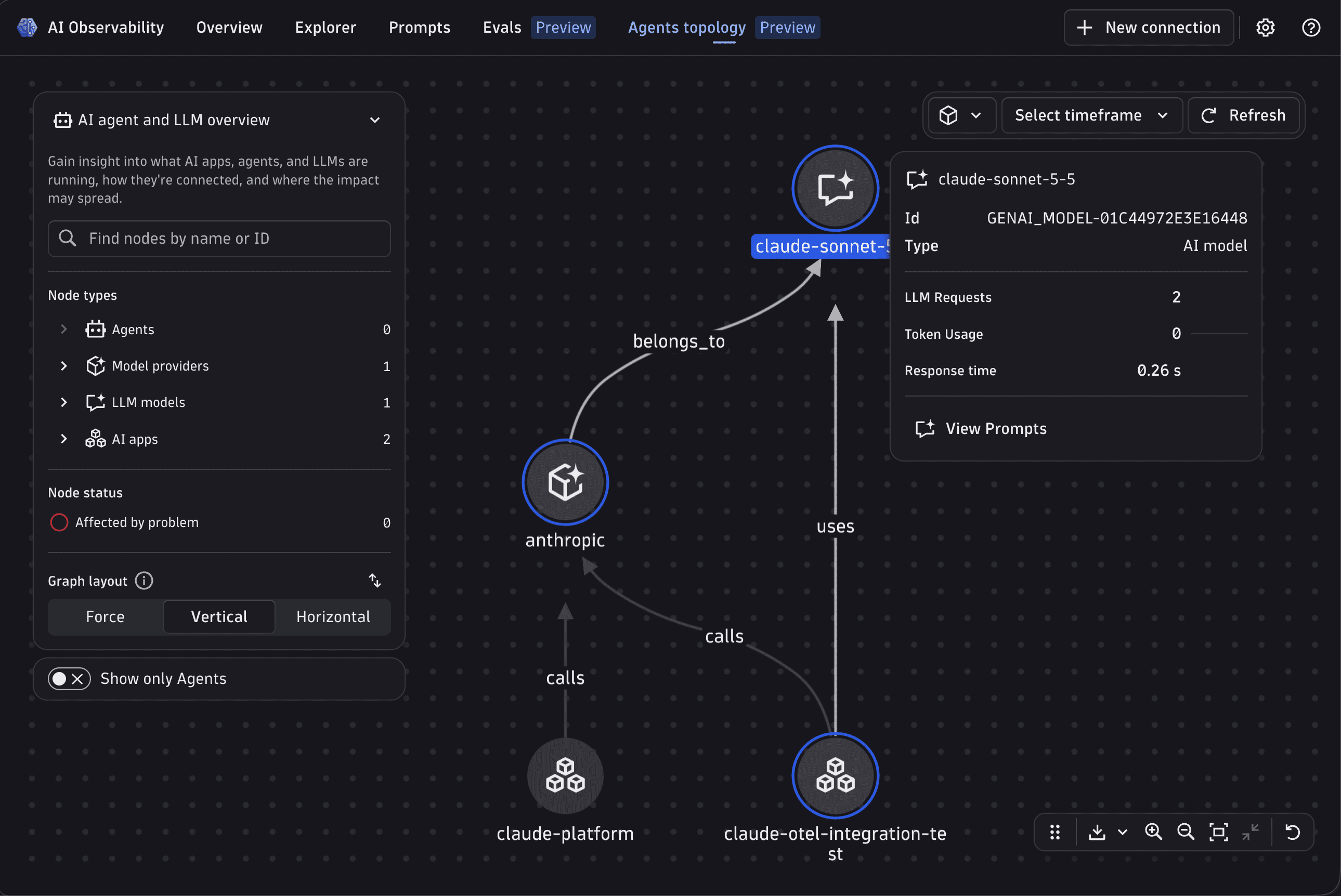
API spans arrive with service.name set to claude-platform.
You can also query them in  Distributed Tracing or with DQL:
fetch spans| filter service.name == "claude-platform"| fields start_time, span.name, gen_ai.request.model, gen_ai.usage.input_tokens, gen_ai.usage.output_tokens, duration
When a request has both an SDK span (CLIENT) and an API span (SERVER), both carry token usage.
To count tokens once, sum only the API spans. For details, see Counting tokens.