User sessions in web frontends
- Latest Dynatrace
- Explanation
A user session summarizes user events for a single end user within a limited timeframe, recording timing information and aggregating key counts and errors for fast analysis. This page describes how user sessions work for web frontends and how they relate to user sessions in RUM Classic.
User session lifecycle
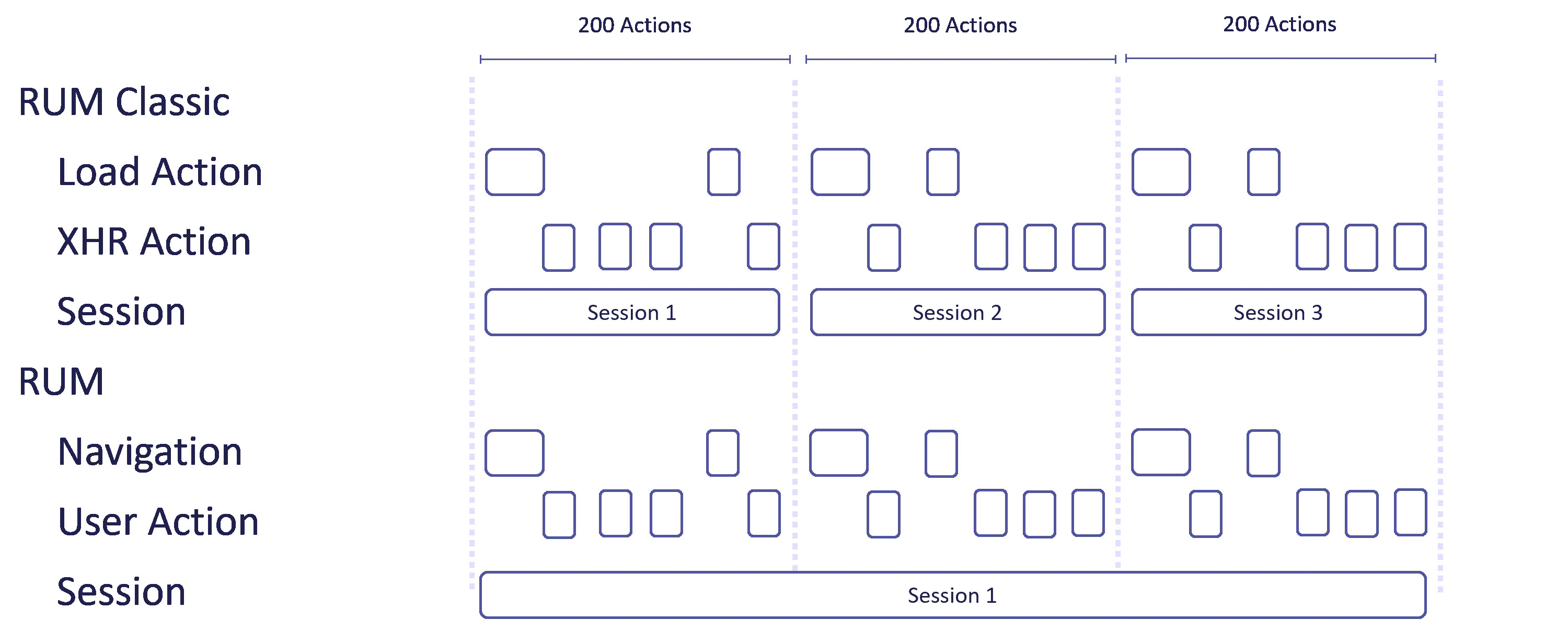
At this point, RUM user sessions are still created based on RUM Classic user sessions. However, in contrast to RUM Classic, which has a user action limit of 200 per user session, RUM does not impose any limits on the number of actions or events per user session.
Session start
A user session can start in two ways:
- When the user performs the first user action in RUM Classic, for example, a load action or an XHR action.
- When the previous user session has ended; see below.
Session end
A user session ends in one of the following ways:
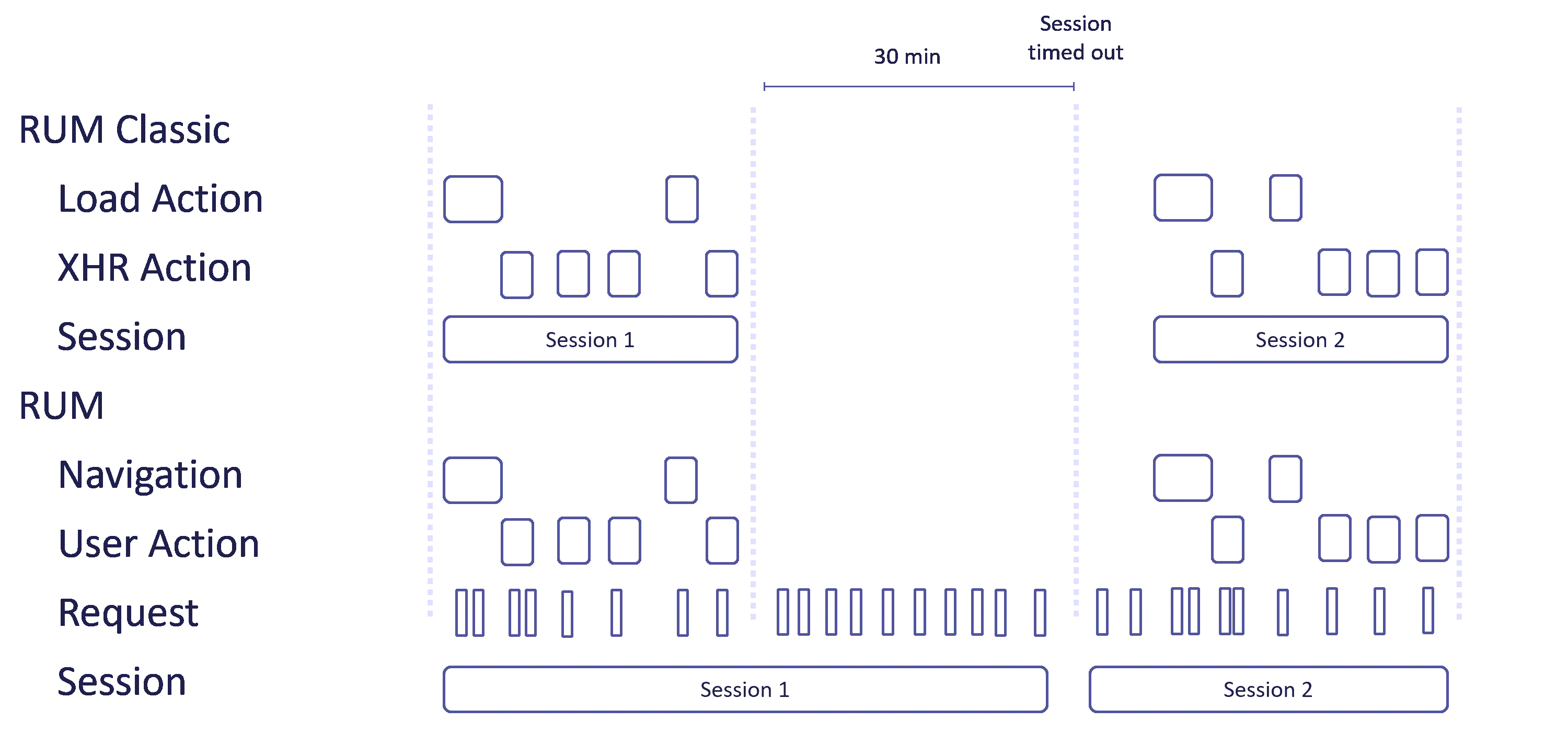
- After 30 minutes of browser inactivity.
- When the user closes their browser.
- When the session duration reaches 6 hours.
- When the session is ended via the RUM JavaScript API by calling
dtrum.endSession().
Session and instance identifiers
The RUM JavaScript stores the following identifiers in RUM Cookies and adds them to each captured user event:
dt.rum.session.ididentifies the session the event belongs to.dt.rum.instance.ididentifies the user's browser. Unless Use persistent cookies for user tracking is disabled, it's stored in a persistent cookie and therefore suitable for identifying returning users.
Aggregation of user events into sessions
The dt.rum.session.id field allows Dynatrace to aggregate user events into user sessions. One session may traverse multiple frontends.
For a user session to be registered, at least one event that indicates user activity must be captured. This includes user actions or navigation events.
- The RUM JavaScript may send data even when a user isn't actively using a webpage.
- Since events may potentially belong to a user session, all captured events are assigned a session ID. However, if only non-relevant events are captured, such as request events due to content update checks, no user session is registered.
A session with only one user action or navigation is tagged as bounced.
Session duration
Session duration is calculated as the time between the first event (not necessarily user action or navigation) and the last user action or navigation.
Extended duration is the duration of all events in a session. It typically includes browser requests sent after the user stops actively using the webpage. For example, if a user sends the browser to the background, but it still sends requests related to their previous activity, these requests are included in the calculation of the extended duration.
Comparison with RUM classic user sessions
The image below shows how user sessions are captured in scenarios where RUM Classic and RUM collect fully overlapping data.
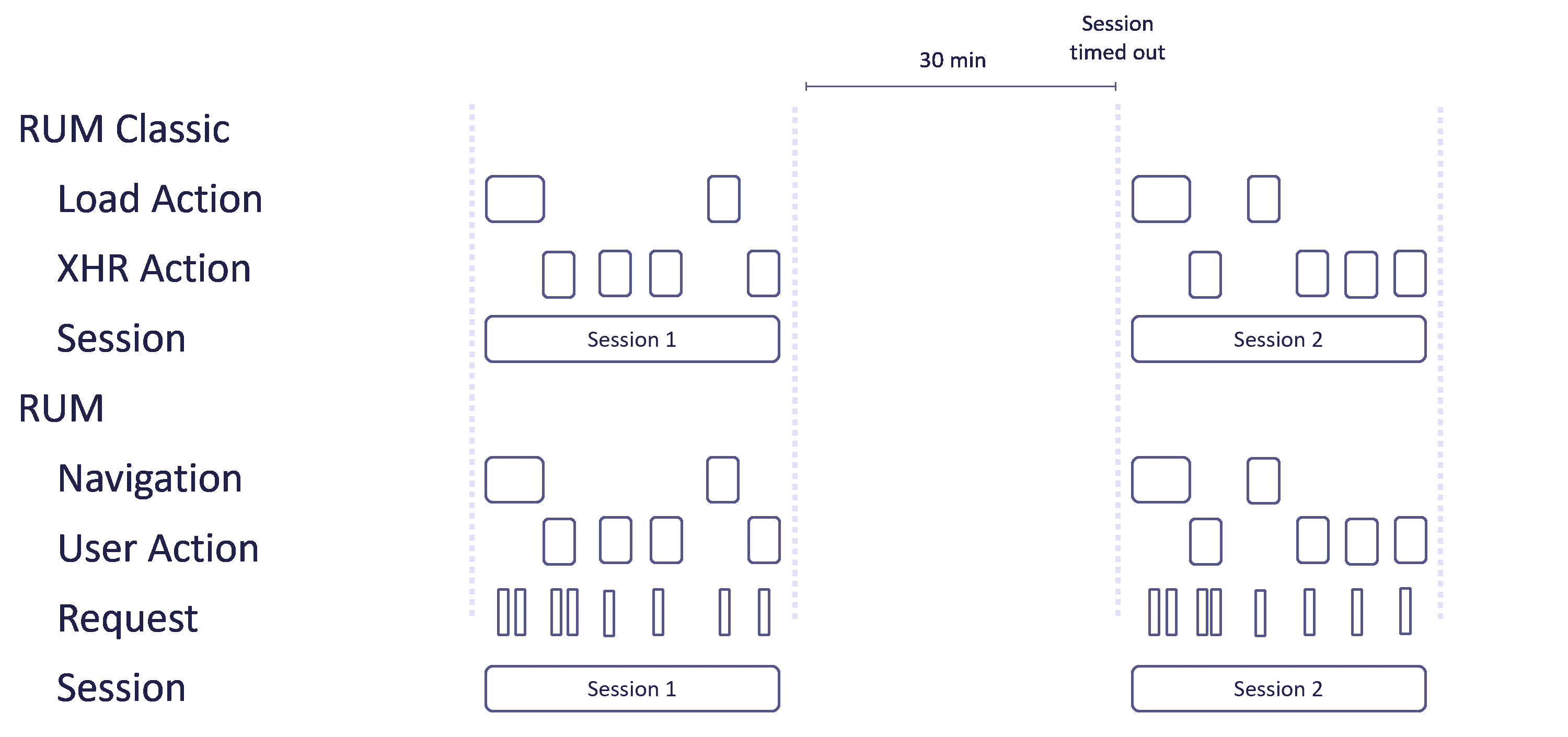
RUM no longer splits user sessions after 200 user actions or events. In RUM Classic, a session with 600 user actions would be divided into three separate sessions during session aggregation, whereas RUM represents this as a single continuous session. This difference in session handling can lead to variations in user session counts.
Limitations
The reliance on RUM Classic sessions—combined with the fact that RUM captures a more comprehensive set of data—can lead to limitations in certain scenarios.
-
RUM captures request events—for example, due to polling in a web page—which RUM Classic does not consider activity that should extend a session. As a result, even though RUM reports continuous activity in the browser, the session may be split.
-
RUM Classic automatically starts a new session after the previous one times out. This can then lead to scenarios where sessions in RUM begin with requests—or other events specific to RUM—and only later include navigation or user action events.
In scenarios like these, the user session counts in RUM and in RUM Classic will differ.