Log ingestion
- Latest Dynatrace
- Overview
- 6-min read
Log ingestion is the process of collecting log data from various sources within an infrastructure. The logs are stored in the Grail data lakehouse for analysis, automation, and monitoring. Dynatrace simplifies this process with OneAgent, which automatically discovers logs and offers central management options. In serverless environments or where OneAgent installation isn't possible, the Logs Ingestion API can be used.
Find below an overview of log ingest strategies that you can use with Dynatrace.
OneAgent
Recommended
Automatically ingest log data from a wide variety of sources.
Log ingestion API
Configure Log ingest API integration for your use cases.
Syslog ingestion via ActiveGate
Ingest syslog logs.
Ingest Kubernetes logs
Dynatrace Log Monitoring enables the collection of logs from Kubernetes container orchestration systems through OneAgent. Kubernetes logs ingestion via OneAgent includes out-of-the-box sensitive data masking, entity linking and preservation of Kubernetes metadata.
You can centrally configure OneAgent ingestion rules across your entire Kubernetes environment. By applying centralized filtering rules, you can ensure that only logs relevant to your use case are ingested, reducing maintenance efforts.
Export telemetry data with OpenTelemetry
The OpenTelemetry Protocol (OTLP) is the principal network protocol for the exchange of telemetry data between OpenTelemetry-backed services and applications.
Dynatrace provides native OTLP endpoints with the following services:
- The SaaS platform
- ActiveGate instances
- OneAgent setups
Additionally, you can deploy the Collector as intermediary service application, to batch requests and improve network performance or transform requests before forwarding them to Dynatrace (for example, mask sensitive data).
Forward log data from cloud platforms
Cloud log forwarding allows the streaming of log data from various cloud platforms directly into Dynatrace. The following integrations are available:
AWS
Use Amazon Data Firehose integration, Amazon S3 forwarder, and direct AWS Lambda integration for cost-optimized flow logs setup with Dynatrace.
Azure
Stream logs from Azure Event Hubs into Dynatrace through the Azure Function App instance. Azure resource logs and activity logs are supported. Dynatrace purchased via Azure Marketplace comes with deep Azure platform logs integration. It offers streamlined configuration via Azure portal, and simplifies financial settlements.
GCP
Create a Pub/Sub subscription to facilitate the ingestion of metrics, logs, dashboards, and alerts into Dynatrace. This provides a comprehensive view of your Google Cloud Platform health, including resource and audit logs.
Stream log data with log shippers
A log shipper is a versatile component that can be seamlessly integrated into the API to collect logs from various sources and forward them to designated destinations. The links below illustrate supported configurations, showcasing how various log shippers can be tailored to meet different deployment needs.
Stream Logs with Cribl
You can send logs, metrics and traces to Dynatrace using Cribl Stream™ via OpenTelemetry Protocol (OTLP) or only logs using Cribl Stream™ via Dynatrace HTTP destination that integrates with Log ingestion API.
Push logs with Cloudflare
Use Cloudflare Logpush to push logs directly to Dynatrace. Configure Logpush either via the Clouflare dashboard or the API.
Integrations via Dynatrace Hub
Dynatrace Hub is a marketplace for Dynatrace extensions, integrations, and add-ons. It provides a wide range of pre-built solutions to enhance your Dynatrace experience. You can find various log management and analytics integrations in the Dynatrace Hub.
Ingest via Dynatrace Extensions
Logs are observability data that Dynatrace Extensions collect and forward to Grail together with other monitoring signals to deliver a holistic view of your technology. Extensions expand observability data and analytics capabilities, streamlining data configuration and integration with third-party systems.
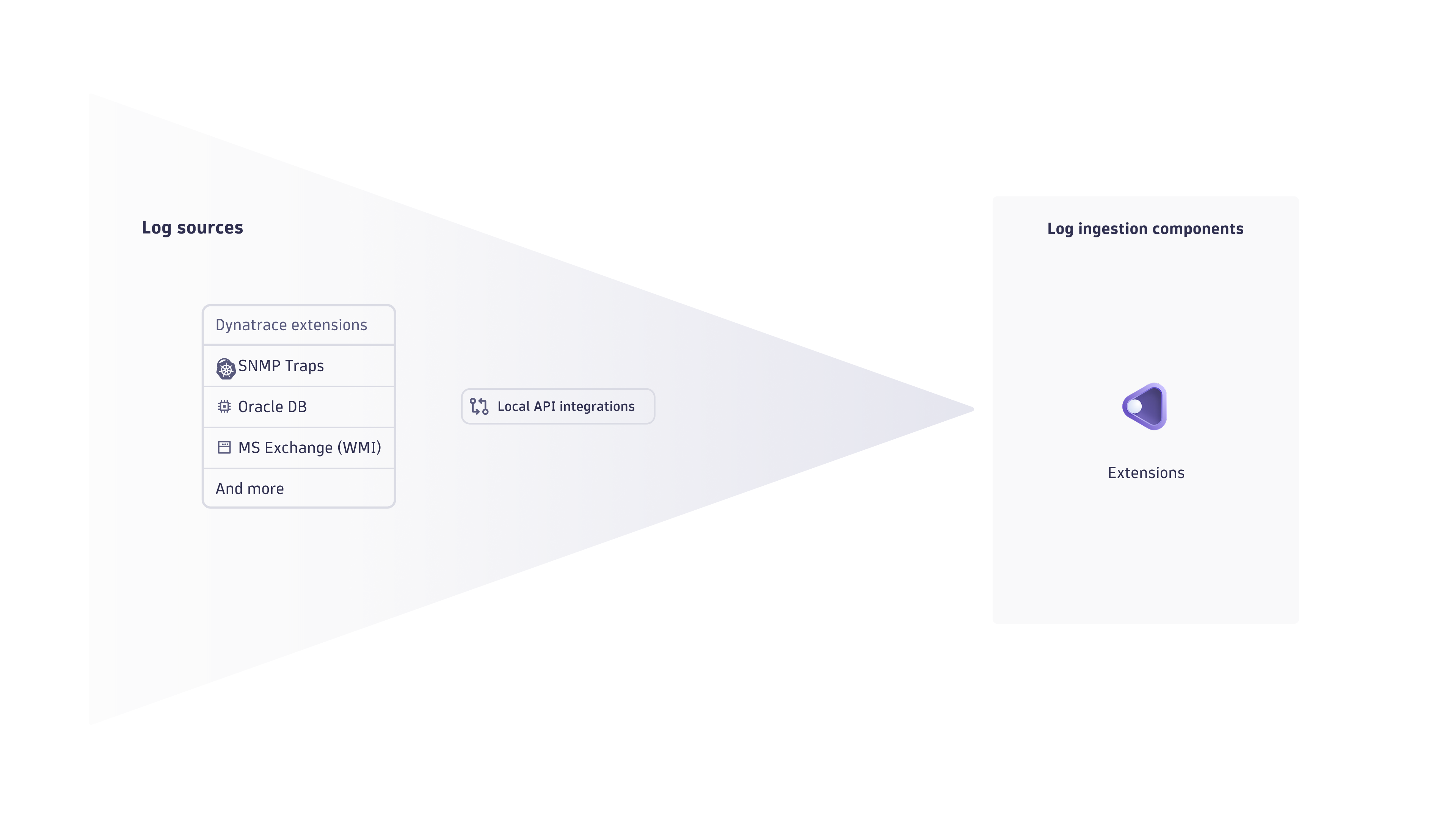
You can use the local http://localhost:<port>/v2/logs/ingest API endpoint to push locally retrieved logs to Dynatrace over a secure and authenticated channel. Learn more by accessing the Extensions page.