What's new in Dynatrace Managed version 1.324
- Release notes
- Rollout start on Sep 29, 2025
This page showcases new features, changes, and bug fixes in Dynatrace Managed version 1.324. It contains:
Feature updates
Platform | Metrics
Native support for OpenTelemetry and Prometheus histograms
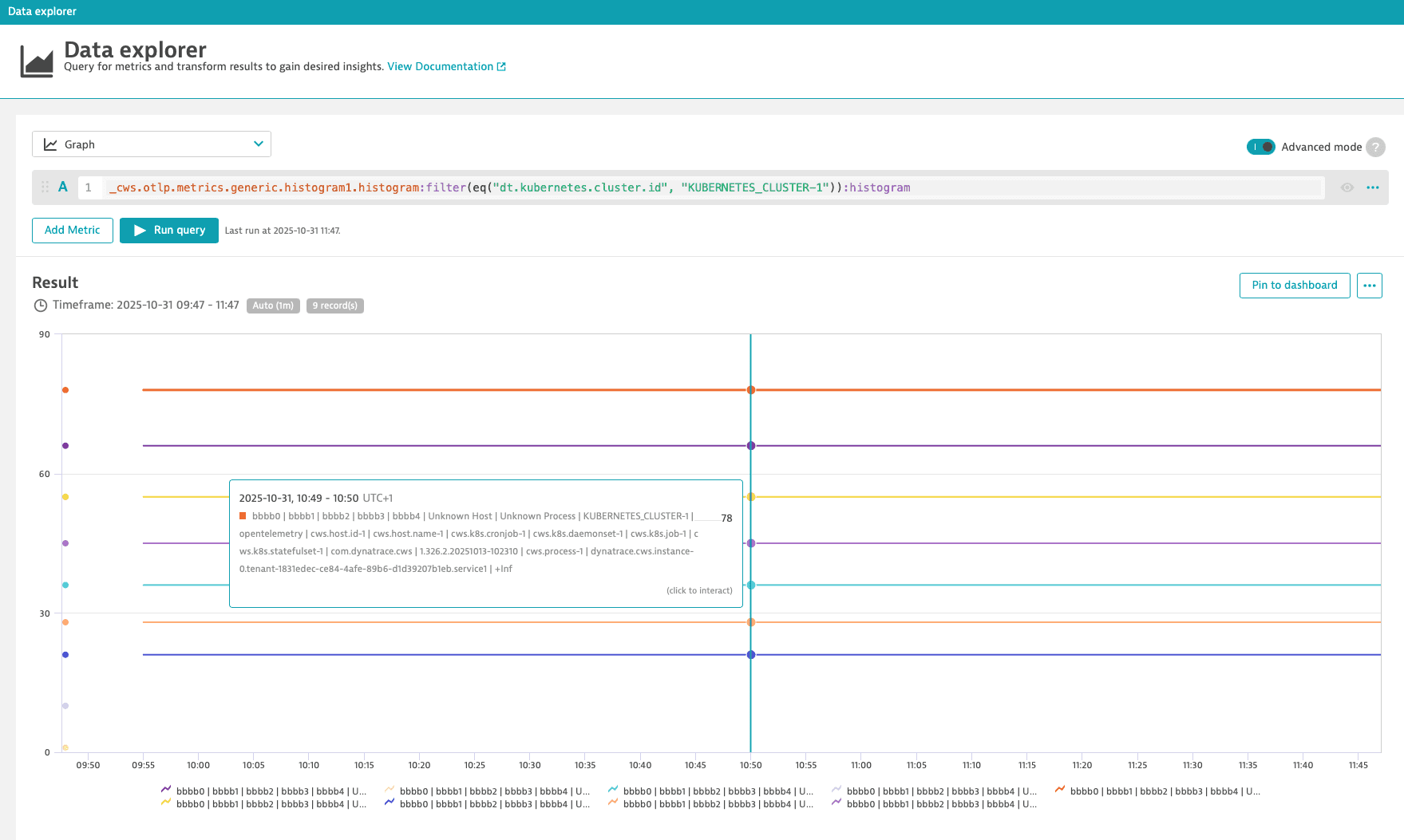
Dynatrace introduces native support for OpenTelemetry and Prometheus histograms, including automatic percentile calculation. This enhancement enables faster detection of performance outliers and simplifies observability workflows.
You can ingest OpenTelemetry histograms via the OTLP metrics ingest API. For details, see About OTLP metrics ingest.
You can analyze histogram metrics in the Data Explorer using the Advanced mode. For details, see Example: Explicit Histogram.
Breaking change for existing histogram metrics:
-
Existing histogram metrics will no longer be updated, but they will remain available for historical visualization on dashboards, ensuring continuity and data retention. The new native histogram metrics will be exposed under distinct metric keys, each suffixed with
.histogram. -
If an existing metric already ends with
.histogramor_histogram, it will no longer receive new data points. To use the new histogram functionality under the same metric key, you must delete the existing metric using the Metrics API - DELETE a custom metric. After deletion, a new histogram metric will be automatically created under the same key.
In Dynatrace, in your Local-Self-Monitoring environment, you can use the following query in Data Explorer to see which histogram metrics have been ingested:
isfm:active_gate.metrics.ingest.explicit_bucket_histogram.layout.series:splitBy(metric_key,"dt.tenant.uuid",data_source):sort(value(auto,descending)):limit(100)
This query requires Cluster version 1.314+ to be installed for the metric to be available.
Platform | Data Explorer
Better comparison of multiple metrics in table visualization
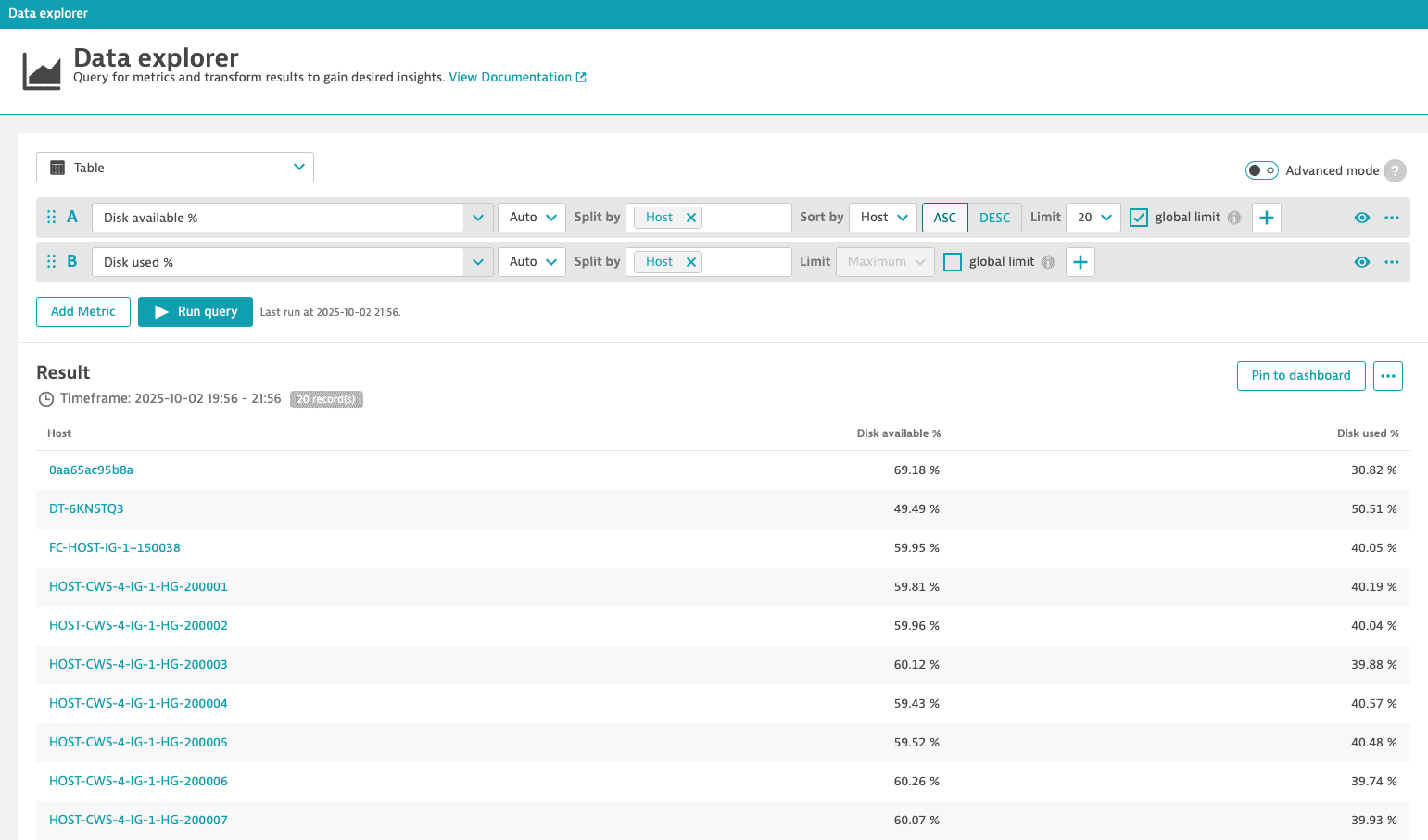
The new Global limit function in the Data Explorer for the Table visualization allows you to align records across multiple metrics with the same dimensionality. If set for a metric, only records that match the dimensions of the metric are included in the result. For details, see Global limit.
Cluster Management Console
Full control over Managed cluster version updates
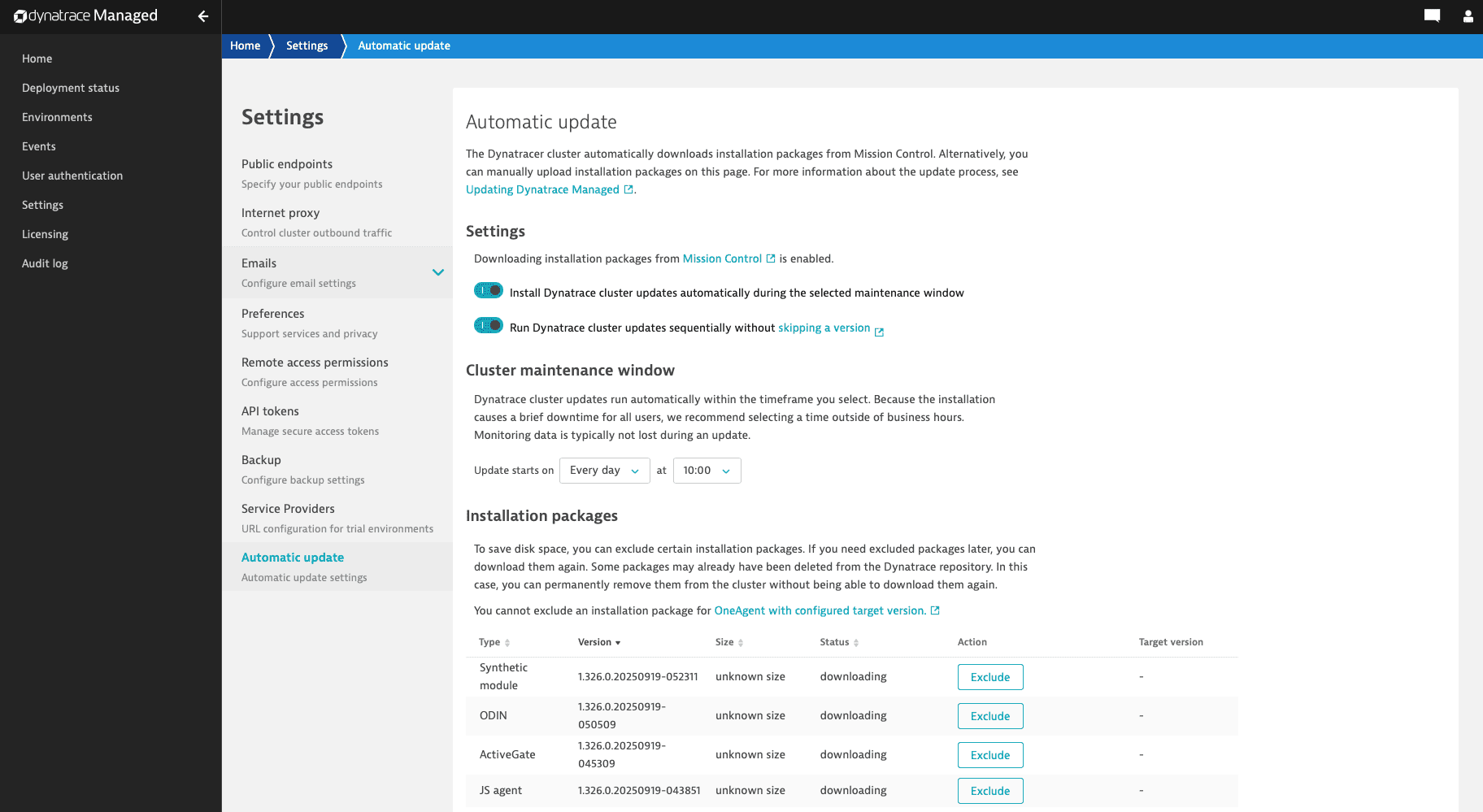
You now have full control over which versions you update to when using the automatic update functionality for your Managed cluster. For example, you can benefit from an accelerated update process by skipping certain cluster versions, or you can install each version sequentially even if a newer version is already available. This allows for greater control over the update timing and compatibility testing.
To install each version sequentially, go to the Cluster Management Console > Settings > Automatic updates and turn on Run Dynatrace cluster updates sequentially without skipping a version.
For details, see Update a cluster.
Dynatrace API
To learn about changes to the Dynatrace API in this release, see:
Fixes and maintenance
Resolved issues in this release
- With this release, the
DT_CONNECTION_BASE_URLprovided on the OneAgent deployment page for AWS Lambda functions monitoring contains the environment identifier. Earlier, it was incorrect for Managed deployments because it did not include the environment identifier.(DAQ-12670) - Fixed an issue in the Environment v2 Settings API which prevented the use of write-only permissions in some cases. (PS-35737)
- Fixed a corner case issue that changed Davis event metadata that is considered immutable, such as the event analysis start and end timestamps. (DI-22219)
- Updated the Elasticsearch nodes to version 8.18 and Java 21. This provides bug and security fixes and take advantage of the performance improvements introduced by these updates. No manual intervention or downtime is required; the upgrade will be performed via rolling updates as part of normal version upgrades. (PRODUCT-12460)
- Updated the Dynatrace Managed installer to use Adoptium JRE versions 11.0.28 (for Cassandra), 17.0.16 (for ActiveGate), and 21.0.8 (for all other components). (MGD-4744)
Cluster version (1.324.74.20251029-160331)
- Fixed an issue that caused the Run Dynatrace cluster updates sequentially without skipping a version toggle to be ignored when downloading new installation packages. (MGD-7887)
Operating systems support
Future Dynatrace Managed operating systems support changes
The following operating systems will no longer be supported starting 01 June 2026
- Linux: Oracle Linux 9.6
- x86-64
- Vendor announcement
- Linux: Rocky Linux 9.6
- x86-64
- Vendor announcement
The following operating systems will no longer be supported starting 01 July 2026
- Linux: SUSE Enterprise Linux 15.3
- x86-64
- Vendor announcement
The following operating systems will no longer be supported starting 01 November 2026
- Linux: Red Hat Enterprise Linux 9.4, 9.7
- x86-64
- Vendor announcement
- Linux: Ubuntu 16.04
- x86-64
- Vendor announcement
Past Dynatrace Managed operating systems support changes
The following operating systems are no longer supported since 01 December 2025
- Linux: Red Hat Enterprise Linux 8.8, 9.2, 9.5
- x86-64
- Vendor announcement
- Linux: Oracle Linux 9.5
- x86-64
- Vendor announcement
- Linux: Rocky Linux 9.5
- x86-64
- Vendor announcement
The following operating systems are no longer supported since 01 January 2026
- Linux: Debian 10
- x86-64
- Vendor announcement