Explore Business Events
- Latest Dynatrace
- App
- 2-min read
About the app
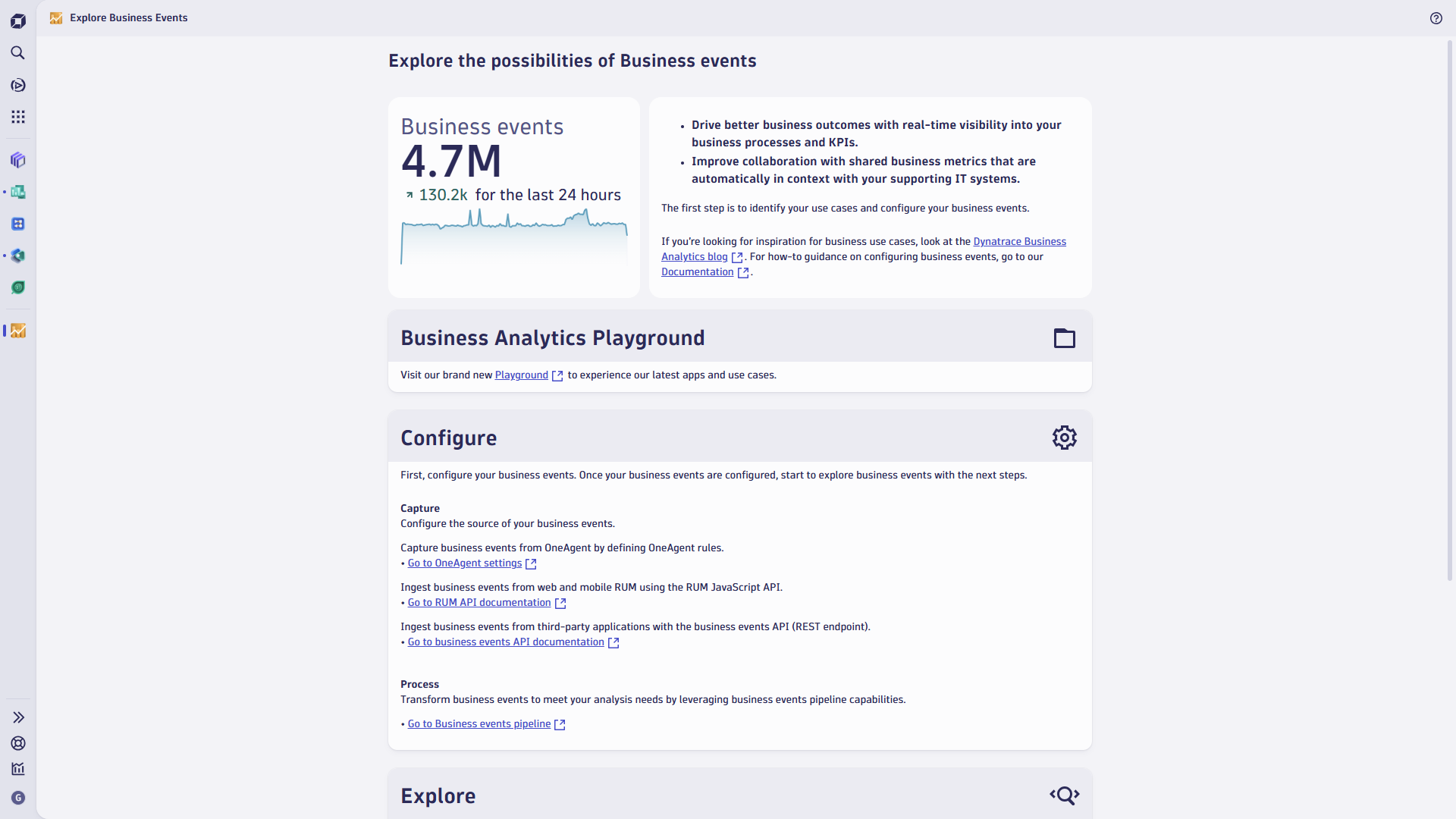
 Explore Business Events is the central entry point for understanding, exploring, and operationalizing business events in Dynatrace. It provides links and other applications relevant to business analysis, such as Notebooks and Dashboards. It was designed to:
- Take you through the Dynatrace business analysis process end-to-end, starting from business event capture, through processing, and analyzing, to displaying final results on dashboards.
- Help you understand business analytics use cases and address your specific use case, with expert support where needed.
- Provide a centralized repository of documentation, blog posts, and settings to continuously refine your business analytics setup.
Prerequisites
Permissions
The following table describes the required permissions.
Installation
Make sure the app is installed in your environment.
Process flow
The Business event process in Dynatrace consists of three main steps: Capture and Process, Analyze, and Create Dashboards. To see a use case covering all steps, go to Business events use case.
Capture and process
Displays all links relevant to business event capture and processing. To see a real-life scenario for capturing and processing business event data, go to the capture section of the end-to-end use case.
Analyze
Provides you with links to two places where you can run your DQL queries: Notebooks and the Logs and event viewer.
- To see examples of simple and advanced DQL queries for business analysis, go to Analysis and examples.
- To see the analysis performed as part of the use case, go to Use case analysis part.
Visualize
Provides you with links to places where dashboards can be created. To see an example dashboard created as part of the use case, go to the end-to-end use case.
 Explore Business Events