Data Observability app
- Latest Dynatrace
- App
- 3-min read
 Data Observability allows you to connect your Snowflake account to Dynatrace and monitor the health, cost, and security of your data pipelines alongside the applications and infrastructure that depend on them.
Prerequisites
To be able to use Data Observability, you need to have
- A Dynatrace SaaS environment powered by Grail.
- A Snowflake account.
You need a Snowflake account to connect your first data source. The one-time setup requires
ACCOUNTADMINaccess, while the ongoing monitoring runs on a least-privilege service account. - Optional If you want Dynatrace to manage the deployment for you, you also need to configure EdgeConnect.
Permissions
In addition, you need to have the following permissions
| Permission | Description |
|---|---|
| Grants permission to query data using DQL. |
| Grants permission to query log data for overview metric tiles. |
| Grants permission to query span data for rows written metric tile. |
| Grants permission to query DSOA deployment bizevents for connection health status. |
| Grants permission to query active alerts for overview metric tiles. |
| Grants permission to ingest installer bizevents to the local tenant so the Connections screen can read them. |
| Grants permission to read ready-made dashboards shipped with the app. |
| Grants permission to create Dynatrace API tokens for Snowflake connection setup. |
| Grants permission to validate existing Dynatrace API tokens for Snowflake connection setup. |
| Grants permission to register app settings entry. |
| Grants permission to register app settings entry. |
| Grants permission to read Smartscape data-lineage entities and edges for the lineage graph. |
| Grants permission to restore each user's Pipeline Explorer column visibility across sessions. |
| Grants permission to persist each user's Pipeline Explorer column visibility across sessions. |
Get started
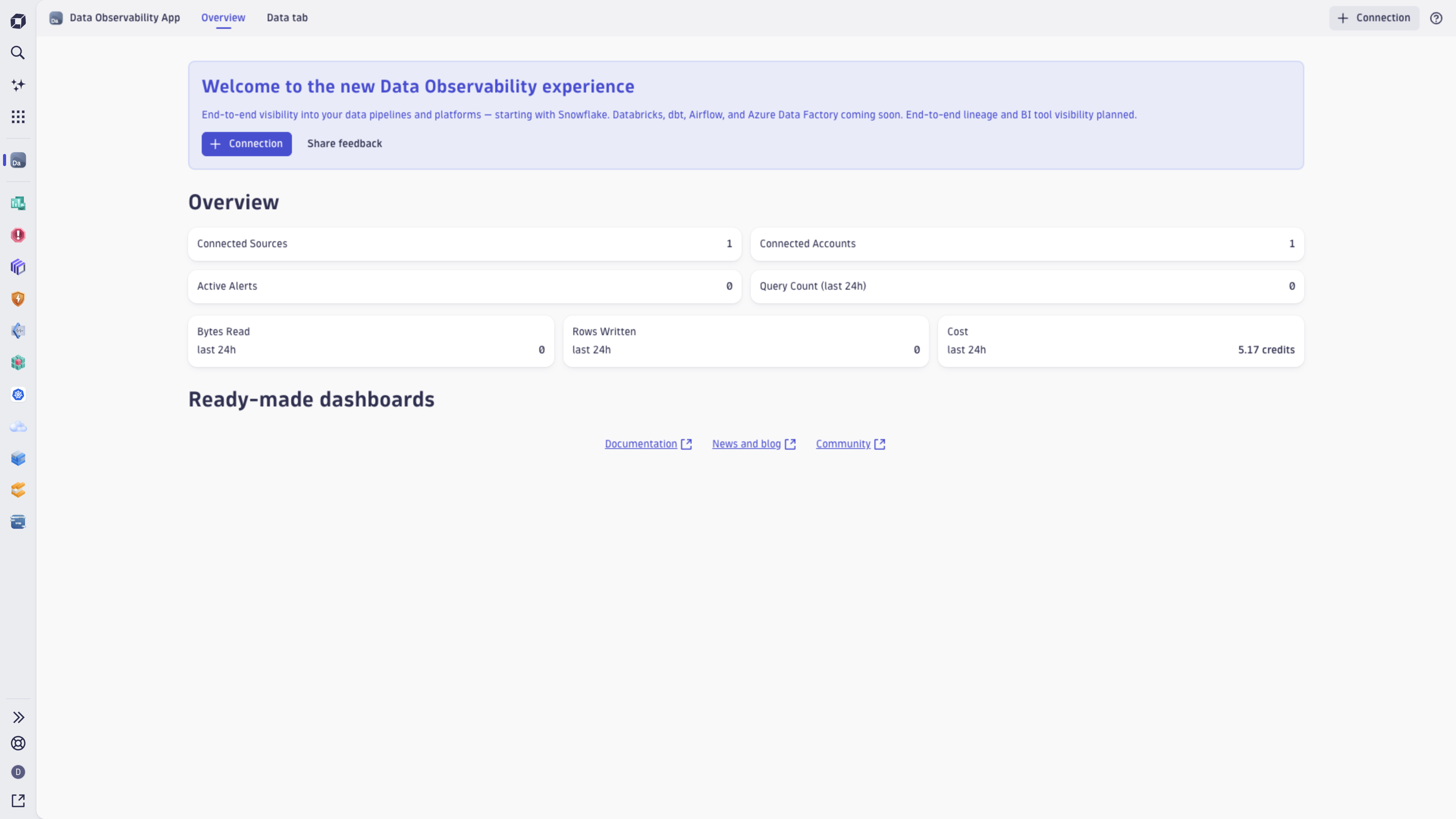
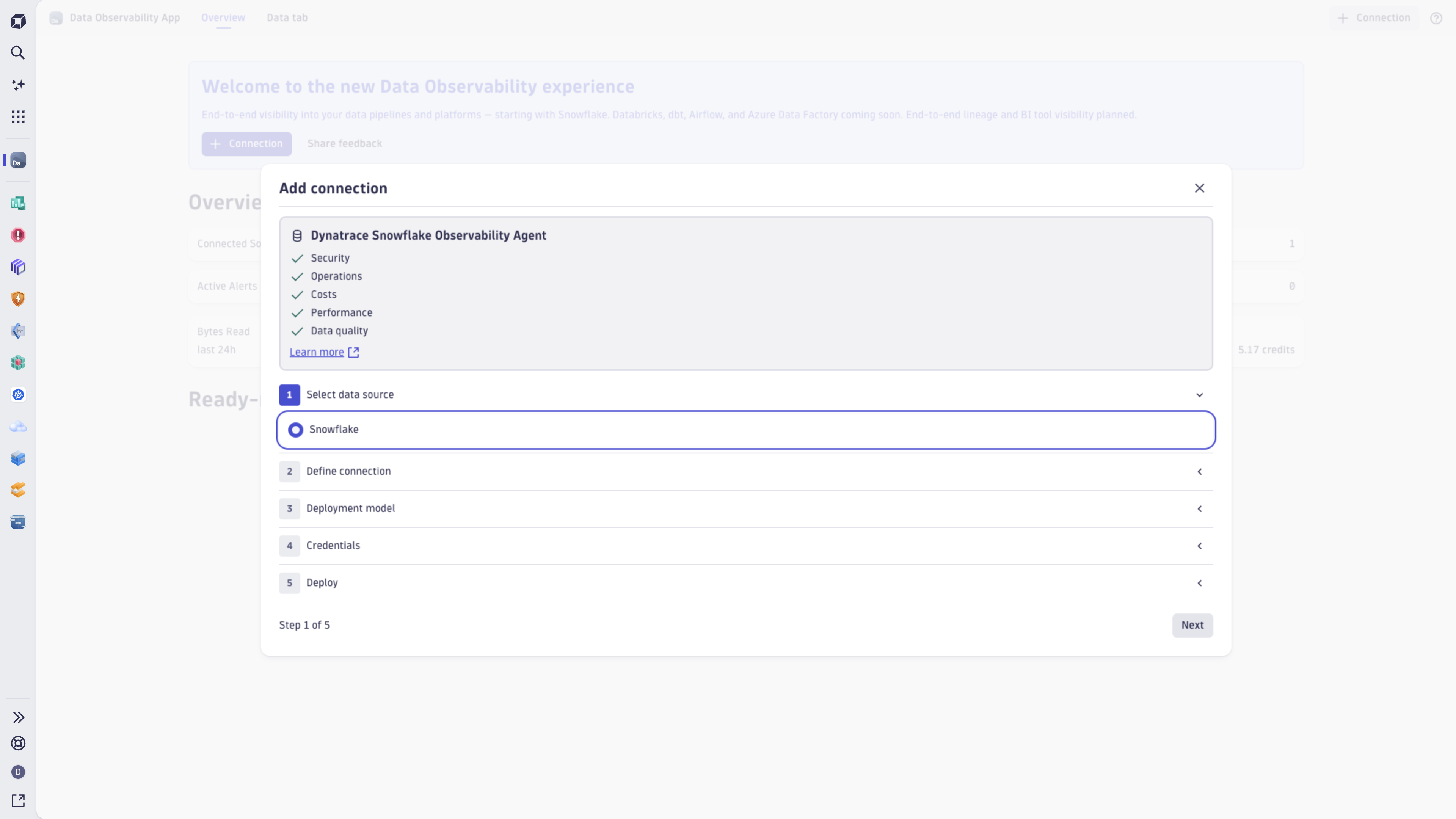
The Data Observability app connects your Snowflake account with Dynatrace through a guided setup wizard. After a connection is established, purpose-built dashboards are created automatically and your Snowflake account appears in the Connections view as the ongoing operational home for data platform health.
Access tokens in Data Observability
Dynatrace uses Platform tokens to ingest the data coming from Snowflake. You can use the following options to provide a token while configuring a new connection:
-
Generate token: creates a new service user account and generates a platform token for it. This allows you to keep the data ingestion as a background process without tying it to a specific user account.
A service user is created only once per account and automatically gets assigned to a policy (Data Observability Ingestion User) that allows data ingestion and OpenPipeline configuration.
If you have already created a service user account in the past, only a new token will be generated. All consecutive platform tokens will be tied to the existing service user.
-
Use existing token: you provide your own platform token tied to your user account. If you want to provide your own token, you need to ensure it has the same permissions as the ones included in the Data Observability Ingestion User policy.
To Generate token and create new service users, you need to be assigned to a group with sufficient permissions. This user group can only be created by your administrator. If you lack the permissions, you'll see the error message: You do not have permission to create tokens. Contact your Dynatrace administrator.
Create a new Data Observability user group
If you're an administrator and want to create a new user group
- Go to Account Management.
- Go to Identity & access management > Group management.
- Select Create group to create a new user group or select an existing group.
- In Permissions, select Permission or Edit to add new permissions.
- Select a Data Observability Configuration User policy.
- Select Save to save your changes.
- In Members, select Add members to add new users to the group.
To check all service users created by your users, go to Identity & access management > Service users. All service users created for Data Observability will have the following name: data-observability-service-user (<email-of-the-service-user-creator>).
Snowflake integration
To get started with the Snowflake integration
- Go to Data Observability.
- Select New connection.
- Follow the Snowflake integration setup guide.
Concepts
- Connections: a connection represents one Snowflake account linked to Dynatrace. You can have multiple connections in your environment, but you can add only one per Snowflake account. The Connections view shows health status, last data received, version, account name, and authentication method for each connection.
- Ready-made dashboards: connecting a Snowflake account automatically creates a set of purpose-built dashboards across five observability domains: security, costs, performance, quality, and operations. You don't have to set up the dashboards manually—they're populated automatically once the first telemetry batch is received.
- Alert policies: out-of-the-box alert policies are activated at the end of the setup wizard.
Use cases
-
Triage data pipeline incidents without context switching:
When a warehouse is saturated, a query fails, or a pipeline stalls,
Data Observability surfaces the relevant signals inside Dynatrace alongside the applications and infrastructure that depend on Snowflake. -
Govern credit consumption and costs:
You can track Snowflake credit and cost trends from inside Dynatrace, with alerts that fire before billing limits are breached.
-
Unified observability across data and application layers:
Snowflake security posture, schema changes, data freshness, and pipeline health are visible in the same observability plane as your applications and infrastructure—you don't need to use any additional separate tools.
FAQ
-
What data platforms are supported?
Currently, Dynatrace supports Snowflake integration.
-
Can I connect multiple Snowflake accounts?
Yes. Add one connection per Snowflake account using New connection. Each connection is configured and monitored independently.
-
Do I need to build dashboards manually?
No. Dashboards are created automatically after the connection setup is finished. Dashboards get populated automatically once the first telemetry batch is received.
-
What if I already use the Snowflake ActiveGate Extension?
The
Data Observability and the existing Extension can run side by side during the transition. However, the existing Snowflake ActiveGate extension should be treated as deprecated.
 AI ObservabilityBusiness Observability