Filtering
- Latest Dynatrace
- Reference
- 6-min read
- Published Jul 13, 2026
A filter bar of text, numeric, or predefined-value filters, optionally wrapping other elements so their queries respond to the active filter selection.
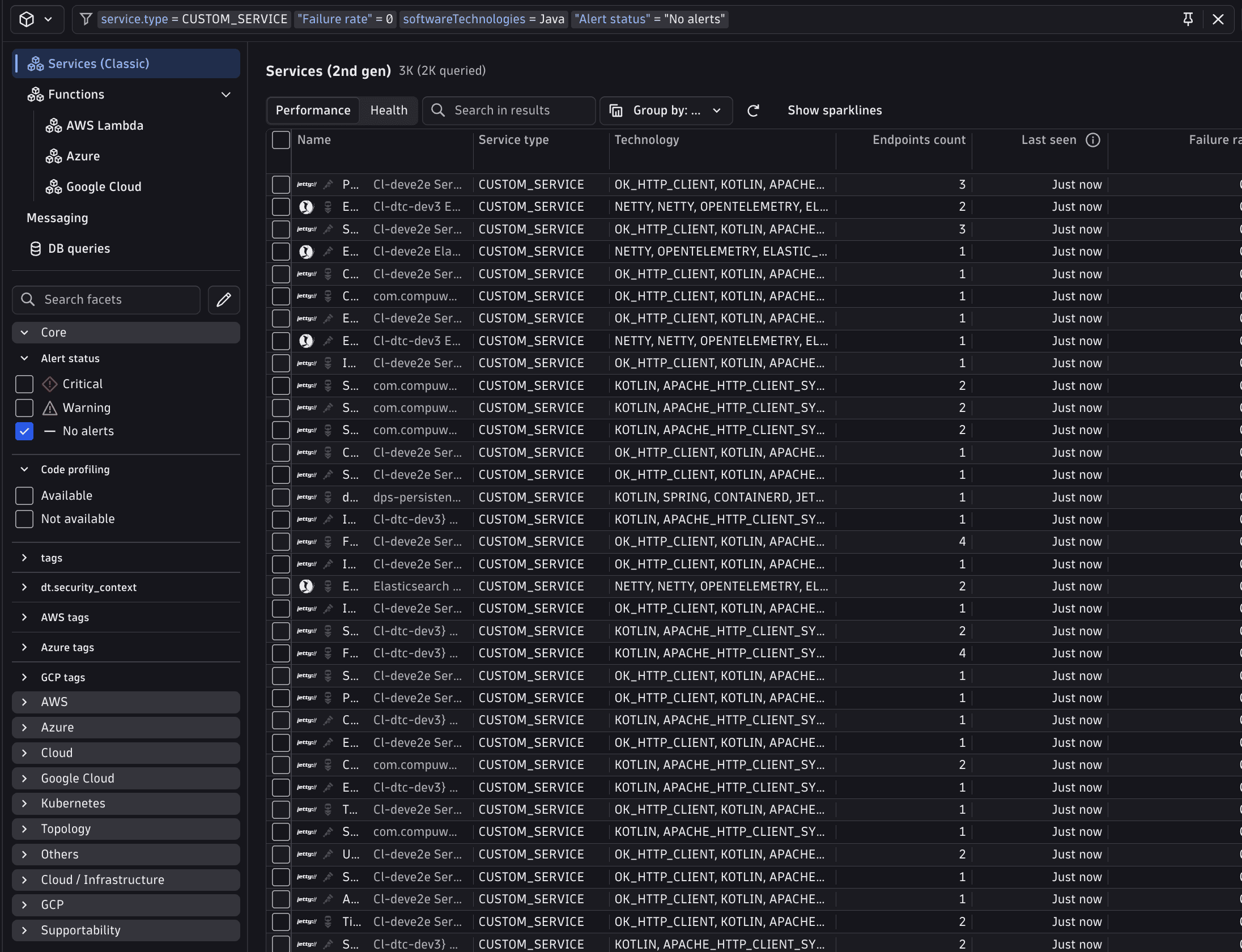
How a filter reaches the query: By default, a filter with only fieldIds set auto-appends a | filter <field> <operator> <value> clause to each wrapped element's query. No placeholder needed. Set a custom query or operatorSpecificQuery only when the auto-generated clause cannot express the logic (subqueries, joins, key-value lookups). One field is an exception: enableGeneralSearchFilter: true resolves to a $(generalSearchPipe) placeholder you must place before the fields pipe.
Fields
In addition to the shared CoreElement fields (see Elements overview):
| Property | Type | Description |
|---|---|---|
|
| The filters to render. Mix custom filters with built-in references. |
|
| Disables the filter field, facets, and segments. |
|
| Enables dependent filtering, where one filter's suggestions depend on another's selection. |
|
| Enables a free-text search filter ( |
DqlFilter is a union of DqlTextFilter and DqlNumericFilter, both extending DqlFilterBase.
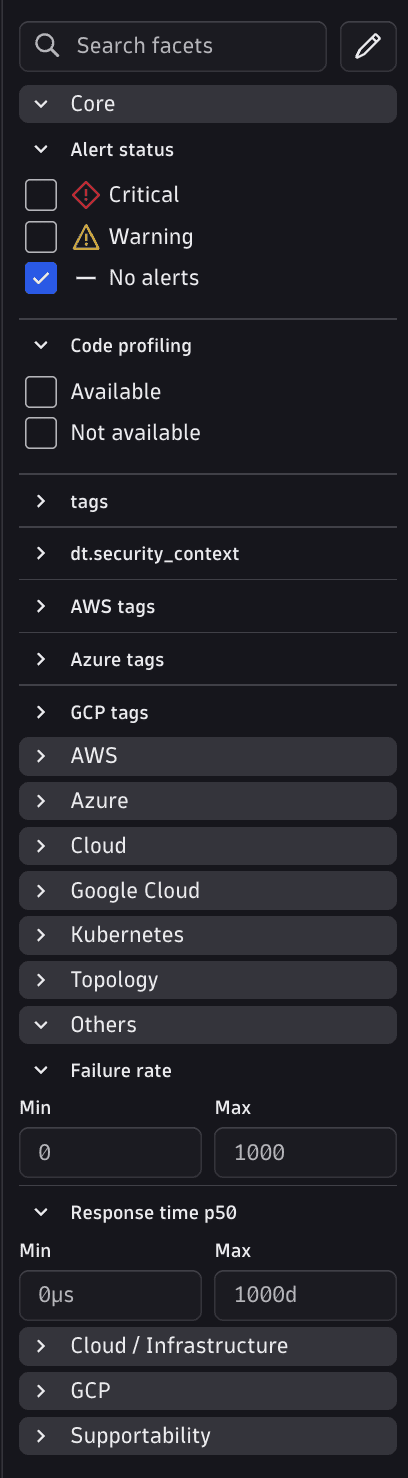
DqlFilterBase (shared fields)
| Property | Type | Description |
|---|---|---|
|
| Unique filter ID. |
|
| Filter label. |
|
| The DQL field(s) this filter targets. Provide a single string for most filters. Provide an array for text filters that depend on multiple fields simultaneously; only the first entry is used for auto-generated DQL expressions and client-side row matching. For numeric filters, only the first entry is ever used. |
|
| Semantic Dictionary key for this filter. Strongly recommended. When provided, it serves as the filter's stable serialization key in bookmarks and URL state: renaming |
|
| Group label in the quick filter accordion. Resolved automatically when |
|
| When |
|
| Also shows this filter as a facet. |
|
| If |
|
| If |
|
| Overrides the comparison operators shown for this filter. When omitted, defaults are determined by filter type: numeric filters default to |
|
|
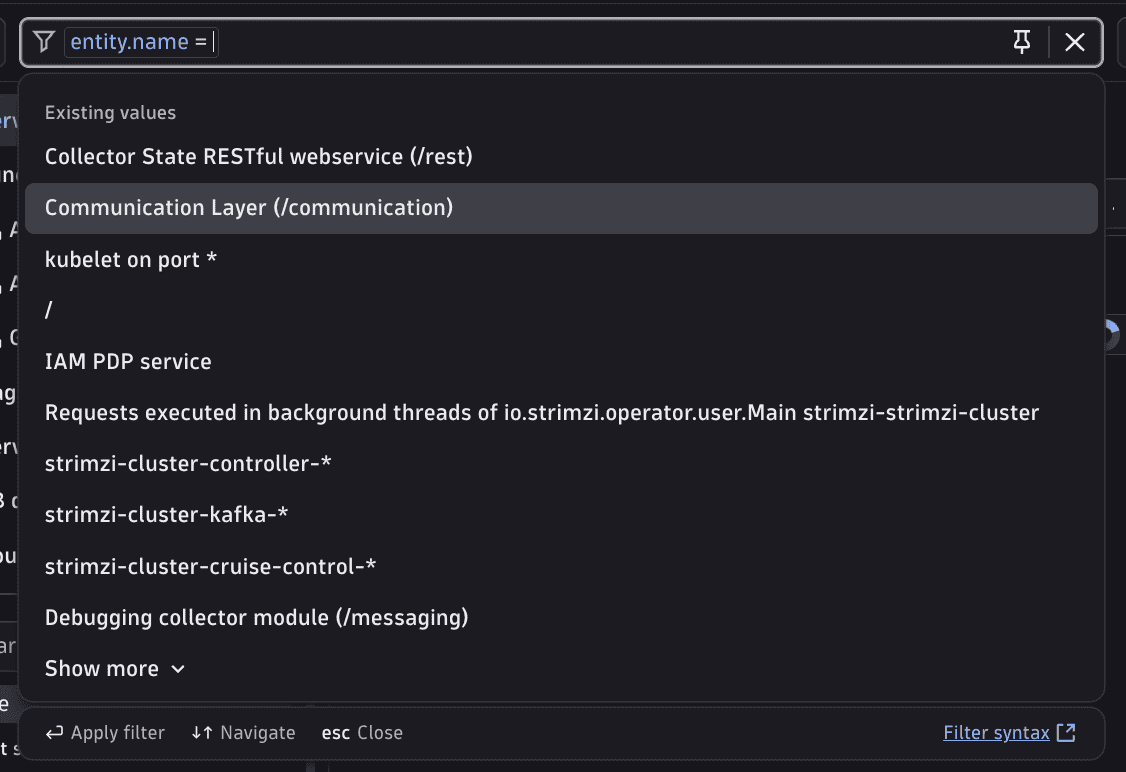
DqlTextFilter (type: 'text', default)
| Property | Type | Description |
|---|---|---|
|
| Filter discriminator. Omit for text filters (default); set |
|
| DQL filter expression fragment applied when you select a value. This is a partial DQL expression placed inside a |
|
| Per-operator DQL query overrides. Use when different operators require structurally different DQL expressions that can't be captured by a single |
|
| Shows a search field above the suggestion list, allowing you to search within available filter values. Only applies to quick filters (requires |
|
| DQL-driven suggestion list. |
|
| Static value suggestions shown in the filter dropdown. Use when the possible values are known at configuration time. |
|
| Shows a matching-record count next to each suggestion (requires a |
|
| Controls which DQL aggregation function is used for suggestion counts. |
DqlTextFilterOperator: 'exists' | 'equals' | 'contains' | 'starts-with' | 'ends-with'
DqlTextFilterOperator is the set of operators valid as operatorSpecificQuery keys (text filters only). FilterFieldComparisonOperators (see below) is the larger set governing allowedOperators. Use it to restrict which operators are shown to users across both text and numeric filters.
DqlNumericFilter (type: 'number')
| Property | Type | Description |
|---|---|---|
|
| Required discriminator. Must be set to |
|
| Unit options shown in the filter UI (for example, |
|
| The base unit matching the raw query values. Must be set when |
Choosing a suggestion source
| Mechanism | When to use |
|---|---|
| Fixed hardcoded list; values never change at runtime. |
| Fixed display→query mapping (select-style); no Grail query, values known at authoring time. |
| Values fetched live from Grail; list adapts to current data and supports a |
DqlFilterDynamicSuggestion
| Property | Type | Description |
|---|---|---|
|
|
|
|
| Fully custom DQL query to fetch suggestions. Must expose a |
|
| The field name in the main |
|
| Overrides the DQL filter expression used when building the suggestion query. By default, the current filter's active value is applied. Only relevant when |
|
| Formats suggestion labels only — does not affect displayed cell or column values. To format column values use a cell renderer on the wrapping DQL Table. |
|
| Maps raw DQL suggestion values to human-readable display labels shown in the dropdown. When a value matches an entry's |
|
| Underlying DQL fields to include in the timeseries |
DqlFilterPredefinedValue
| Property | Type | Description |
|---|---|---|
|
| Suggestion label. |
|
| Value inserted into the filter query. |
|
| Full filter query for this suggestion. |
BuiltInFilter
{ "builtInFilter": "ALERT_STATUS_FILTER" }
| Literal | Description |
|---|---|
| Filters by alert status (critical / no alerts). |
| Same, including warnings. |
DqlQueryContext
Used in dqlQueryContext to support dependent filtering.
| Property | Type | Description |
|---|---|---|
|
| Base query providing values for the main dimensions. |
|
| Additional joined queries. |
|
| Derived-field commands. |
DqlLookup (query, sourceField, lookupField, fields) and DqlAdditionalCommand (dependencies, fields, query) mirror the shapes used for DQL table's query context. For details, see DQL table.
FilterFieldComparisonOperators
Full operator set available via allowedOperators: 'equals', 'not-equals', 'less-than', 'less-or-equal', 'greater-than', 'greater-or-equal', 'exists', 'not-exists', 'in', 'not in', 'starts-with', 'ends-with', 'contains', 'not-starts-with', 'not-ends-with', 'not-contains', 'matches-phrase', 'not-matches-phrase', 'search'.
Examples
Minimal text filter
UA auto-generates the DQL expression from fieldIds. No suggestions or custom query are necessary. You see the full set of text operators (equals, not-equals, in, not-in, exists, not-exists, starts-with, contains, and their negations) in the operator dropdown.
{"type": "filtering","id": "example-minimal-text","filters": [{"id": "name-filter","title": "Name","fieldIds": "name"}],"dqlQueryContext": {"query": "smartscapeNodes \"HOST\" | fields id, name"}}

Static suggestions
Use when the possible values are known at configuration time. Suggestions appear in the dropdown immediately without a DQL query.
{"type": "filtering","id": "example-static","filters": [{"id": "os-type-filter","title": "Operating system","fieldIds": "os.type","quickFilter": true,"quickFilterExpanded": true,"staticSuggestions": [{ "text": "Linux", "value": "OS_TYPE_LINUX" },{ "text": "Windows", "value": "OS_TYPE_WINDOWS" },{ "text": "AIX", "value": "OS_TYPE_AIX" },{ "text": "macOS", "value": "OS_TYPE_DARWIN" }]}],"dqlQueryContext": {"query": "smartscapeNodes \"HOST\" | fields id, name, os.type"}}
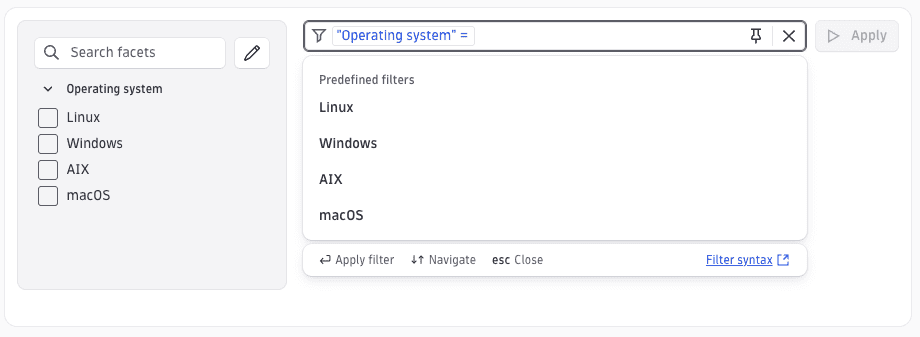
Static suggestions with custom query
The query field on a suggestion overrides the auto-generated DQL filter expression for that specific value. Use it when the natural query for a suggestion is more complex than a simple equality check (for example, "Physical host" means no hypervisor is present, which cannot be expressed as a value match). When query is set, value is optional.
{"type": "filtering","id": "example-static-query","filters": [{"id": "hypervisor-filter","title": "Hypervisor","fieldIds": "hypervisor.type","quickFilter": true,"quickFilterExpanded": true,"staticSuggestions": [{ "text": "Physical host", "query": "isNull(hypervisor.type)" },{ "text": "VMware", "value": "VMWARE" },{ "text": "Microsoft Hyper-V", "value": "HYPERV" },{ "text": "Xen", "value": "XEN" }]}],"dqlQueryContext": {"query": "smartscapeNodes \"HOST\" | fields id, name, hypervisor.type"}}
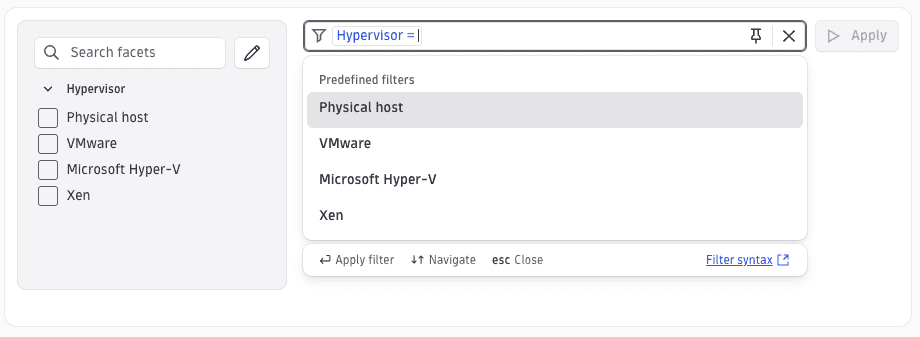
Dynamic suggestions from query context
Use suggestionField to derive suggestions from the same DQL query that drives the table. No separate dql query needed. UA appends a summarize command automatically. The Filtering element must have dqlQueryContext set so UA knows which query to use.
{"type": "filtering","id": "example-dynamic-context","filters": [{"id": "host-name-filter","title": "Host name","fieldIds": "name","quickFilter": true,"quickFilterExpanded": true,"dynamicSuggestions": {"valueExtractor": "string","suggestionField": "name"}}],"dqlQueryContext": {"query": "smartscapeNodes \"HOST\" | fields id, name"}}
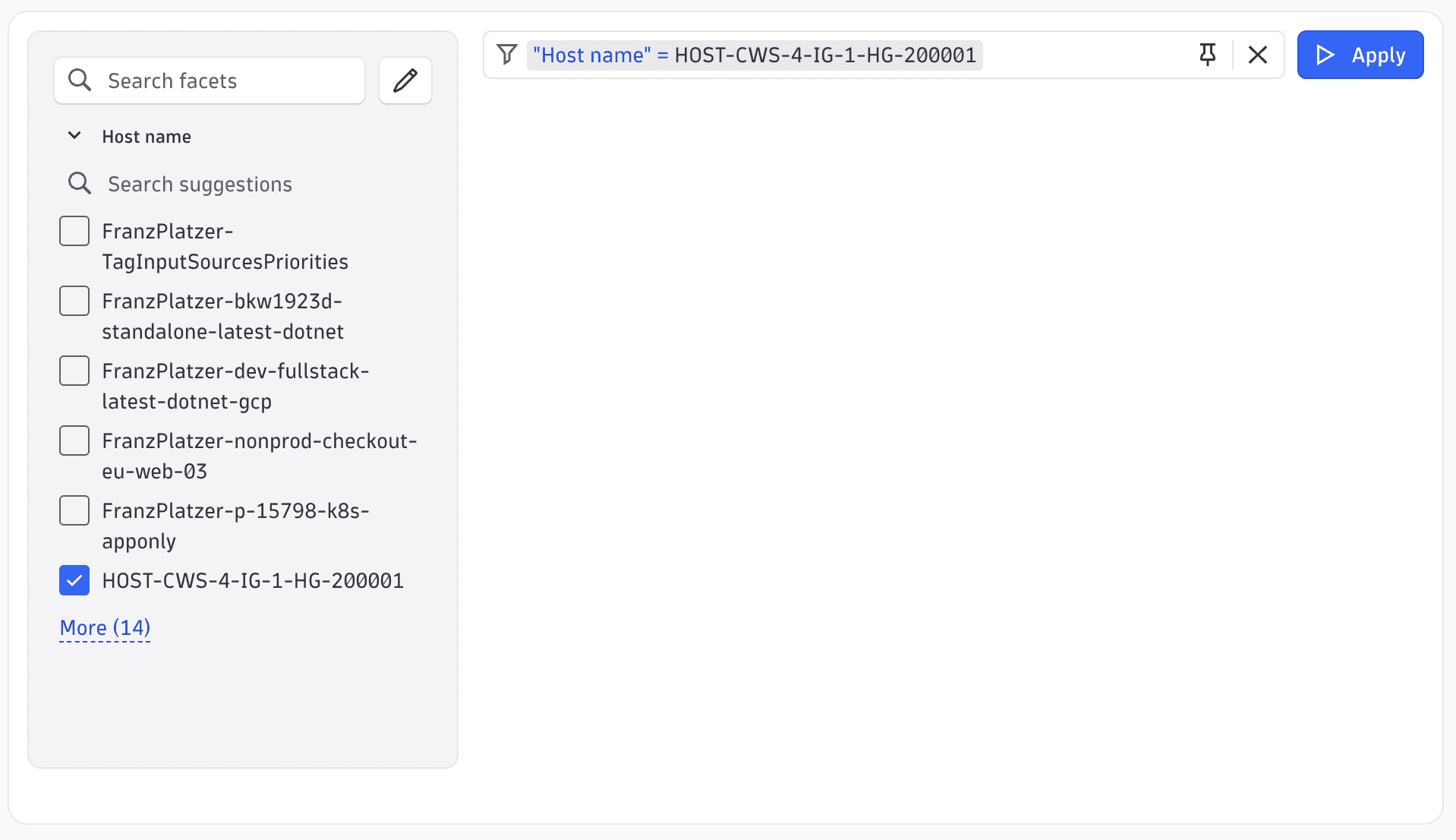
Custom DQL suggestion query
The dql field runs an independent query to populate the suggestion dropdown. Use when suggestions come from a separate query rather than the main table query. The query must produce a suggestion field (for 'string' extractor) or key/value fields (for 'key-value' extractor).
{"type": "filtering","id": "example-custom-dql","filters": [{"id": "host-group-filter","title": "Host group","fieldIds": "dt.host_group.id","quickFilter": true,"quickFilterExpanded": true,"dynamicSuggestions": {"valueExtractor": "string","dql": "smartscapeNodes \"HOST\"\n| summarize suggestion = collectDistinct(dt.host_group.id)\n| expand suggestion\n| filter isNotNull(suggestion)"}}],"dqlQueryContext": {"query": "smartscapeNodes \"HOST\" | fields id, name, dt.host_group.id"}}
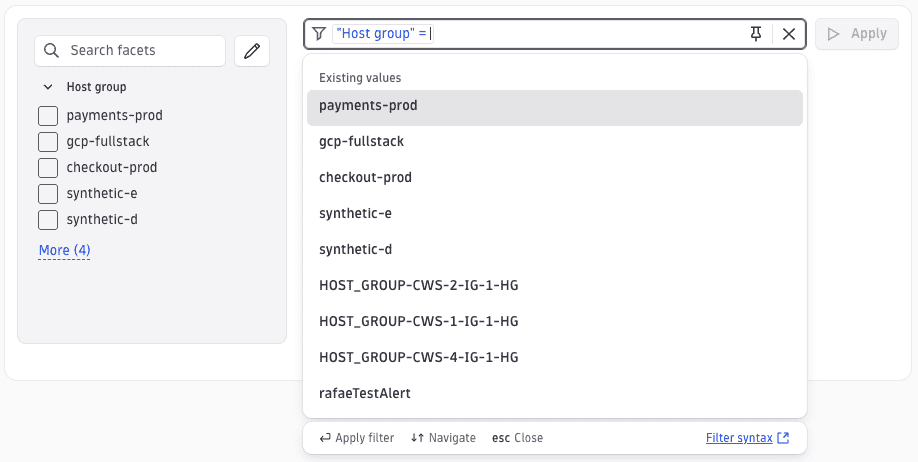
Mapped display labels
Raw DQL enum values like 'OS_TYPE_LINUX' are remapped to human-readable labels in the dropdown. The filter query still uses the original value (for example, os.type == "OS_TYPE_LINUX"), but you see Linux in the UI.
{"type": "filtering","id": "example-mapped","filters": [{"id": "os-type-filter","title": "Operating system","fieldIds": "os.type","quickFilter": true,"quickFilterExpanded": true,"dynamicSuggestions": {"valueExtractor": "string","suggestionField": "os.type","mapping": [{ "value": "OS_TYPE_LINUX", "text": "Linux" },{ "value": "OS_TYPE_WINDOWS", "text": "Windows" },{ "value": "OS_TYPE_AIX", "text": "AIX" },{ "value": "OS_TYPE_DARWIN", "text": "macOS" }]}}],"dqlQueryContext": {"query": "smartscapeNodes \"HOST\" | fields id, name, os.type"}}
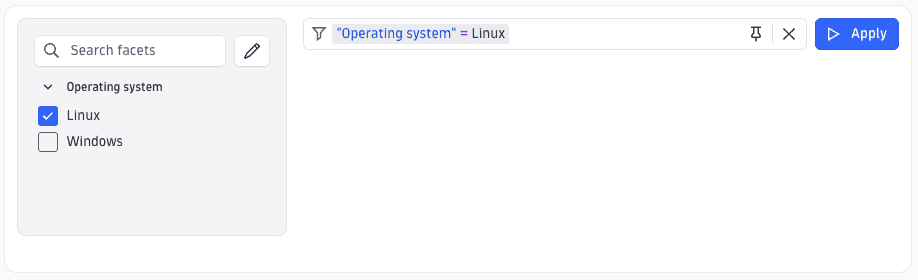
Suggestion count
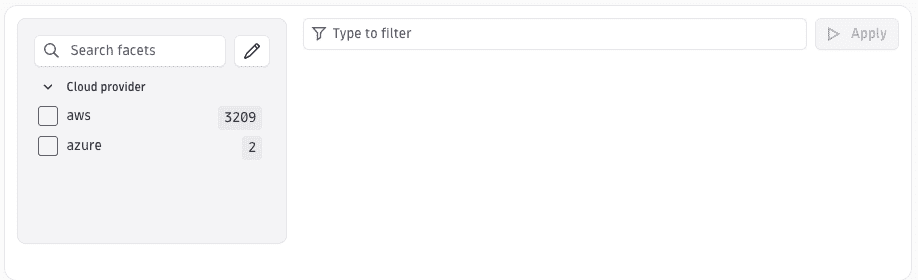
displayCount: true adds a count badge to each suggestion in the dropdown. The count query runs in parallel with the suggestion query. countMode controls whether counts are computed from the full query or just the suggestion field.
{"type": "filtering","id": "example-count","filters": [{"id": "cloud-provider-filter","title": "Cloud provider","fieldIds": "cloud.provider","displayCount": true,"quickFilter": true,"quickFilterExpanded": true,"dynamicSuggestions": {"valueExtractor": "string","suggestionField": "cloud.provider"}}],"dqlQueryContext": {"query": "smartscapeNodes \"HOST\" | fields id, name, cloud.provider"}}
All operators with $(operation) placeholder
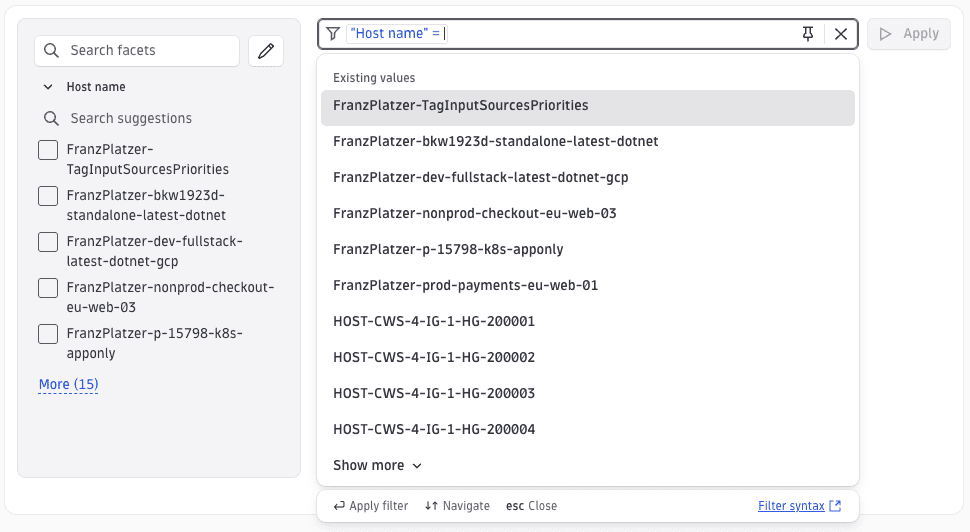
$(operation)(field) expands to the DQL expression for whichever operator you select (for example, matchesValue(name, "$(value)") for equals, contains(name, "$(value)") for contains). This lets one query pattern cover all operators without writing operatorSpecificQuery entries.
{"type": "filtering","id": "example-all-operators","filters": [{"id": "name-filter","title": "Host name","fieldIds": "name","query": "$(operation)(name)","quickFilter": true,"quickFilterExpanded": true,"dynamicSuggestions": {"valueExtractor": "string","suggestionField": "name"}}],"dqlQueryContext": {"query": "smartscapeNodes \"HOST\" | fields id, name"}}
Numeric filter
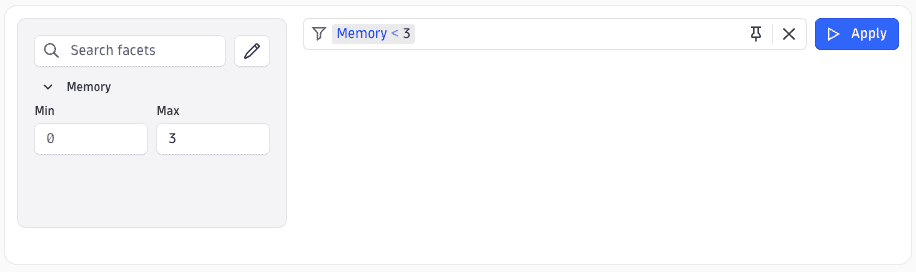
units lists the units shown in the unit selector dropdown. baseUnit is the unit all user-entered values are converted to before the DQL expression is generated. Both fields are required together. Default numeric operators:
- equals
- not-equals
- less-than
- less-or-equal
- greater-than
- greater-or-equal
- exists
- not-exists
{"type": "filtering","id": "example-numeric","filters": [{"type": "number","id": "memory-filter","title": "Memory","fieldIds": "memory","quickFilter": true,"quickFilterExpanded": true,"units": ["information.megabyte", "information.gigabyte"],"baseUnit": "information.byte"}],"dqlQueryContext": {"query": "smartscapeNodes \"HOST\" | fields id, name, memory"}}
Key-value filter
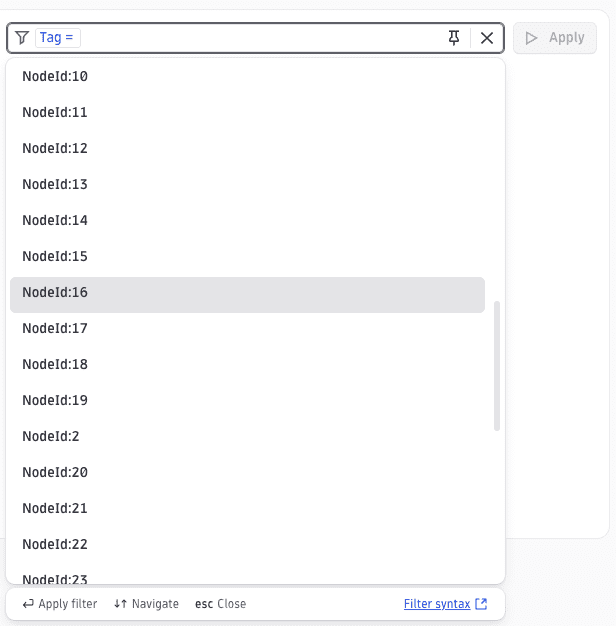
valueExtractor: 'key-value' expects the field to be a Record<string, string> where each entry becomes a key:value suggestion (for example, team:platform). The auto-generated filter expression uses record indexing: tags[`$(key)`] == "$(value)". This is the natural format for smartscapeNodes entity tags.
{"type": "filtering","id": "example-key-value","filters": [{"id": "tag-filter","title": "Tag","fieldIds": "tags","quickFilter": true,"quickFilterExpanded": true,"dynamicSuggestions": {"valueExtractor": "key-value","suggestionField": "tags"}}],"dqlQueryContext": {"query": "smartscapeNodes \"HOST\" | fields id, name, tags"}}
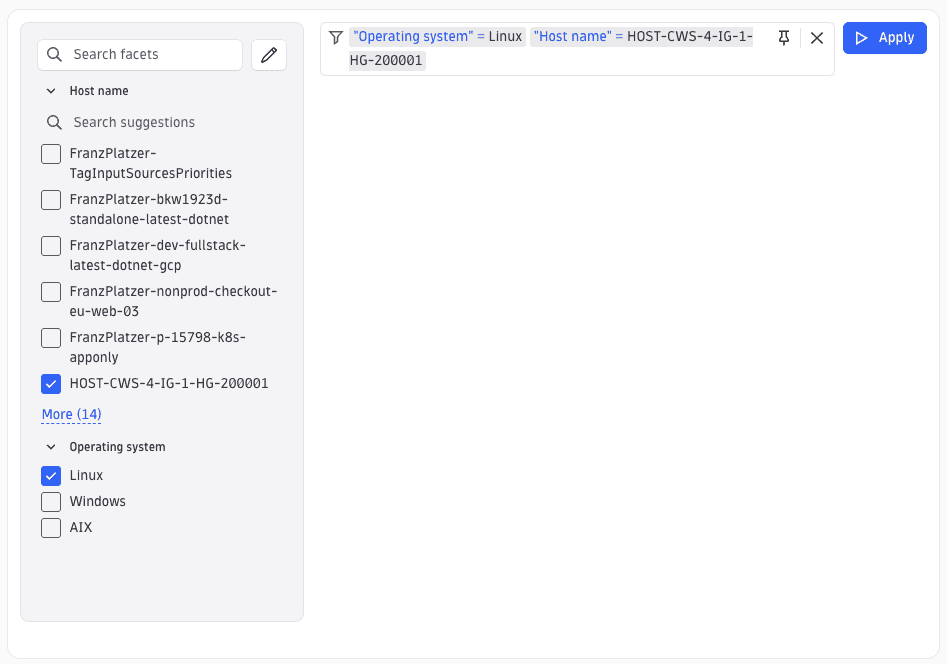
Inventory Explorer filtering
Inventory Explorer documents configure filtering directly on the type definition via the filtering field. Unlike standalone Filtering elements used inside layouts, Inventory Explorer filtering is always supported and does not need to be registered separately.
{"type": "filtering","id": "host-filtering","filters": [{"id": "host-name","title": "Host name","fieldIds": "name","query": "$(operation)(name)","quickFilter": true,"quickFilterExpanded": true,"dynamicSuggestions": {"valueExtractor": "string","suggestionField": "name"}},{"id": "os-type","title": "Operating system","fieldIds": "os.type","quickFilter": true,"quickFilterExpanded": true,"staticSuggestions": [{ "text": "Linux", "value": "OS_TYPE_LINUX" },{ "text": "Windows", "value": "OS_TYPE_WINDOWS" },{ "text": "AIX", "value": "OS_TYPE_AIX" }]}],"dqlQueryContext": {"query": "smartscapeNodes \"HOST\" | fields id, name, os.type"}}
See also
 ExtensionsInfrastructure Observability