Dynatrace Managed components
- Reference
- 3-min read
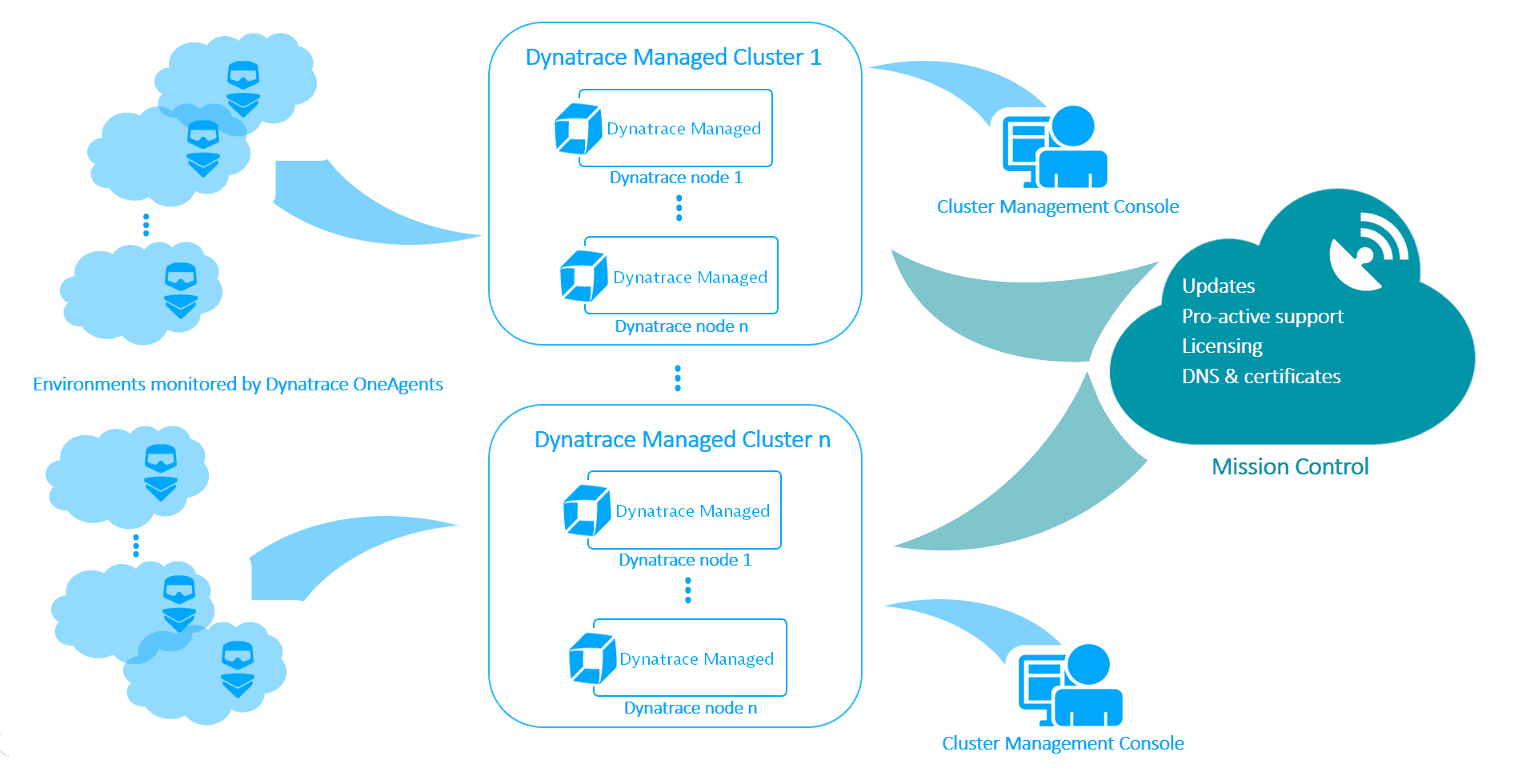
The basic Dynatrace Managed components are illustrated in the image below.
Managed cluster
The Managed cluster is responsible for managing various monitoring environments. A Managed cluster typically comprises multiple cluster nodes. Each Managed cluster is assigned to a Cluster Management Console for its orchestration.
The Managed cluster provides Mission Control with self-monitoring and licensing data to enable proactive support.
You need to obtain a license every time you want to set up a new Managed cluster.
Managed installer
The Managed installer handles the installation of Dynatrace Managed and all the necessary components:
- Dynatrace Server
- Apache Cassandra
- Elasticsearch
- NGINX
- An embedded ActiveGate
All listed components are deployed on the first node you create when setting up a Managed cluster, as well as on every subsequent node.
Cluster Management Console
For each Dynatrace Managed cluster you set up, there is a dedicated Cluster Management Console. Cluster Management Console is a web-based user interface for efficiently managing your Dynatrace Managed infrastructure. From here you can view the deployment status of your Dynatrace Managed cluster setup at any time.
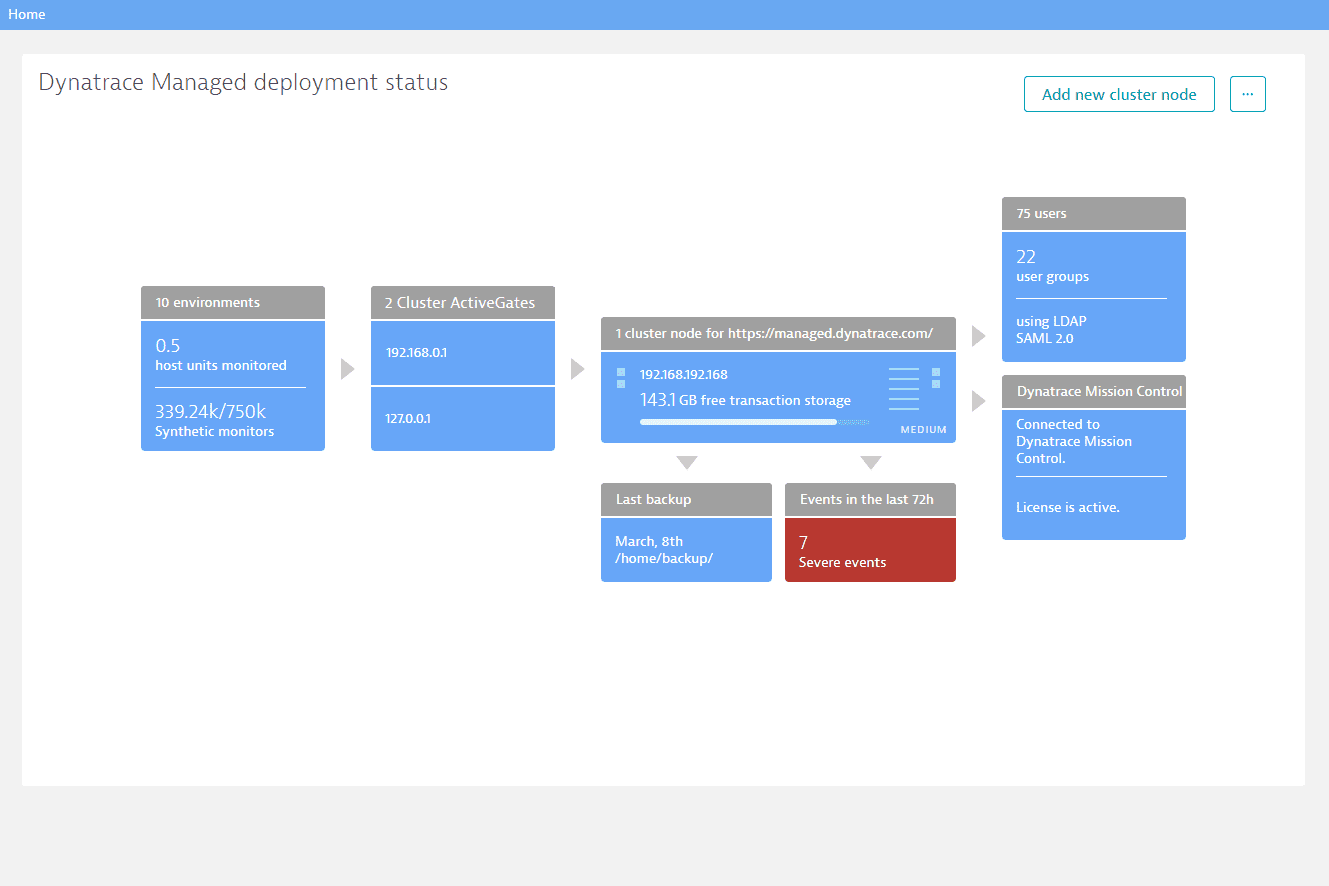
With the Cluster Management Console, you can:
Mission Control
Mission Control automatically receives self-monitoring and license data from the Managed cluster. Based on this data, our Mission Control team can proactively analyze and detect misconfigurations or potential incompatibilities with your Managed installation. For details, see Dynatrace Managed Mission Control and Service Level Agreement.
Mission Control, in turn, provides software updates for the Managed cluster.