Cost notifications
- Latest Dynatrace
- Explanation
- Published May 29, 2026
Account Management sends cost notifications when spending thresholds are approached or when unexpected consumption changes are detected. This page describes how notifications work across Budget alerts and Cost monitors.
Overview
Two features generate cost notifications in Account Management.
- Budget alerts notify you when actual or forecasted consumption reaches a configured threshold.
- Cost monitors notify you when forecast conditions or daily consumption anomalies are detected.
Both features send notifications through the Notification Center and by email. Cost monitors additionally support API-based notifications.
Use cases
- Understand where cost alerts appear in Account Management.
- Verify which permissions are required to receive and open notifications.
- Decide whether to integrate cost monitor notifications through API.
- Compare budget and cost monitor notification behavior before configuring thresholds.
Notification channels
Notification channels
| Channel | Available for |
|---|---|
Notification Center | Budget alerts, Cost monitors |
Budget alerts, Cost monitors | |
API | Cost monitors only, see Notifications API - POST filter notifications |
Notification center
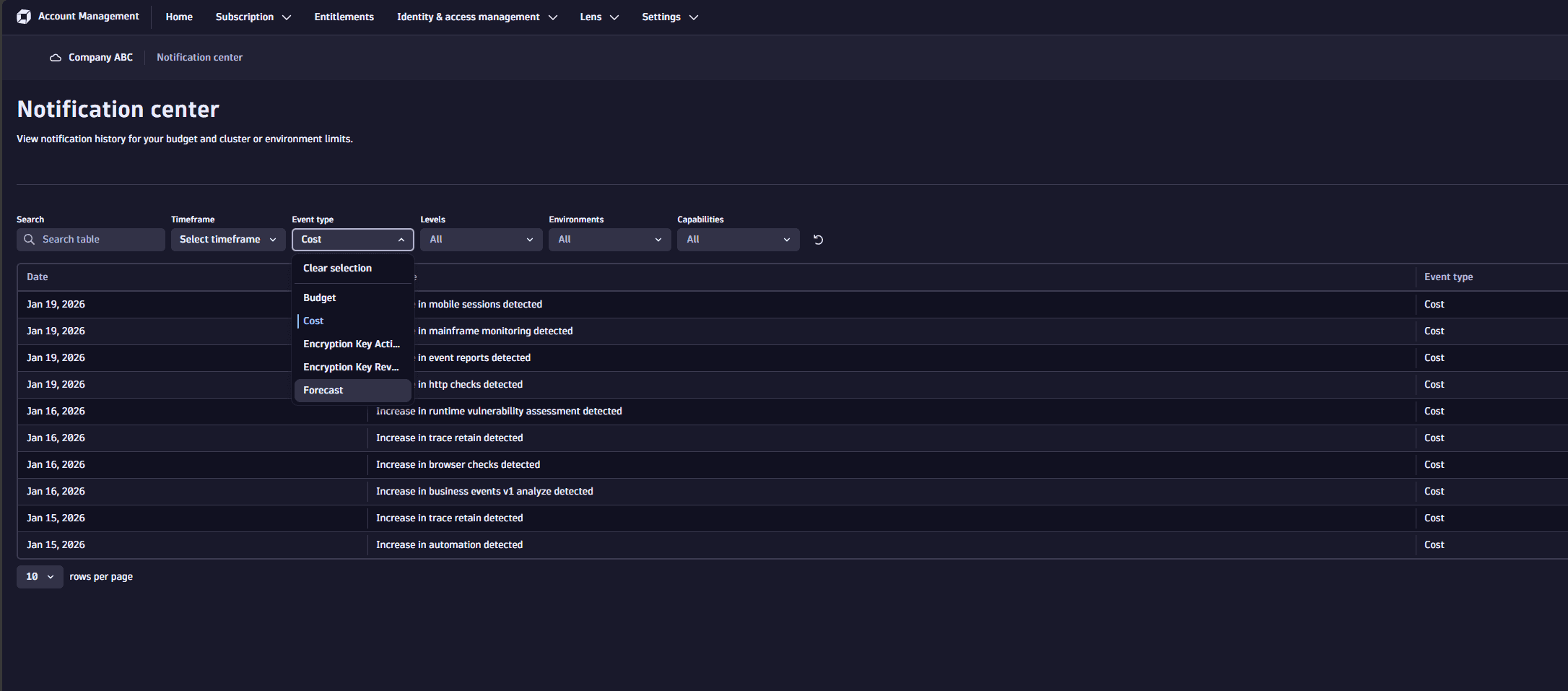
Notification Center provides a history of all notifications sent from Account Management, including budget and cost monitor events.
To open Notification Center, select > Notification Center in the Account Management toolbar.
The table displays events detected during the current commitment period, with the most recent events at the top. The table includes:
- Date: When the event was detected; use the Timeframe filter to limit results based on date.
- Message: Event text generated by Dynatrace; use the Search filter to filter results based on specific text strings.
- Event type: Select to view events of type Forecast or Consumption.
- Levels: Select to view events by severity.
- Environments: Select an individual environment name to filter for events of a specific environment, or select Account to filter for events at the account level.
- Capability: Indicates the capability that the cost event relates to. Select a specific capability to filter the table, or select DPS Cost Total to view all forecast events.
Email notifications
You can configure when email notifications are sent and who receives them. For instructions on configuring email recipients for each alert type, see the relevant page:
Cost notifications are sent from no-reply@dynatrace.com.
Notification emails include links to Account Management. Recipients need View account permission to open linked pages.
To configure notification settings, your Dynatrace user needs the View and manage account and billing information account permission.
API notifications
API notifications are available for cost monitor events. For details, see Notifications API - POST filter notifications.