Azure Functions Classic integration
- Dynatrace Classic
- Overview
- 2-min read
The following integrations are designed for the classic version of Azure Functions. For the newest versions of Azure Functions, see Monitor Azure Functions.
Azure Functions offers a wide range of options to address various Azure Functions scenarios and use-cases:
- Use your preferred language
- Automate deployment
- Take advantage of flexible hosting
Integrate on Consumption Plans
Monitor Azure Functions on Consumption Plans
Learn how to install, configure, update, and uninstall OneAgent for monitoring Azure Functions on serverless hosting plans
- Overview
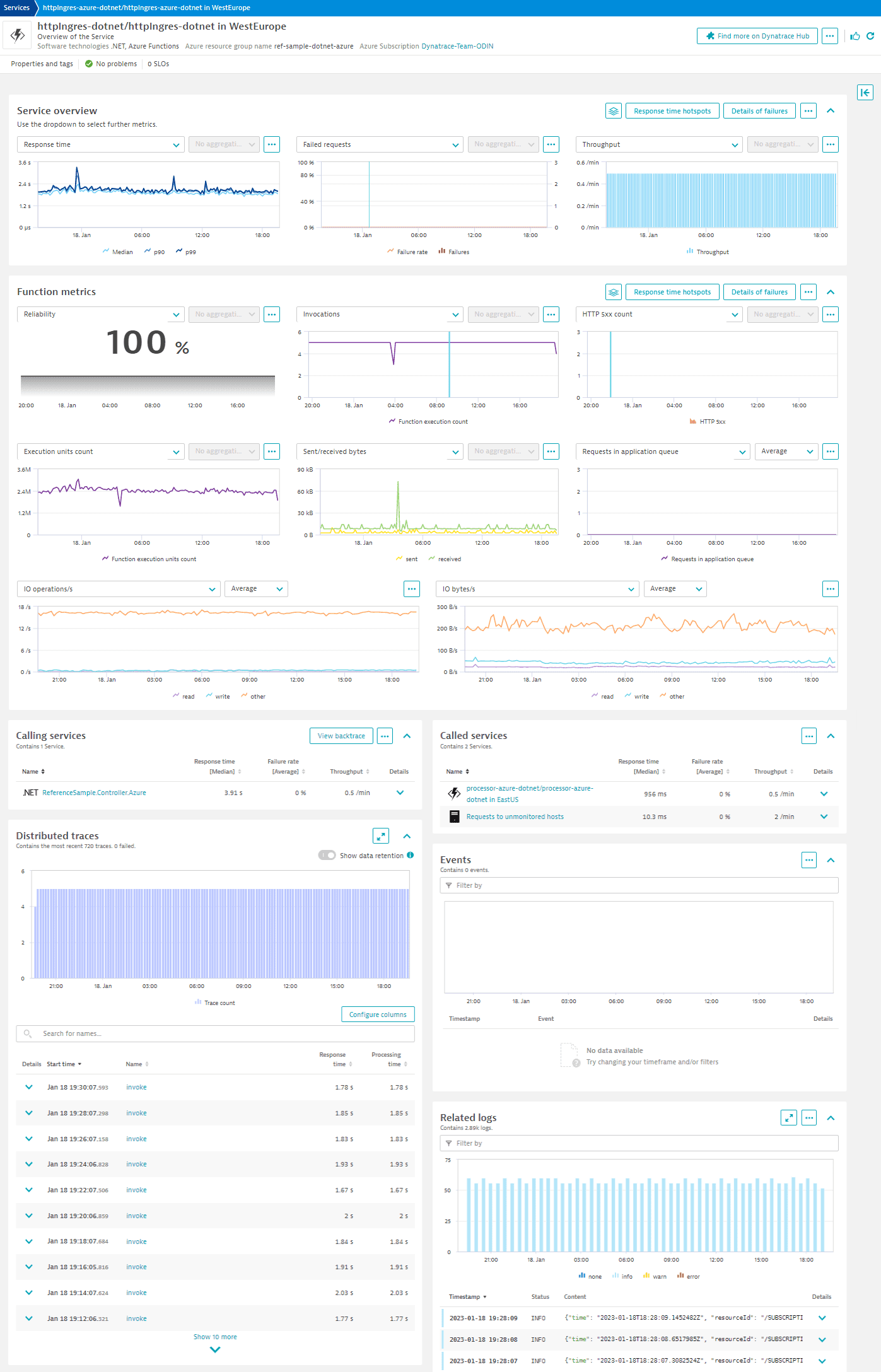
Monitor Function Service (built-in)
Monitor Azure Function Services and view available metrics.
- How-to guide
Trace Azure Functions with OpenTelemetry
Set up OpenTelemetry monitoring for Azure Functions on Consumption Plan
Monitor Azure Functions consumption plan with OpenTelemetry and Dynatrace.
- How-to guide
Trace Azure Functions written in .NET
Monitor Azure Functions with OpenTelemetry for .NET and Dynatrace.
- How-to guide
Trace Azure Functions written in Node.js
Monitor Azure Functions with OpenTelemetry for Node.js and Dynatrace.
- How-to guide
Trace Azure Functions written in Python
Monitor Azure Functions with OpenTelemetry for Python and Dynatrace.
- How-to guide
Distributed Tracing
With the different options for hosting your functions, Dynatrace provides you with the best options to enable distributed tracing.
- Dynatrace offers an easy integration for Azure Functions running on Appservice- (Dedicated) plan using a site extension.
- Tracing Azure Functions on a Consumption- or Premium-Plan comes with additional restrictions by the nature of a serverless service, such as using instrumentation agents to fully automatically instrument your code at runtime.
Dynatrace provides distributed tracing for these sandboxed environments based on OpenTelemetry. If you already use OpenTelemetry to instrument your functions, you can ingest the trace data using Dynatrace Trace Ingest API, but we recommend that you use the Dynatrace exporter, which adds additional benefits to fully leverage the automatic AI-based analysis capabilities of Dynatrace.
To make using OpenTelemetry easier, Dynatrace provides library packages for Azure Functions to reduce necessary OpenTelemetry boiler-plate code for trace-propagation, applying resource attributes and initialization code as well as aligning with semantic conventions.
By using advanced concepts such as aspect-oriented programming (AOP), it is even possible to add fully automatic instrumentation without changing a single line of code, as demonstrated within this community github-project for Azure Functions .NET.
Additional visibility using logs and platform metrics
To enhance visibility for monitoring your Azure Functions health, we recommend that you enable capturing service metrics from Azure Monitor as well as ingesting logs.