Entity details composition
- Latest Dynatrace
- Reference
- 3-min read
- Published Jul 13, 2026
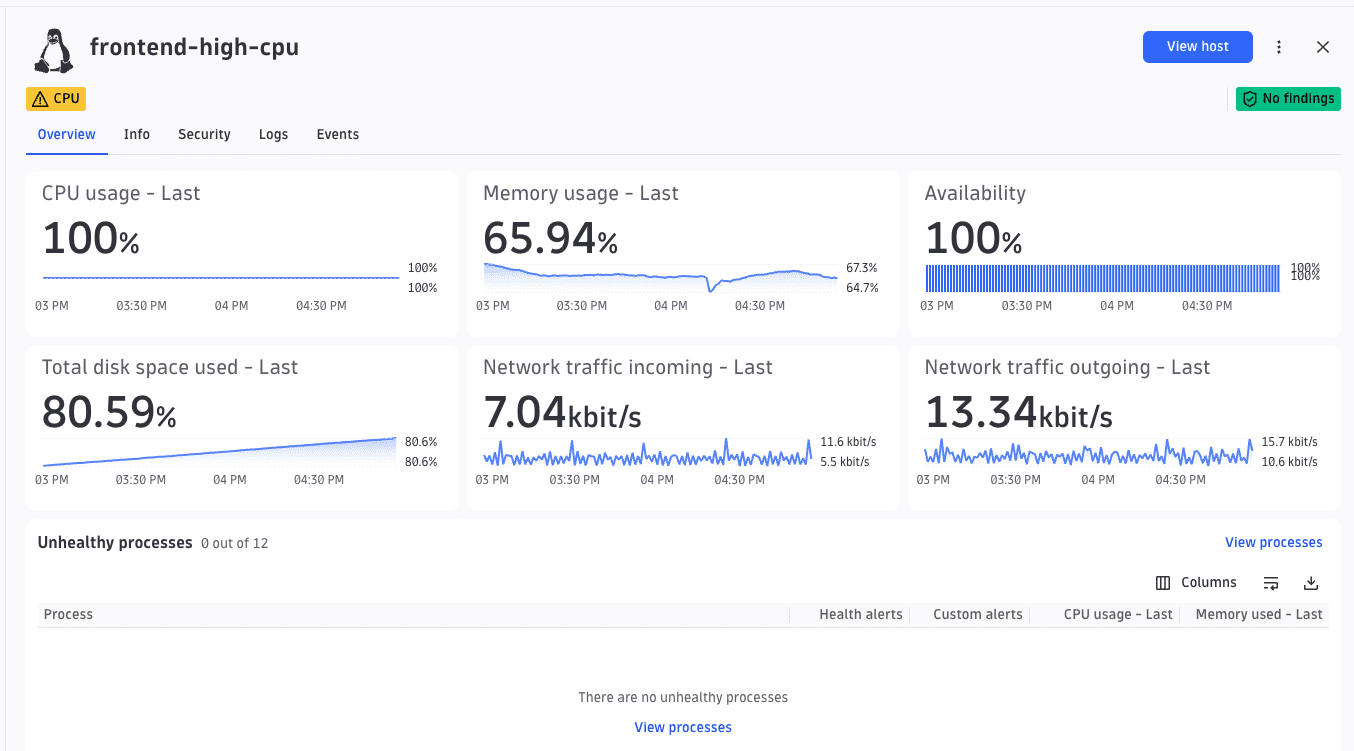
The full-page layout used as content in an EntityDetailsDefinitionDocument. For details, see Document types. It renders a side panel with an entity header (name, icon, and action buttons) and a health overview section.
The health overview section is configured by alertGroups. For details, see Health indicators. alertQueryParams is optional; when omitted, health chips are derived from the active Inventory Explorer table row's data populated by ALERTS_LOOKUP.
The main body is a tabbed layout that groups cards (metadata, charts, logs, tables, and more) into named sections you can switch between.
DetailsComposition
| Property | Type | Description |
|---|---|---|
|
| Discriminant. |
|
| Unique identifier. |
|
| The tabbed content of the details panel. See |
|
| Panel header. |
|
| Health indicator config. See Health indicators. |
|
| Parameters for the standalone health-indicators query. See Health indicators. |
Header
| Property | Type | Description |
|---|---|---|
|
| Header subtitle. |
|
| Header action buttons. |
Action unions
Action arrays accept both BuiltInAction<T> references ({ "builtInAction": "..." }) and full IntentAction objects. See Elements overview.
| Type | Used in | Possible values |
|---|---|---|
|
|
|
Example
alertGroups groups Davis events by matchConditions and renders each group as a colored chip in the entity header. alertQueryParams runs a standalone query scoped to the current host via $(entityId); omit it to derive health chips from the active Inventory Explorer table row instead. The header also shows two action buttons: a built-in OPEN_WITH and a custom intent action that opens another app. The content has two tabs: an overview with an alerts table, and a properties tab with entity metadata.
{"type": "details","id": "host-details","header": {"actions": [{ "builtInAction": "OPEN_WITH" },{ "displayName": "Open in Services", "appId": "dynatrace.services", "intentId": "related-service", "intentPayload": { "dt.smartscape.host": "$(entityId)" } }]},"alertGroups": [{"groupName": "Availability","alerts": [{"displayName": "Low availability","matchConditions": { "event.type": ["AVAILABILITY"] }}]},{"groupName": "CPU","alerts": [{"displayName": "High CPU usage","matchConditions": { "event.type": ["CPU"] }}]}],"alertQueryParams": {"filters": ["iAny(smartscape.affected_entities[][type] == \"HOST\") AND iAny(smartscape.affected_entities[][id] == $(entityId))"]},"content": {"type": "tabs","items": [{"type": "tab","id": "overview","title": "Overview","content": [{ "type": "alerts-table", "id": "host-alerts" }]},{"type": "tab","id": "properties","title": "Properties","content": [{ "type": "metadata", "id": "host-properties" }]}]}}
See also
 ExtensionsInfrastructure Observability