Overview (Dynatrace classic licensing)
- Explanation
- 3-min read
This page describes a legacy license model and should not be used for pricing estimates related to the current Dynatrace Platform Subscription (DPS) license model. All new Dynatrace contracts are signed based on DPS, for more information see License Dynatrace.
The Account Management License view provides a real-time view of your Dynatrace classic licensing product consumption. Dynatrace classic licensing covers usage of products such as host units, host unit hours, Digital Experience Monitoring, Davis data units (DDUs), and Application Security units (ASUs). Historical analysis is available at the daily or hourly level.
You can access this information at Account Management > License.
If you see Account Management > Subscription, please refer to our Dynatrace Platform Subscription documentation instead.
Total license usage
The Total license usage section displays real-time information about your licensing consumption.
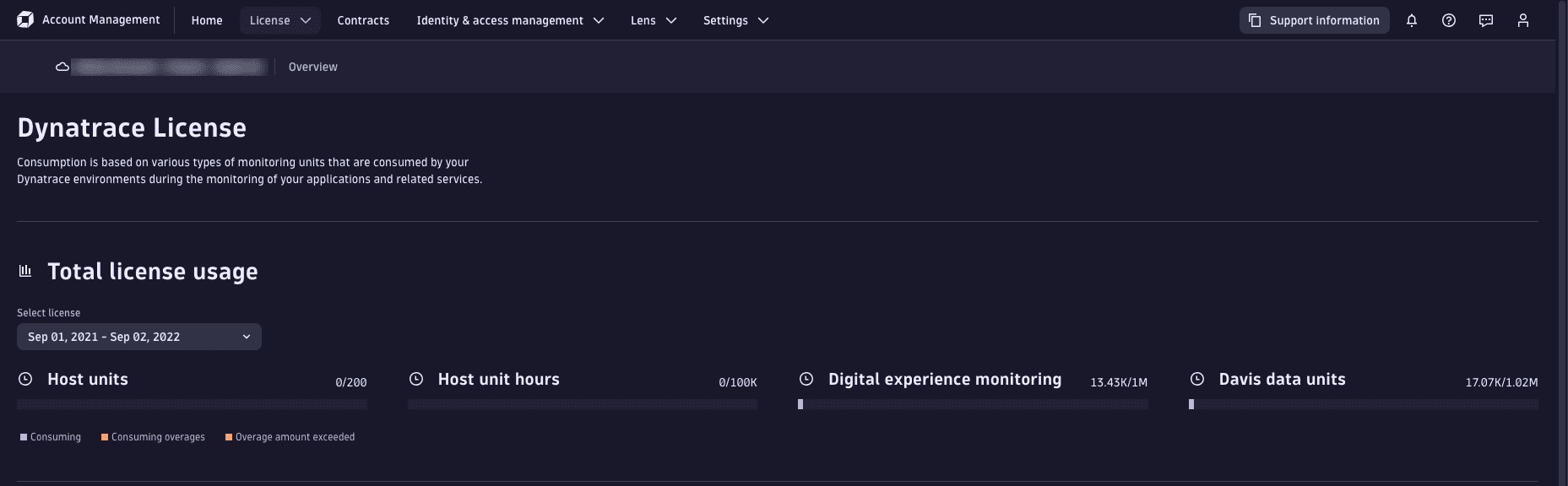
Each licensed product is displayed in a separate infographic that indicates how much of each product you have used. The colored bars indicate if you're under or over your quota:
- Blue: Your usage is below your quota.
- Brown: You have exceeded your quota, and your usage incurs overage charges (if this is allowed for your license).
- Red: Your maximum quota is reached, and monitoring is deactivated.
Hover over a product infographic to display a detailed breakdown of usage.
Usage details
The Usage details section displays historical license consumption.
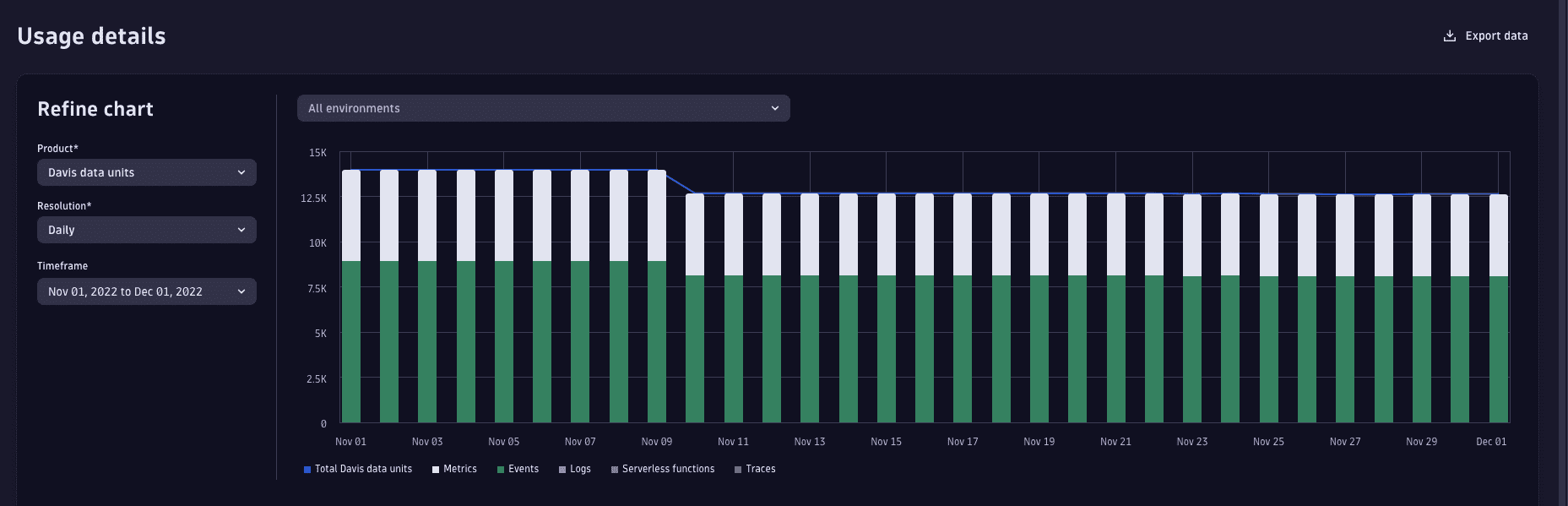
You can filter this information according to Cluster, Product, Resolution, and Timeframe.
You can export this data in CSV format. To do this, select Export data.
Use Resolution to choose the granularity:
- Daily: Day-by-day total usage.
- Hourly: Hourly cumulative totals for a selected day.
- Total: Cumulative usage for consumption-based licenses (includes host unit hours, Digital Experience Monitoring, Davis data units, and Application Security units).
- Linear forecast: Forecast usage based on linear extrapolation from the last 30 days of usage data (limited to Digital Experience Monitoring and Davis data units only).
Environment usage breakdown
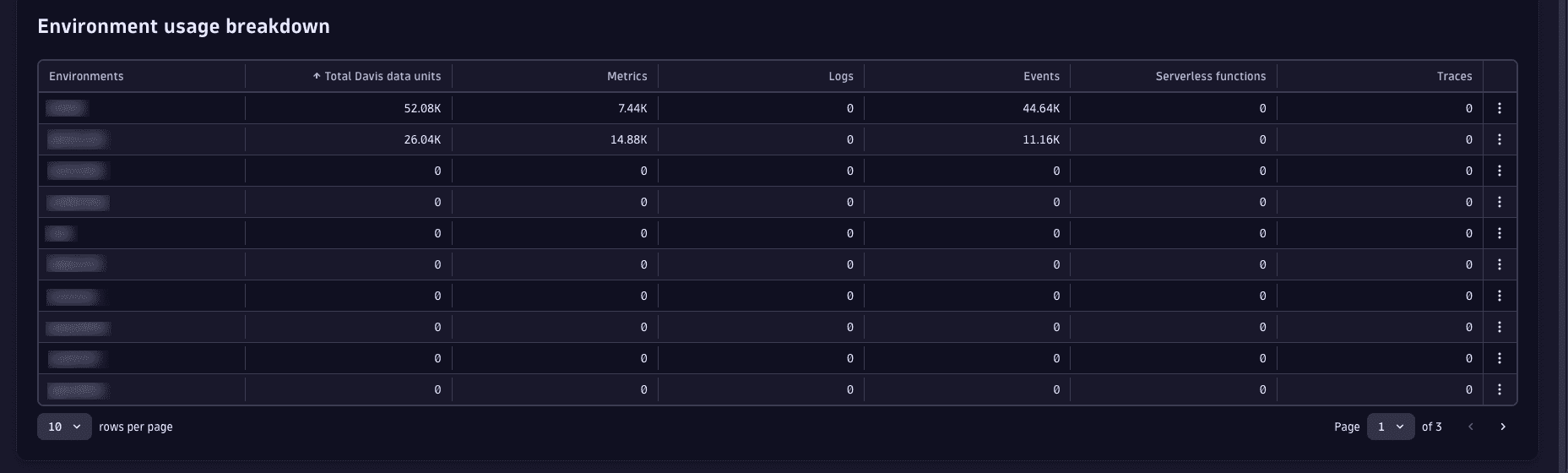
The Environment usage breakdown section shows how individual environments contribute to license consumption, including a breakdown of product consumption within each environment.
FAQ
Why does the license consumption in Usage details not match the information in Total license usage?
- Total license usage provides an accurate and real-time measurement of your license consumption. These measurements differentiate between free, paid, and overage usage.
- Usage details provides a historic breakdown of total consumption. This breakdown includes all units, and does not differentiate between paid, free, and overage usage.
Why does the forecast show that I have consumed more DDUs than my current license is for?
Forecasts show the total consumption that has accrued from the first day your first Dynatrace license was active. Total consumption may include consumption from a license that has since expired.
Therefore, even if the forecast shows that you have consumed more DDUs than your current license, this does not automatically mean that you have already consumed the DDUs in your current license.