History
- Explanation
- 3-min read
- Published Jun 09, 2026
The Account Management History view shows historical data for all your Dynatrace subscriptions and contracts at a glance.
You can access this information at Account Management > Subscription > History.
Detailed views are not available for pending subscriptions or contracts, or for contracts with data three years or older.
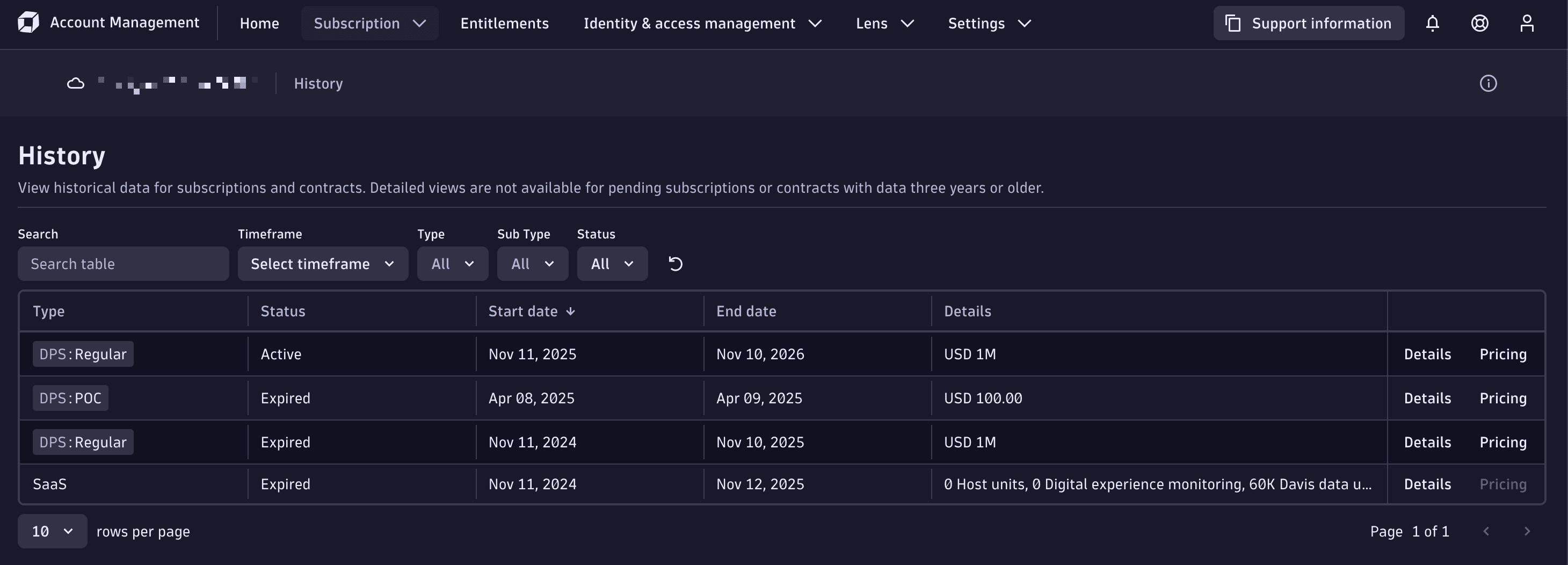
The table provides information about:
-
Type: The type of subscription, usually DPS: Regular, DPS: Interim, or DPS: Trial.
-
Status: The current status of the subscription or contract, whether Active, Pending, Expired, or Inactive.
-
Start date: The date the subscription or contract came into effect.
-
End date: The date the subscription or contract expires or expired.
-
Details: The committed spend for the contract period.
-
Additionally, you can select:
- Details to open a detailed view of the subscription or contract, including a Budget summary and Cost and usage breakdown.
- Pricing to view the rate-card prices for the subscription or contract. See Pricing for more information.