Resource attributes
- Reference
- 9-min read
Host-level resource attributes
All monitoring artifacts that leave a given host, that is have the host as its resource, are enriched with the host-level resource attributes.
Host-level resource attributes are resource attributes of monitored hosts. All events raised by and measurements coming from OneAgent components running on a given host are enriched with those attributes. You can then use them in your queries to structure and filter the monitoring data.
If you have access to a host with OneAgent installed, you can inspect the dt_host_metadata.json and dt_host_metadata.properties to see the scope of resource attributes enrichment provided by OneAgent. For more information, see Enrich ingested data with Dynatrace-specific fields.
Custom host-level attributes
You can create your own attributes by configuring key-value tags and properties set via oneagentctl or through Remote configuration management of OneAgents and ActiveGates. Custom tags and properties defined this way are reported as flat, first-level resource attributes.
The key tags with no value are ignored.
Tags assigned through automated rules, environment variables, and Topology and Smartscape API are not included.
General host-level attributes
| Attribute | Description |
|---|---|
Custom host tags | |
| Note that difference between
For more information, see Organize your environment using host groups. |
| An entity ID of an entity of type HOST. |
| An entity ID of an entity of type |
| The host name as determined depending on the data source, for example OneAgent, Extensions, or OpenTelemetry. Host name can be modified based on naming rules. Note that this not an entity ID of an entity of type |
AWS
| Attribute | Description |
|---|---|
| An entity ID of an entity of type |
| An entity ID of an entity of type |
| A specific availability zone in given AWS Region. For example, |
| A specific geographical AWS Cloud location. For example, |
| The unique identifier of the resource. |
Azure
| Attribute | Description |
|---|---|
| An entity ID of an entity of type |
| An entity ID of an entity of type |
| A specific geographical location of Azure Cloud resource, retrieved from the |
| Azure Virtual Machine unique 128bits identifier. |
Google Cloud
| Attribute | Description |
|---|---|
| A permanent identifier that is unique within your Google Cloud project. |
| The identifier of the GCP project associated with this resource. |
| An entity ID of an entity of type |
| A zone is a subset of a region. Each region has three or more zones. For example, |
| A region is a specific geographical location where you can host your resources. For example, |
OpenStack
| Attribute | Description |
|---|---|
| A specific availability zone in a given OpenStack region. For example, |
| UUID of an OpenStack instance. |
Kubernetes
| Attribute | Description |
|---|---|
| As the Kubernetes cluster name is not readily available, Dynatrace identifies the cluster by the UID of the kube-system namespace. Available only in Dynatrace Operator deployments. |
| A Kubernetes name of the Node. Available only in Dynatrace Operator deployments. |
BOSH
| Attribute | Description |
|---|---|
| A unique identifier assigned to each deployed BOSH instance. |
| A specific geographical BOSH location. For example, |
| A unique identifier to a deployment or instance. |
Resource attributes normalization
To ensure consistent and reliable metric ingestion, resource attributes normalization is applied to all relevant internal metric keys and values. This process helps prevent metrics from being dropped due to invalid or malformed dimensions.
Dimension key rules
| Rule description | Details |
|---|---|
Invalid Characters | An invalid character or a series of invalid characters is replaced with one underscore |
Empty Keys | Dimensions with no valid characters are skipped |
Key Length Limit | OneAgent version 1.317+ Max. 350 characters (previously max. 100 characters) |
Dimension value rules
| Rule description | Details |
|---|---|
Allowed Characters | All non-control characters (ASCII & Unicode) |
Control Characters | Not allowed. A control character (that is a character used as an instruction and is not displayed; for example, line break, tab) or a series of those characters is replaced with one underscore |
Value Length Limit | OneAgent version 1.313+ Max. 2048 characters (previously max. 255 characters) |
Quoted Values | If value starts and ends with |
Dimension limits
To align with the current specification, a specific dimension hierarchy and defined limits are used to prevent warnings and metric drops caused by exceeding those limits.
By default, the global dimension limit is equal to 100 and the customer-defined dimension limit is 40% of the global limit.
Process-level resource attributes
Process-level resource attributes are the resource attributes of a monitored process. A process reports its own set of attributes, and the monitoring artifacts that leave that process are enriched with them.
A process group reports no resource attributes of its own. It receives the resource attributes of the processes that belong to it, propagated up from the process instances. What you see on a process group is therefore what its processes reported.
A process gets its resource attributes from the dt_metadata enrichment files, not from the host it runs on. Host-level resource attributes stay on the host entity—the processes and containers running on that host don't inherit them. To report the same attribute on a host and on its processes, set it in both places.
Container-level resource attributes
Container-level resource attributes follow the same model. A container reports its own resource attributes, and a container group reports none of its own—it receives the attributes of the containers that belong to it, propagated up from the container instances.
Resource attribute limits and excluded keys
These limits apply to every entity type that carries resource attributes—host, process, process group, container, and container group—and are counted separately for each entity.
By default, Dynatrace stores 50 resource attributes per entity. When an entity reports more attributes than that, Dynatrace keeps them in the following order and drops the rest:
- Keys that start with
dt_ork8s. - All remaining keys, in alphabetical order
The following size limits apply independently of the 50-attribute limit:
- Maximum key length: 256 characters
- Maximum value length: 1024 characters
- Maximum number of attributes accepted for one entity: 1024
Keys that start with dt.—with a dot—are never stored on the entity. Such keys still enrich the monitoring artifacts that leave the host, which is why the general host-level attributes listed earlier on this page include keys such as dt.entity.host and dt.host_group.id; they are not among the attributes you can match in rules or filter by in the entity selector. Note also the contrast with keys that start with dt_—with an underscore—which are stored, and are the first to be kept when an entity reports more attributes than Dynatrace stores.
The key and value lengths above are the limits for storing resource attributes on an entity. They are not the dimension key and value limits in the Resource attributes normalization section of this page, which allow longer keys and values and apply when resource attributes enrich metric dimensions.
Where to see resource attributes
Dynatrace lists the resource attributes it stores for an entity in the Properties section of the entity page.
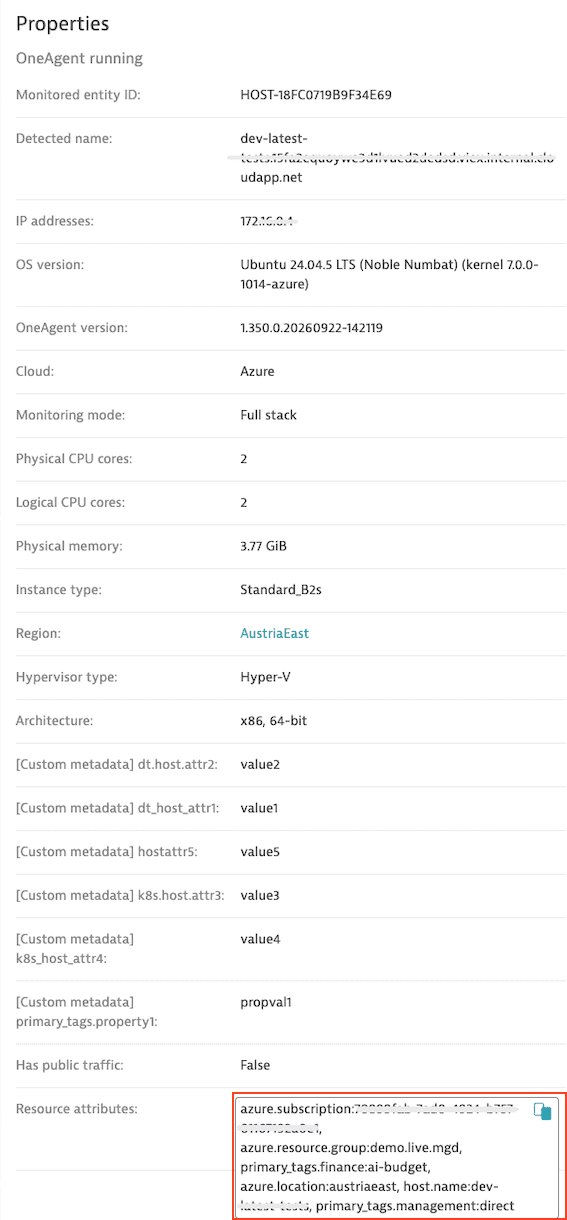
What you see there depends on the entity type:
| Entity type | Resource attributes carried |
|---|---|
Host | The attributes the host reports |
Process | The attributes the process reports |
Process group | The attributes propagated up from the processes in the group |
Container | The attributes the container reports |
Container group | The attributes propagated up from the containers in the group |
Service | None—services don't carry resource attributes |
Container and container group pages don't display a resource attributes section yet. The attributes are still stored for those entities, so you can filter by them with the entity selector and match them in rules—you just can't read them off the page.
A host entity page lists the attributes reported for that host.
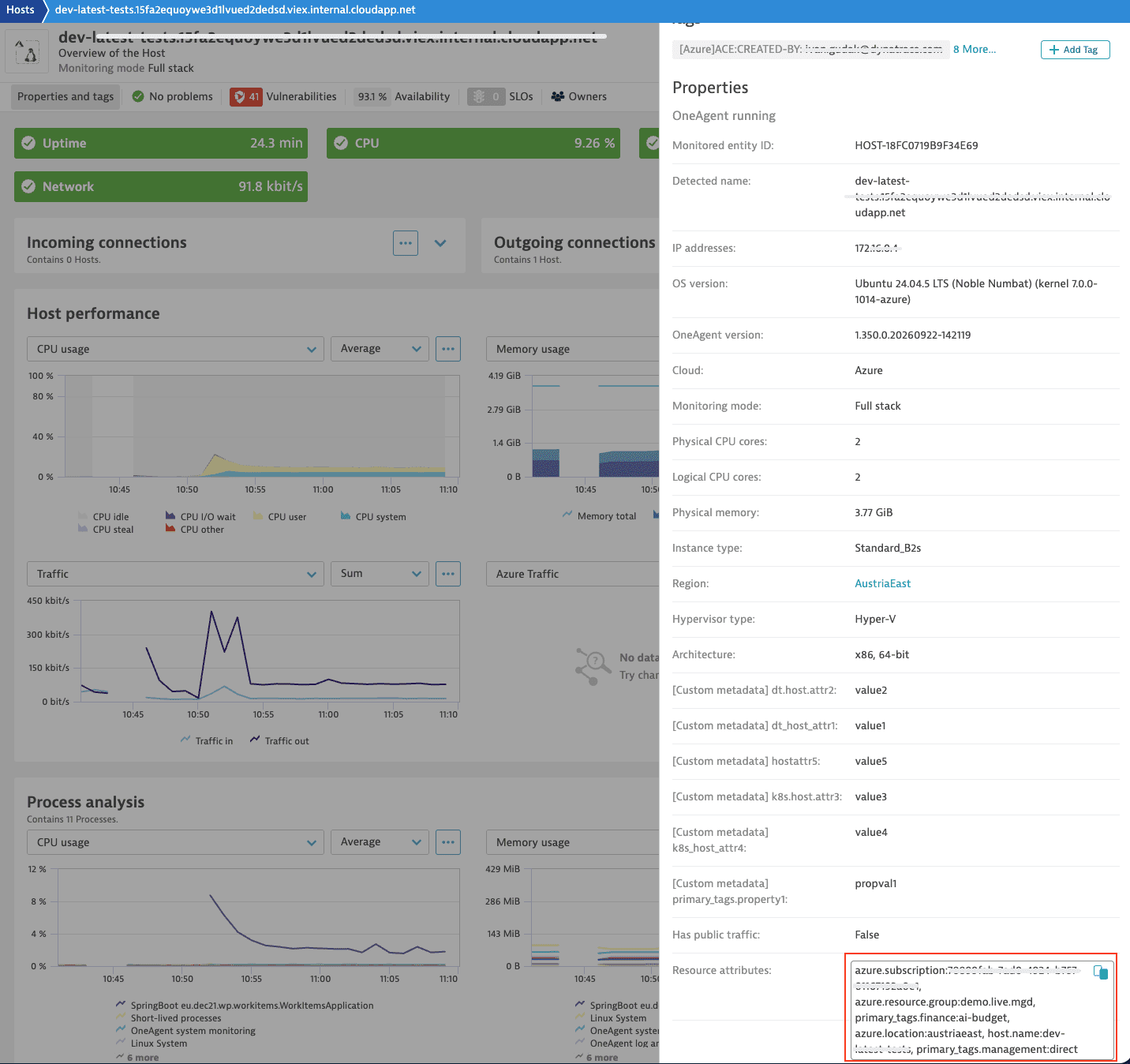
A process entity page lists the attributes reported for that process.
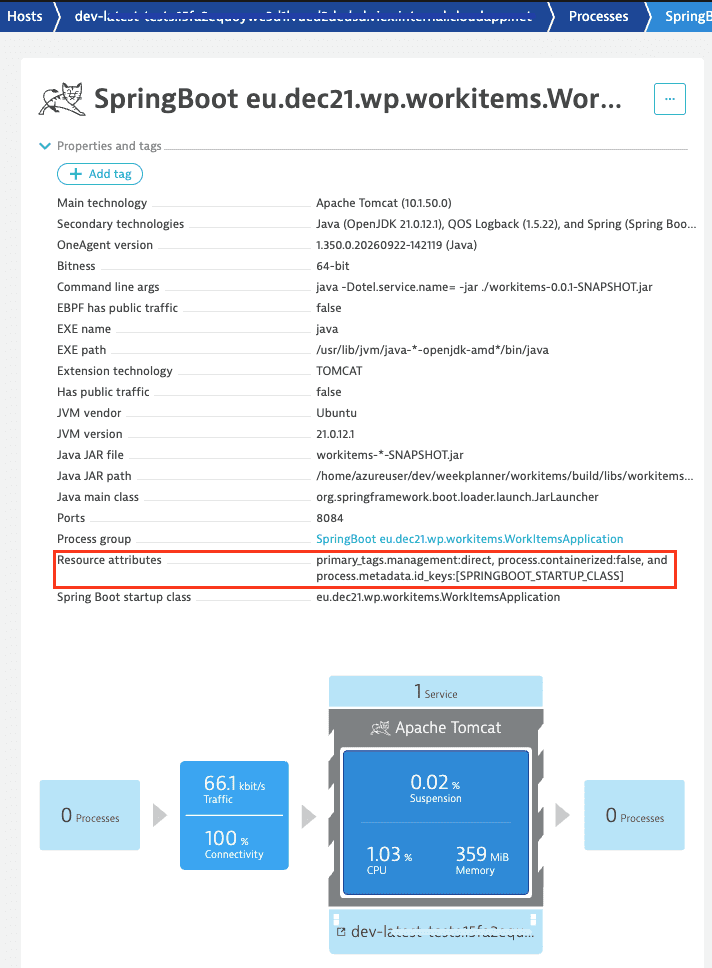
A process group entity page lists the attributes propagated up from its processes.
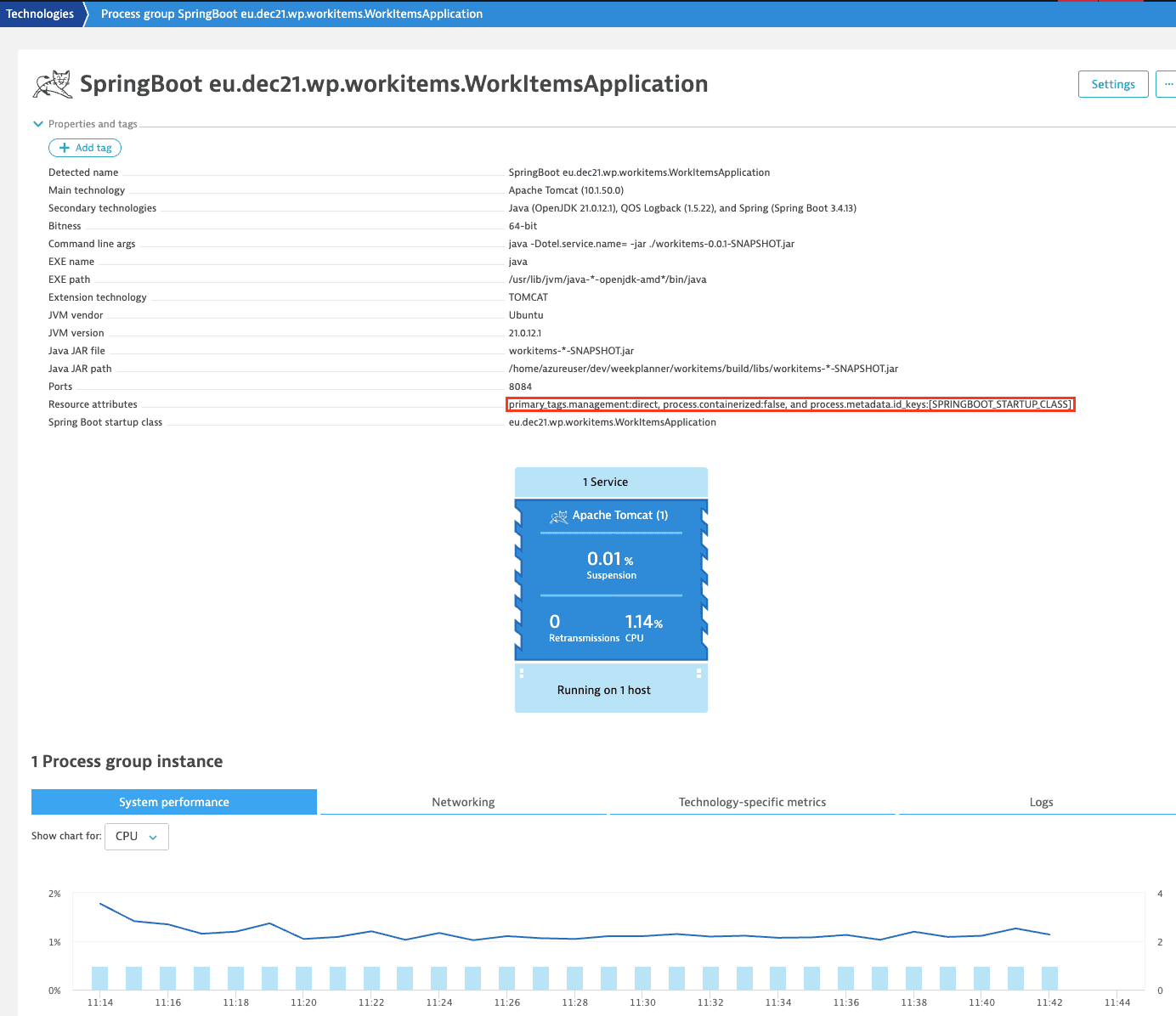
Configure resource attributes
You configure host and process attributes separately; each stays in its own scope.
For a host, set host tags with oneagentctl, using keys with the primary_tags. prefix. OneAgent writes them to the dt_host_metadata enrichment files and reports them for the host entity. See Custom resource attributes.
For processes and containers, the attributes come from the dt_metadata enrichment files. In Kubernetes, Dynatrace Operator writes those files into each injected pod, reporting the attributes you declare in your DynaKube together with the metadata.dynatrace.com/ annotations it finds on the namespace, on the workload that owns the pod, and on the pod itself. The attributes reach the monitored processes and containers and propagate up to their process groups and container groups. A key is stored on the entity only when it uses the primary_tags. prefix or is a recognized primary Grail field that doesn't start with dt.. For annotations, write the attribute key after the annotation prefix, as in metadata.dynatrace.com/primary_tags.team. See Set resource attributes in the DynaKube.
To read either set of attributes back out on the host itself, see Resource attributes in the enrichment files.
Use resource attributes
- Filter entities by attribute key, or by key and value, with the resource attributes criterion of the Environment API v2 entity selector.
- Limit a management zone to entities that report a given attribute with resource attribute conditions in management-zone rules.
- Tag entities automatically with resource attribute conditions in automatically applied tags.