Order-of-magnitude notation
- Explanation
- 2-min read
Dynatrace displays metric values using order-of-magnitude notation derived from the International System of Units (SI).
Notation
Examples of order-of-magnitude notation in Dynatrace:
| Notation | Factor | Meaning |
|---|---|---|
k | 10^3 | kilo, thousand |
M | 10^6 | mega, million |
G | 10^9 | giga, billion |
T | 10^12 | tera, trillion |
Examples
Metrics browser
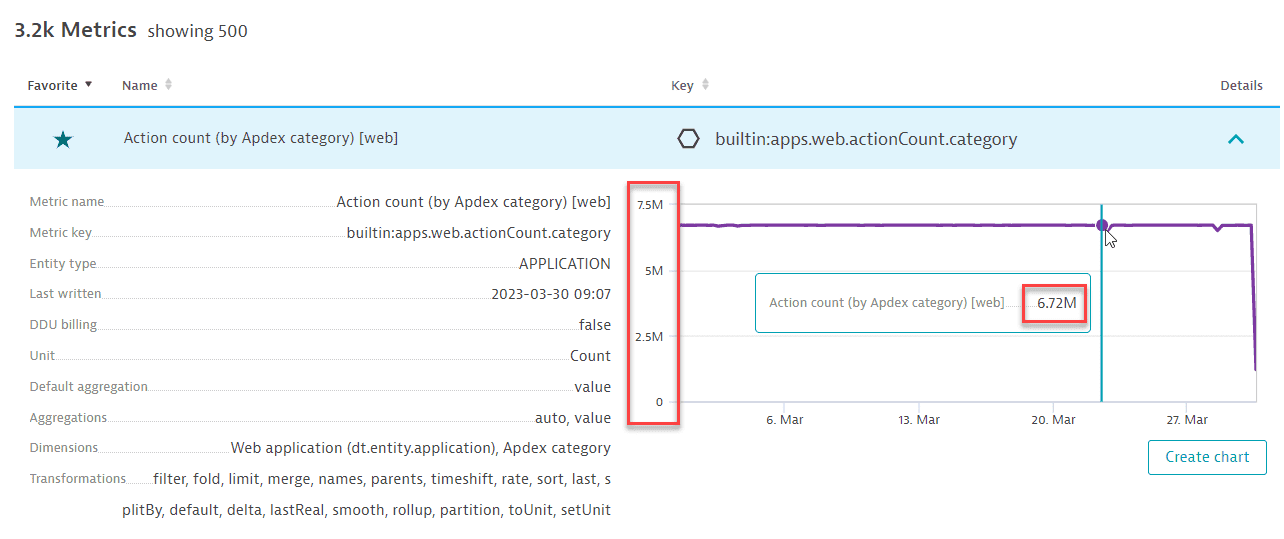
In this example from the Metrics browser, you can see values displayed in millions. This is order-of-magnitude notation (7.5M means "about 7.5 million" and not "exactly 7.5 million").
Dynatrace selects the order of magnitude automatically based on the size of the values. For example, the same metric measured over a shorter timeframe might appear in k values instead of M.
Data Explorer and dashboard tiles
In Data Explorer, Dynatrace can automatically select an order of magnitude as it does in the Metrics browser. Data Explorer also lets you specify an order of magnitude that overrides the automatic selection: set Unit to display a metric's values in a specific order of magnitude.
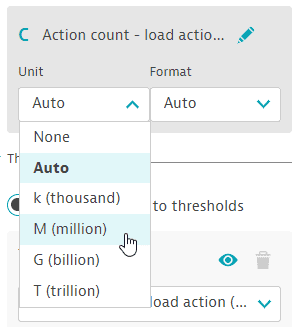
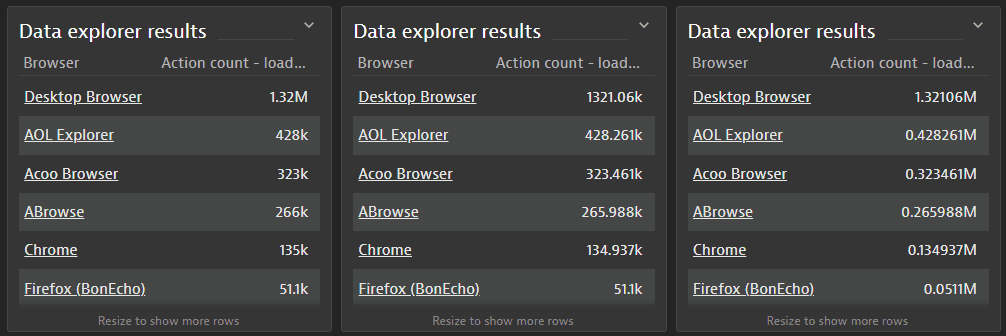
The three tiles below are identical except for the Unit value set in Data Explorer. From left to right:
- Auto—with Unit set to
Autofor the first tile, Dynatrace automatically selects an appropriate order of magnitude for values:1.32M(approximately 1.32 million),428k(approximately 428 thousand), etc. - k (thousand)—with Unit set to
k (thousand)for the second tile, Dynatrace expresses each value in thousands. - M (million)—with Unit set to
M (million)for the third tile, Dynatrace expresses each value in millions.
In Advanced mode, you can use :setUnit(<unit>) to select from a wider range of units.
You can also use the Format setting to specify the number of decimal places to display: 0, 0.0, 0.00, 0.000.