Configure URL exclusion
- Latest Dynatrace
- How-to guide
- 2-min read
- Published May 07, 2026
- Preview
URL exclusion is applicable to pages and views. If you want to exclude a page from Session Replay recording, define the regular expression that should be used to match against the specific page URL. You can configure rules for individual webpages, entire websites, and single-page applications.
- If a URL matches an exclusion rule, that rule is applied and all subsequent rules are ignored.
- If a URL doesn't match any rule, all applicable pages are recorded with Session Replay.
- If Session Replay is activated and no URL exclusion rules are defined, all pages are recorded with Session Replay by default.
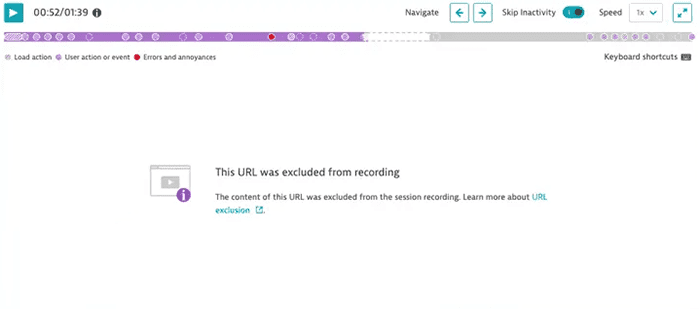
To exclude pages from recording
-
Go to Web.
-
Select the application that you want to configure.
-
In the upper-right corner of the application overview page, select More (…) > Edit.
-
From the application settings, select General settings > Data privacy > Session Replay.
-
Under URL exclusion, select Add exclusion rule.
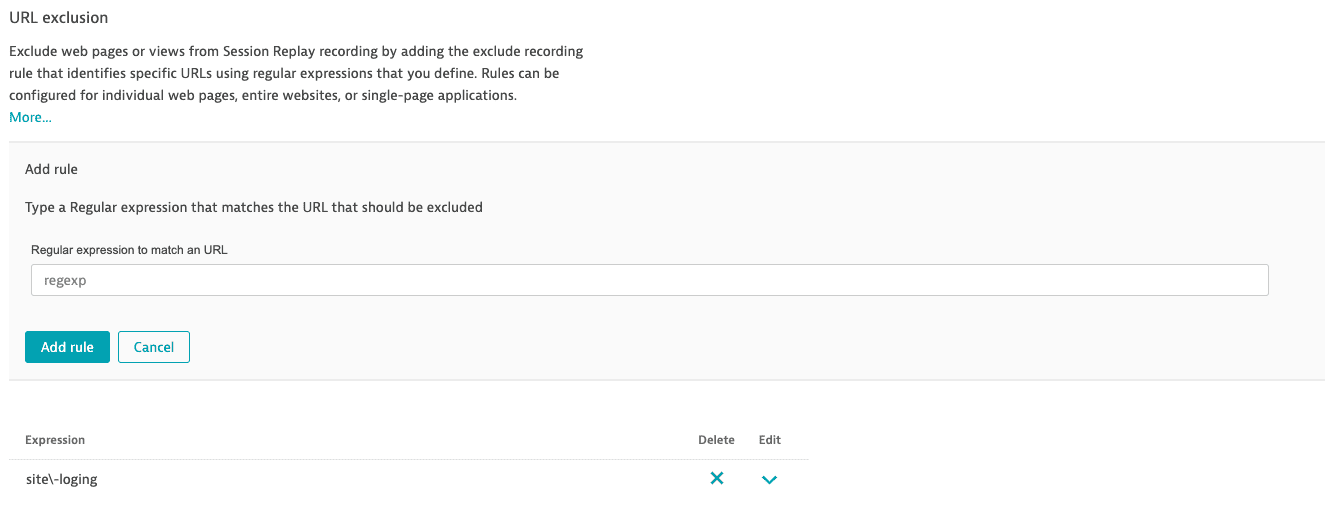 URL exclusion
 -
Enter a regular expression that matches the page URL, and then select Add rule.
If a Session Replay recording is paused because a page is excluded from recording, the Session Replay player skips those events and jumps to the next recorded part of the session.