Define user action and user session properties for custom applications in RUM Classic
- Dynatrace Classic
- How-to guide
- 1-min read
- Published Jan 27, 2022
Dynatrace captures a lot of information about the performance of your applications. You can enrich this information with valuable metadata and then convert the metadata into user action and user session properties.
Action and session properties are metadata key-value pairs that you can filter across Dynatrace analysis views. These properties come in handy when you need to create powerful queries, segmentations, or aggregations on the captured metadata. You can use these properties on the User sessions and User sessions query pages. For a deeper understanding of how to leverage these properties, see Leverage user action and user session properties for custom applications in RUM Classic.
Below you can find the information on how to configure such properties as well as related configuration examples. To exploit action and session properties, you first need to send the required metadata to Dynatrace and then add properties in the Dynatrace web UI.
Send metadata to Dynatrace
Before you can define action and session properties, you first need to start transferring the required metadata to Dynatrace. There are two ways of doing this:
Report a value via SDK
You can report metadata key-value pairs in the source code of your custom app via an API call. For details, see Dynatrace OpenKit API methods | Report a value.
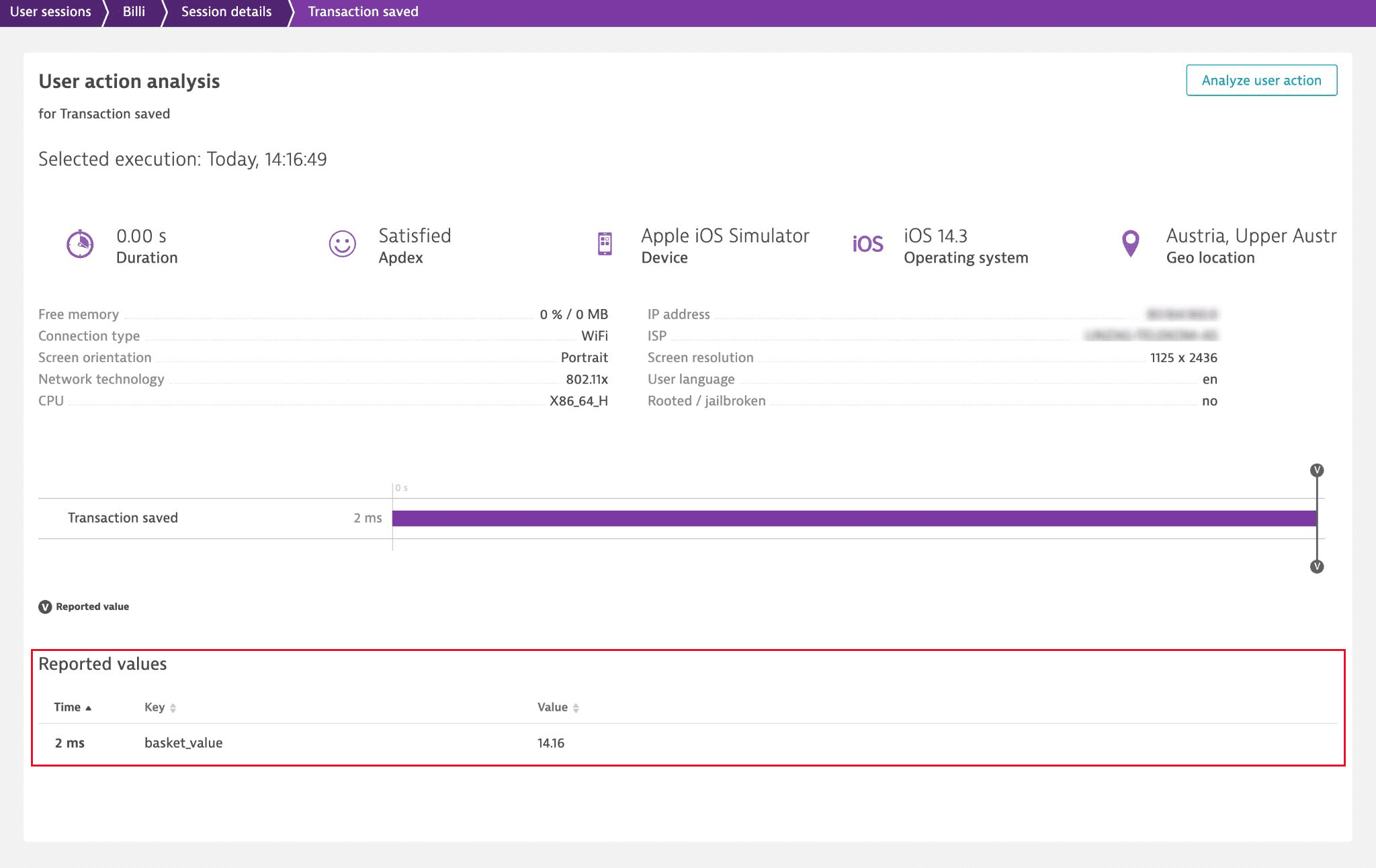
To check if the data that you report in your app's code reaches Dynatrace, go to the details of the user action that should contain the data, and scroll down to the Reported values section.
Define a request attribute
Additionally, you can add the required metadata to server-side requests, define request attributes, and then use these attributes to create action and session properties.
Request attributes are derived from web request URLs, HTTP request headers, and other request metadata. These attributes represent key-value pairs that you can filter across many Dynatrace analysis and distributed tracing views.
For more details, see Request attributes in Services.
Add action and session properties
After you've reported values via your app's code or defined request attributes, the information that Dynatrace captures is enriched with valuable metadata. You can "promote" this metadata to action and session properties in your app's settings.
You can save the metadata on different "storage levels":
- User action property: The data is stored in the defined property on the user action level for each user action where Dynatrace can retrieve the metadata.
- User session property. The most recent captured value is stored in the defined property on a session level.
- Both options: The data is stored in the defined property on both the user action and session levels.
To define an action or session property
-
Go to Frontend and select the application that you want to configure.
-
Select More (…) > Edit.
-
From the application settings, select Session and user action properties, and select Add property.
-
Select an Expression type and, if required, a Data type.
- If you've added metadata to requests and defined request attributes, select Server-side request attribute.
- If you've reported custom values via SDK, select SDK reported value.
-
Specify a Name or Request attribute name, Display name, and Key.
Option Explanation Name
Request attribute nameFor the SDK-reported value type, it's the name of the reported value from your application's code. Name is case-sensitive, so it must exactly match the entry from your code.
For the server-side request attribute type, it's the name of the request attribute set in Settings > Server-side service monitoring > Request attributes.Display name
The name of the property that is used in the Dynatrace web UI, for example, on the session details page or user action details page.
Key
The name of the property that is used to identify and later locate the property in USQL.
-
Choose at least one storage type—user action property, session property, or both.
-
For the session property storage type, select one of the aggregation types.
-
Optional To restrict the captured values, enable Apply cleanup rule, and specify a regular expression.
Examples of action and session properties
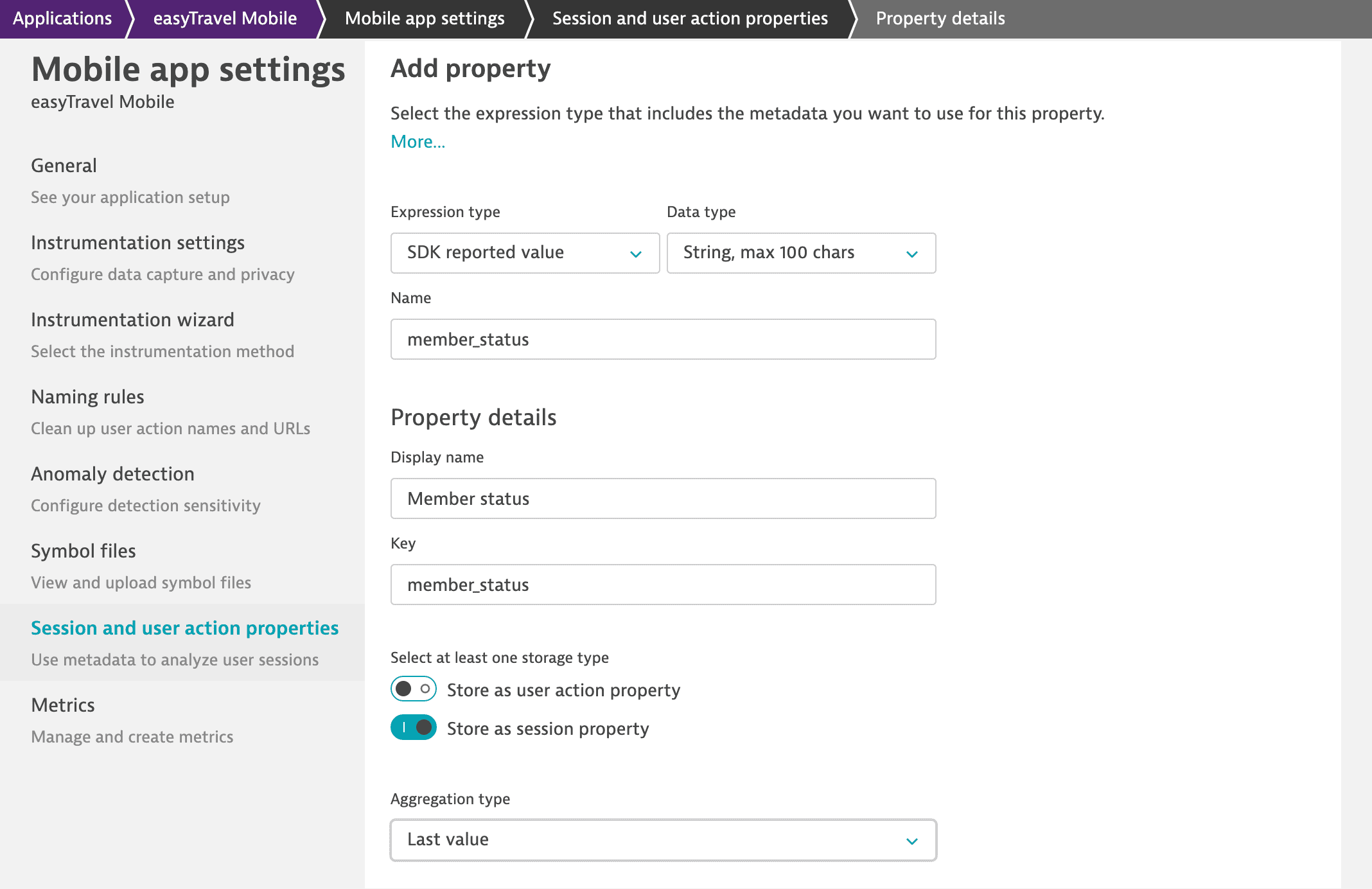
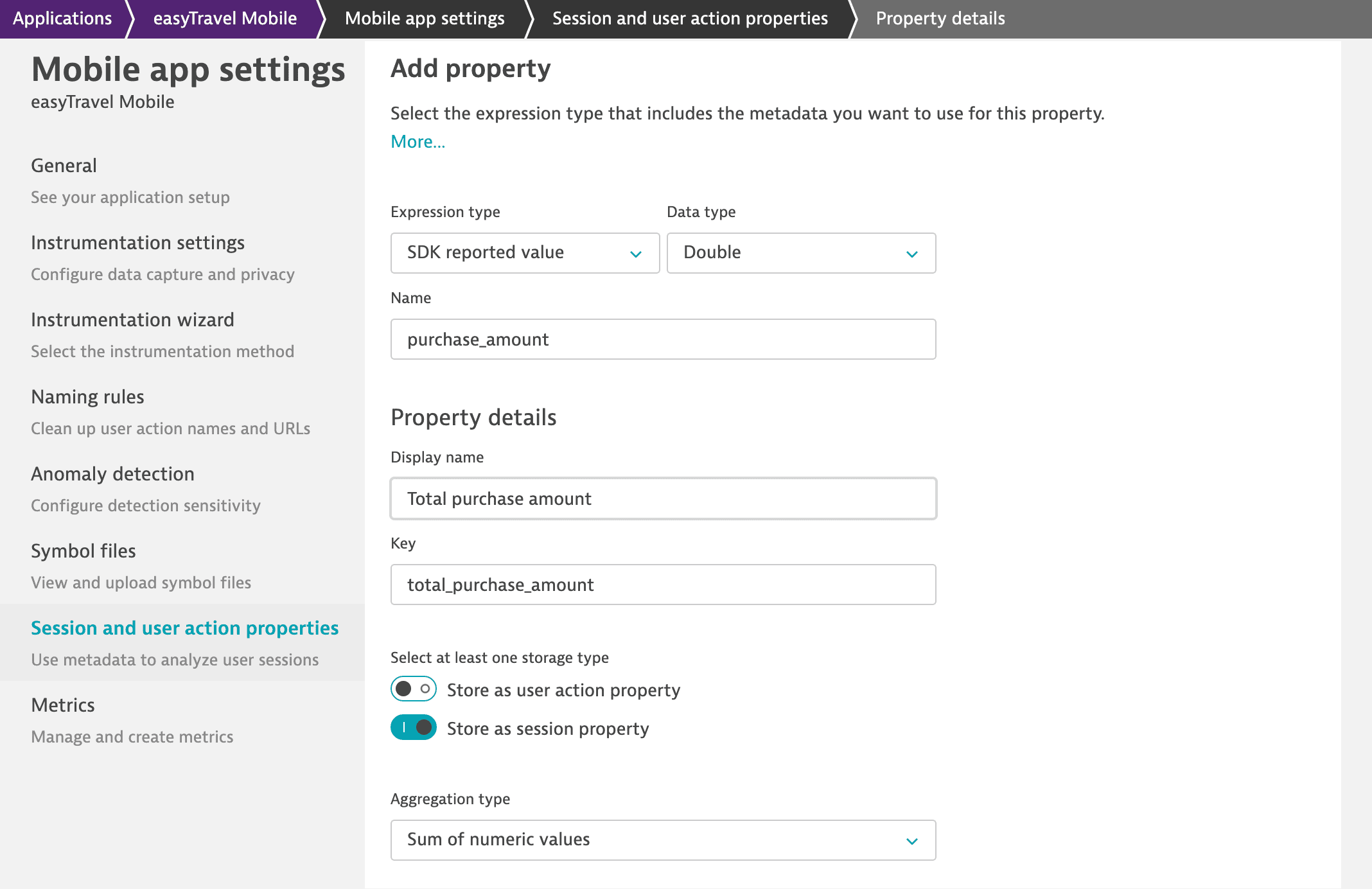
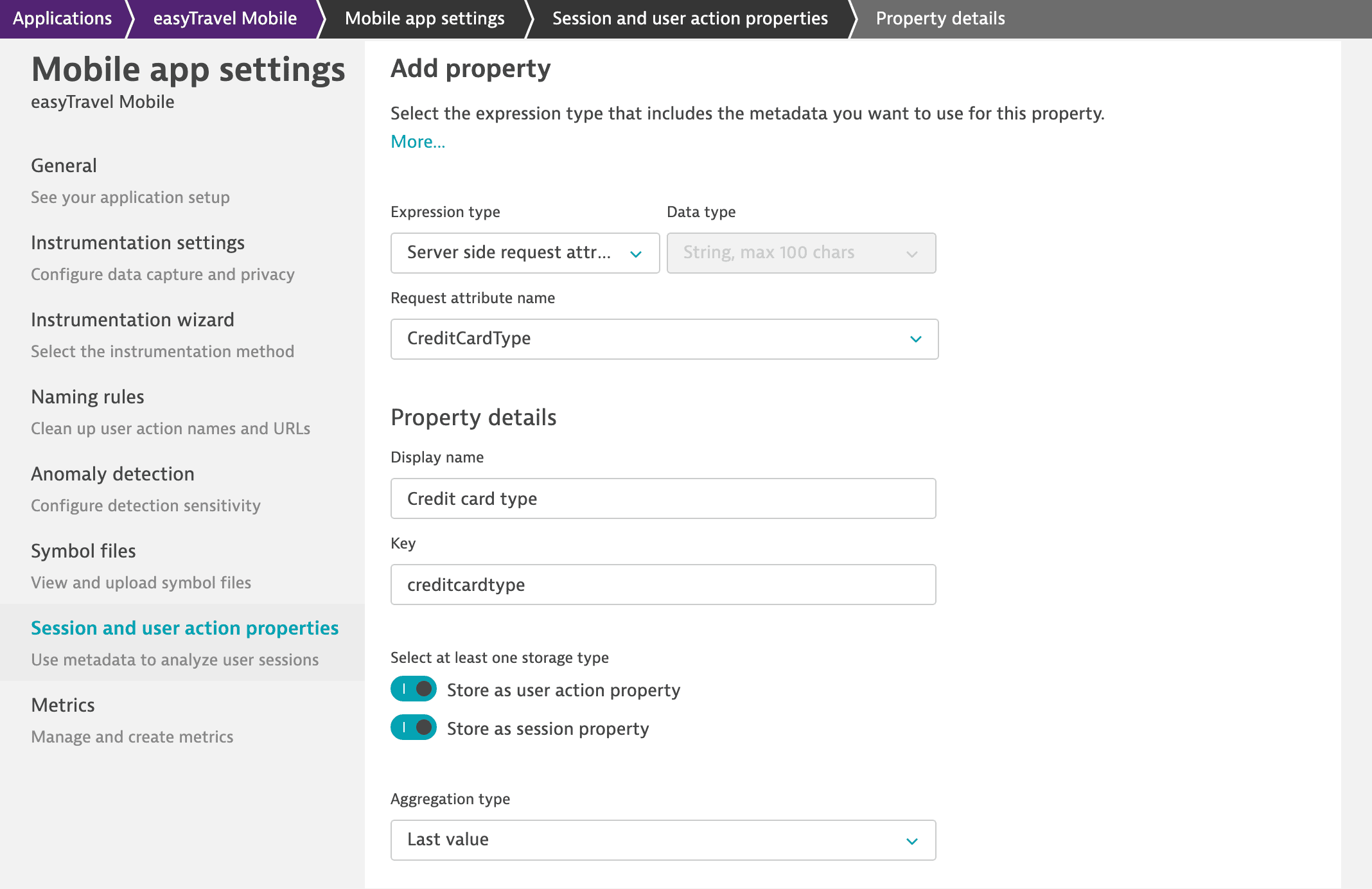
Below you can find examples of several action and session properties that we've configured for our easyTravel sample web application.
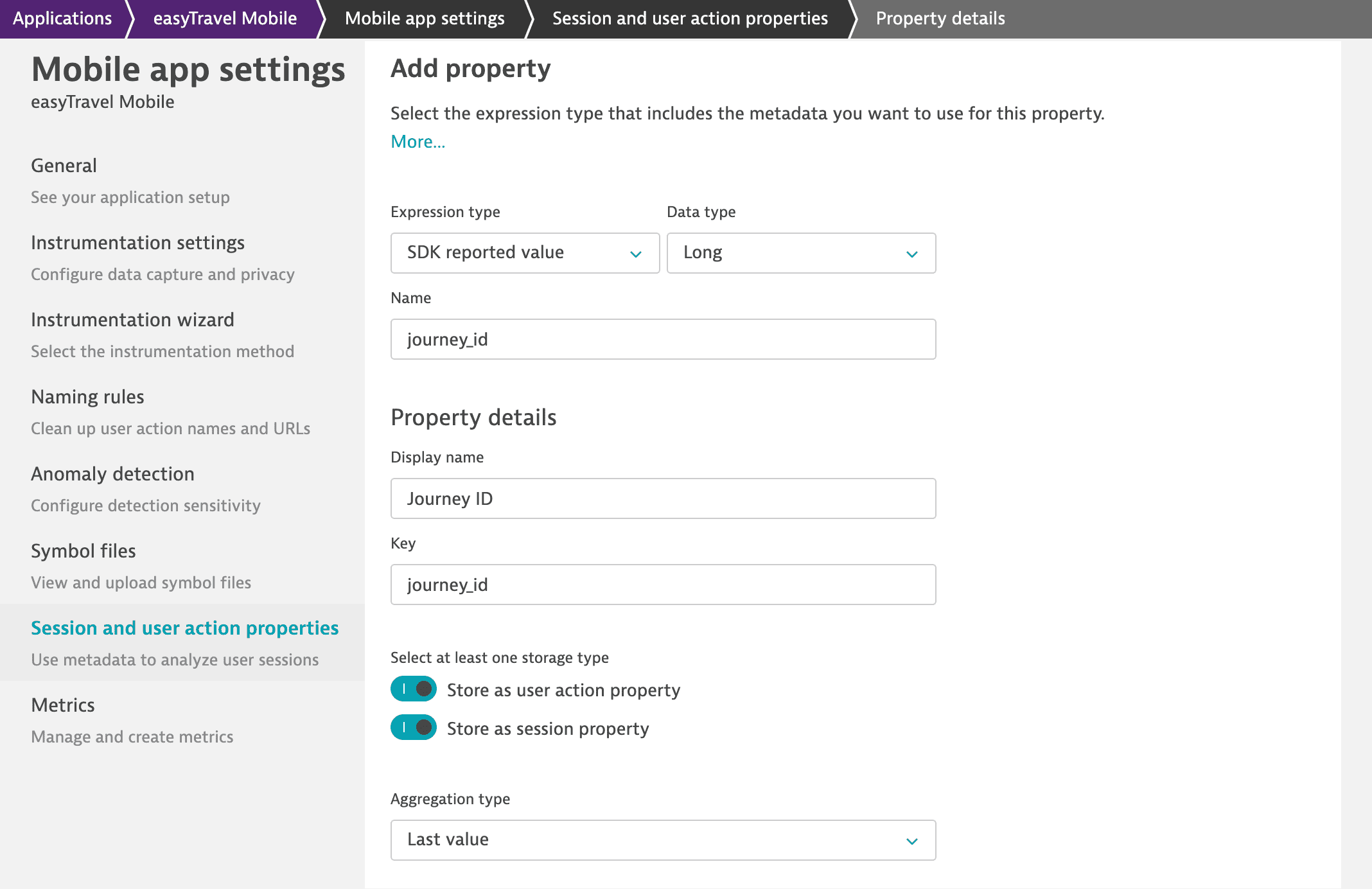
The Journey ID property, which contains a long data type value, is added to each user action and user session within the easyTravel app. For a user session, the value of the last user action is saved.
Limitations
- You can define a maximum of 200 properties per application.
- You can define a maximum of 20 action properties per application.
- Action and session properties of the
Stringdata type are limited to 100 characters after applying the cleanup rule. - You can use up to 20 properties per application free of charge. Additional properties consume DEM units. See DEM units (pay attention to the Session property and Action property entries in the table) and Free tier of action and session properties for more information.
Notes
- Dynatrace begins capturing action and session properties only after you define these properties in your app's settings.
- You can check how many properties you're already using and how many more you can add. Go to your app settings > Session and user action properties, and scroll down to Property usage quotas.
 Custom Applications