Your Dynatrace account lifecycle
- Latest Dynatrace
- Explanation
- 3-min read
- Published Mar 16, 2026
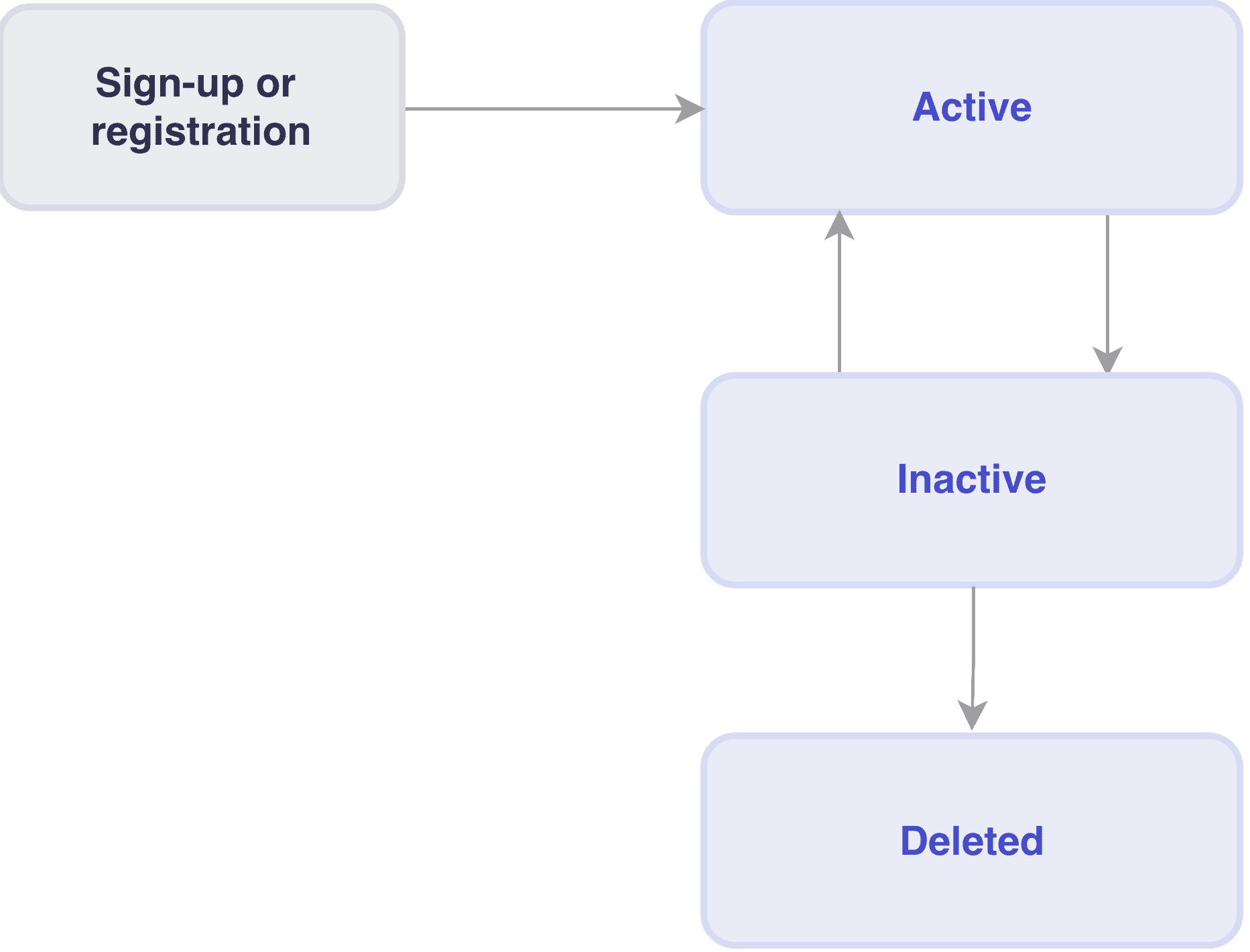
Dynatrace SaaS accounts can be Active, Inactive, or Deleted.
- An active account can consume Dynatrace monitoring capabilities.
- An inactive account cannot consume Dynatrace monitoring capabilities. Inactive accounts will be deleted after 6 months, or you can request an inactive account to be manually deleted before then.
- A deleted account means that monitoring data is deleted from Dynatrace servers. Deletion cannot be undone.
Possible states and the transitions between them are shown in the diagram below.
This information applies to both Dynatrace Platform Subscription (DPS) and Dynatrace classic licensing.
Active Dynatrace account
An active Dynatrace account is associated with an existing Dynatrace Platform Subscription or Dynatrace classic license. This lets the account have environments that consume Dynatrace monitoring capabilities.
State transitions to the active state
A Dynatrace account becomes active as soon as it is associated with an existing subscription (including trial subscriptions).
State transitions from the active state
An active account will become inactive as soon as it no longer has any valid subscription.
You cannot delete an active account; it first has to become inactive.
Inactive Dynatrace account
With an inactive account, all monitoring stops and you can't log into any environments that are associated with the account. All data related to the account is still maintained on Dynatrace servers.
State transitions to the inactive state
A Dynatrace account becomes inactive when the last active subscription expires.
State transitions from the inactive state
An inactive account can:
- Become active, when a new subscription is available. You'll then have access to all historical data that was ingested while the account was active.
- Be deleted, either after 6 months of inactivity or when you request manual deletion.
Delete a Dynatrace account
When your account is deleted, you'll no longer be able to create environments, create subscriptions, create or invite users, or manage account group memberships.
You might want to delete your Dynatrace account when:
- You're an existing Dynatrace customer with an unused or obsolete account.
- You've got a trial account and want it deleted for privacy or regulatory reasons.
State transitions to the deleted state
An account is deleted when:
-
It is inactive for 6 months.
-
You can also request to have your accounts be manually deleted at any time.
-
If the account is already inactive, it can be deleted upon request.
-
If the account is active:
- First, your Dynatrace representative will cancel any active or pending subscriptions, and check if the account has any consumer‑group memberships with active entitlements.
- Once all subscriptions and entitlements are canceled, the account will automatically become inactive and can be deleted.
-
State transitions from the deleted state
Deleting a Dynatrace account is permanent and irreversible. A deleted account cannot be re-activated.
If you delete an account, you can then set up a new account with the previously-used email address.