Azure Notification Hub monitoring
- Dynatrace Classic
- How-to guide
- 7-min read
- Published Sep 10, 2020
Dynatrace ingests metrics from Azure Metrics API for Azure Notification Hub. You can view metrics for each service instance, split metrics into multiple dimensions, and create custom charts that you can pin to your dashboards.
Prerequisites
- Dynatrace version 1.201+
- Environment ActiveGate version 1.195+
Enable monitoring
To learn how to enable service monitoring, see Enable service monitoring.
View service metrics
You can view the service metrics in your Dynatrace environment either on the custom device overview page or on your Dashboards page.
View metrics on the custom device overview page
To access the custom device overview page
- Go to
 Technologies & Processes Classic.
 - Filter by service name and select the relevant custom device group.
- Once you select the custom device group, you're on the custom device group overview page.
- The custom device group overview page lists all instances (custom devices) belonging to the group. Select an instance to view the custom device overview page.
View metrics on your dashboard
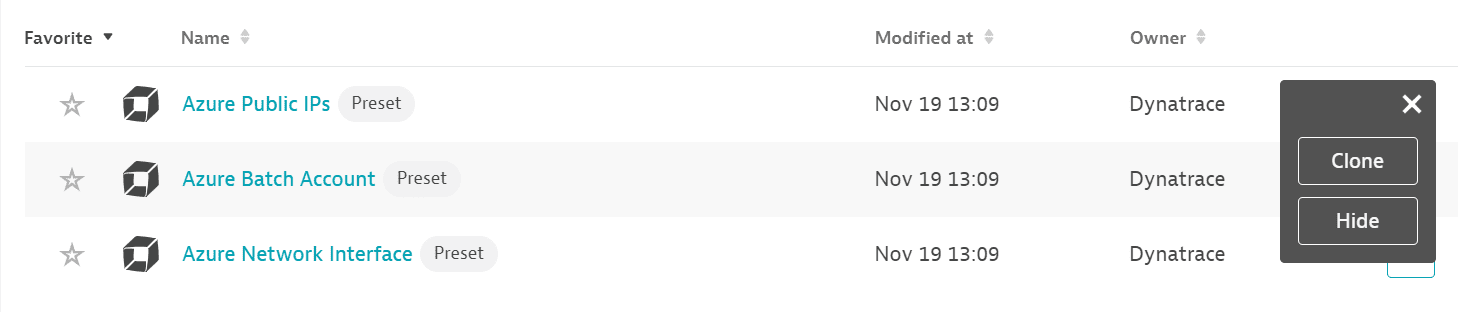
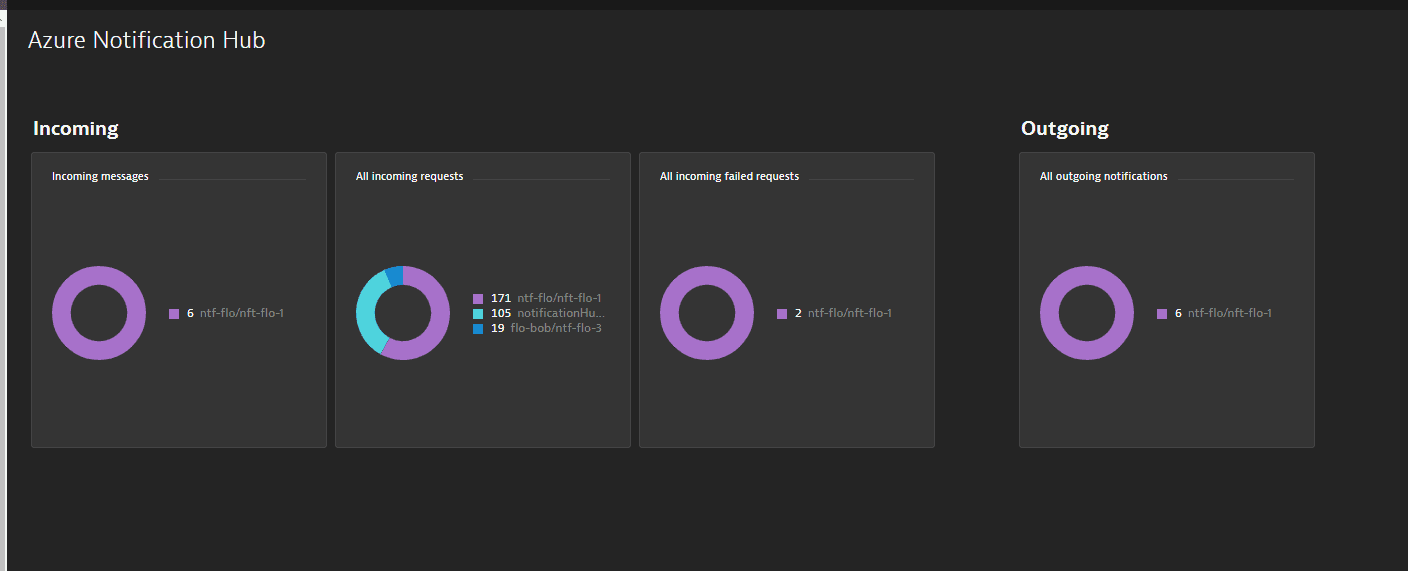
If the service has a preset dashboard, you'll get a preset dashboard for the respective service containing all recommended metrics on your Dashboards page. You can look for specific dashboards by filtering by Preset and then by Name.
For existing monitored services, you might need to resave your credentials for the preset dashboard to appear on the Dashboards page. To resave your credentials, go to Settings > Cloud and virtualization > Azure, select the desired Azure instance, then select Save.
You can't make changes on a preset dashboard directly, but you can clone and edit it. To clone a dashboard, open the browse menu (…) and select Clone.
To remove a dashboard from the dashboards list, you can hide it. To hide a dashboard, open the browse menu (…) and select Hide.
Hiding a dashboard doesn't affect other users.
Available metrics
| Name | Description | Unit | Recommended |
|---|---|---|---|
incoming | The count of all successful send API calls | Count |
|
incoming.all.failedrequests | Total incoming failed requests for a notification hub | Count |
|
incoming.all.requests | Total incoming requests for a notification hub | Count |
|
incoming.scheduled | Scheduled push notifications sent | Count | |
incoming.scheduled.cancel | Scheduled push notifications cancelled | Count | |
installation.all | Installation management operations | Count | |
installation.delete | Delete installation operations | Count | |
installation.get | Get installation operations | Count | |
installation.patch | Patch installation operations | Count | |
installation.upsert | Create or update installation operations | Count | |
notificationhub.pushes | All outgoing notifications of the notification hub | Count |
|
outgoing.allpns.badorexpiredchannel | The count of pushes that failed because the channel/token/registrationId in the registration was expired or invalid | Count | |
outgoing.allpns.channelerror | The count of pushes that failed because the channel was invalid, not associated with the correct app, throttled, or expired | Count | |
outgoing.allpns.invalidpayload | The count of pushes that failed because the PNS returned a bad payload error | Count | |
outgoing.allpns.pnserror | The count of pushes that failed because there was a problem communicating with the PNS (excludes authentication problems) | Count | |
outgoing.allpns.success | The count of all successful notifications | Count | |
outgoing.apns.badchannel | The count of pushes that failed because the token is invalid (APNS status code: 8) | Count | |
outgoing.apns.expiredchannel | The count of token that were invalidated by the APNS feedback channel | Count | |
outgoing.apns.invalidcredentials | The count of pushes that failed because the PNS did not accept the provided credentials, or the credentials are blocked | Count | |
outgoing.apns.invalidnotificationsize | The count of pushes that failed because the payload was too large (APNS status code: | Count | |
outgoing.apns.pnserror | The count of pushes that failed because of errors communicating with APNS | Count | |
outgoing.apns.success | The count of all successful notifications | Count | |
outgoing.gcm.authenticationerror | The count of pushes that failed because the PNS didn't accept the provided credentials, the credentials are blocked, or the | Count | |
outgoing.gcm.badchannel | The count of pushes that failed because the | Count | |
outgoing.gcm.expiredchannel | The count of pushes that failed because the | Count | |
outgoing.gcm.invalidcredentials | The count of pushes that failed because the PNS didn't accept the provided credentials, or the credentials are blocked | Count | |
outgoing.gcm.invalidnotificationformat | The count of pushes that failed because the payload wasn't formatted correctly (GCM result: | Count | |
outgoing.gcm.invalidnotificationsize | The count of pushes that failed because the payload was too large (GCM result: | Count | |
outgoing.gcm.pnserror | The count of pushes that failed because of errors communicating with GCM | Count | |
outgoing.gcm.success | The count of all successful notifications | Count | |
outgoing.gcm.throttled | The count of pushes that failed because GCM throttled this app (GCM status code: | Count | |
outgoing.gcm.wrongchannel | The count of pushes that failed because the | Count | |
outgoing.mpns.authenticationerror | The count of pushes that failed because the PNS didn't accept the provided credentials, or the credentials are blocked | Count | |
outgoing.mpns.badchannel | The count of pushes that failed because the | Count | |
outgoing.mpns.channeldisconnected | The count of pushes that failed because the | Count | |
outgoing.mpns.dropped | The count of pushes that were dropped by MPNS (MPNS response header: X-NotificationStatus: | Count | |
outgoing.mpns.invalidcredentials | The count of pushes that failed because the PNS didn't accept the provided credentials, or the credentials are blocked | Count | |
outgoing.mpns.invalidnotificationformat | The count of pushes that failed because the payload of the notification was too large | Count | |
outgoing.mpns.pnserror | The count of pushes that failed because of errors communicating with MPNS | Count | |
outgoing.mpns.success | The count of all successful notifications | Count | |
outgoing.mpns.throttled | The count of pushes that failed because MPNS is throttling this app (WNS MPNS: | Count | |
outgoing.wns.authenticationerror | Notification not delivered because of errors communicating with Windows Live, invalid credentials, or wrong token | Count | |
outgoing.wns.badchannel | The count of pushes that failed because the ChannelURI in the registration was not recognized (WNS status: 404 not found) | Count | |
outgoing.wns.channeldisconnected | The notification was dropped because the | Count | |
outgoing.wns.channelthrottled | The notification was dropped because the | Count | |
outgoing.wns.dropped | The notification was dropped because the | Count | |
outgoing.wns.expiredchannel | The count of pushes that failed because the | Count | |
outgoing.wns.invalidcredentials | The count of pushes that failed because the PNS didn't accept the provided credentials, the credentials are blocked, or Windows Live doesn't recognize the credentials | Count | |
outgoing.wns.invalidnotificationformat | The format of the notification is invalid (WNS status: | Count | |
outgoing.wns.invalidnotificationsize | The notification payload is too large (WNS status: | Count | |
outgoing.wns.invalidtoken | The token provided to WNS isn't valid (WNS status: | Count | |
outgoing.wns.pnserror | Notification not delivered because of errors communicating with WNS | Count | |
outgoing.wns.success | The count of all successful notifications | Count | |
outgoing.wns.throttled | The count of pushes that failed because WNS is throttling this app (WNS status: | Count | |
outgoing.wns.tokenproviderunreachable | Windows Live isn't reachable | Count | |
outgoing.wns.wrongtoken | The token provided to WNS is valid, but for another application (WNS status: | Count | |
registration.all | The count of all successful registration operations (creations, updates, queries, and deletions) | Count | |
registration.create | The count of all successful registration creations | Count | |
registration.delete | The count of all successful registration deletions | Count | |
registration.get | The count of all successful registration queries | Count | |
registration.update | The count of all successful registration updates | Count | |
scheduled.pending | Pending scheduled notifications | Count |