Smartscape on Grail view
- Latest Dynatrace
- Explanation
- 5-min read
The Smartscape on Grail view delivers a comprehensive, real-time visualization of all detected Smartscape nodes and their interrelationships (edges) within your environment. This view provides a complete picture of your digital ecosystem's topology, enabling you to understand how entities are connected and interact across your landscape.
With the power of Grail primary fields, tags, and segments, you can customize the view to highlight the areas relevant to you and your team. Whether you're exploring your entire environment or narrowing in on a specific segment, Smartscape on Grail empowers you to gain deeper insights and context tailored to your needs.
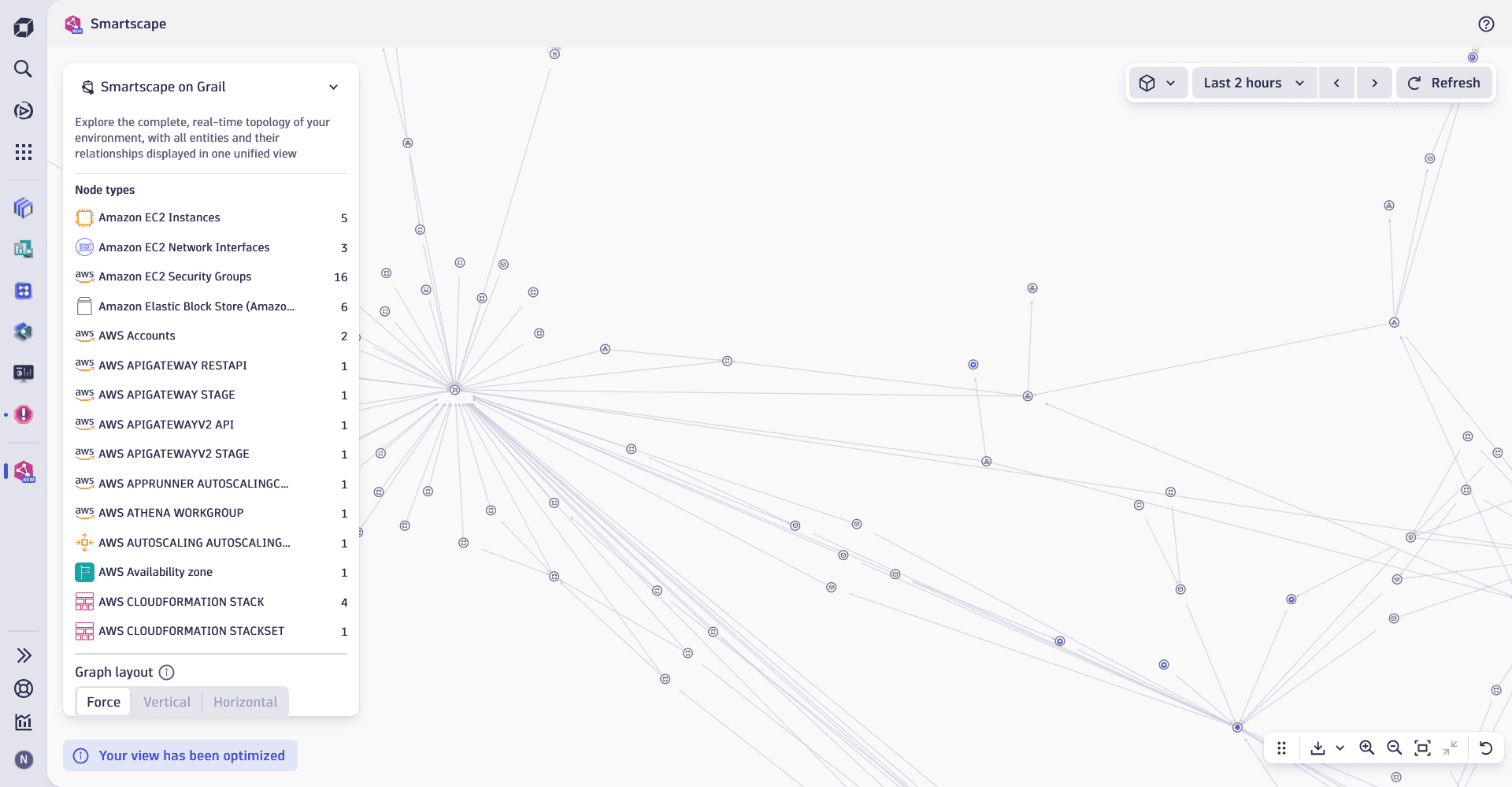
Constituent entities overview
The Smartscape on Grail view visualizes entities as a flat structure consisting of nodes and edges. Nodes and edges can be represented by an entity of any type permitted by Smartscape on Grail.
Nodes
The nodes in the Smartscape on Grail view represent all detected entities within your environment, including services, processes, hosts and hyperscaler resources, such as AWS EC2 instances, Azure VMs, and GCP resources. This real-time view displays all nodes active during the selected timeframe, ensuring an always up-to-date representation of your digital ecosystem.
 Smartscape views only show new Smartscape on Grail entities. Entity types from
  Smartscape Classic aren't shown or supported.
- To reduce noise and clutter, default filters may be applied to all views and graphs listed below except for Infrastructure overview, since it's visualized as a grouped view. For details, see Filters.
Edges
The edges in the Smartscape on Grail view represent all relationships and dependencies between nodes, such as communication flows, service calls, infrastructure connections, and more. Unlike other views, this graph is not limited to vertical (such as service-to-infrastructure) or horizontal (such as service-to-service) relationships–instead, it displays all relationships comprehensively. This holistic approach ensures you gain a complete understanding of how entities interact across your environment.
Graph display limits
To ensure a seamless and responsive experience, the Smartscape dynamically optimizes your view by limiting the graph display to a maximum of 4,000 nodes and 10,000 edges. Currently, the limit is fixed and can't be customized. For more information about view optimization, see Smartscape concepts.
Use cases
You can use the Smartscape on Grail view to:
- Visualize the topology and dependencies within specific hyperscaler accounts or regions.
- Understand how the components your team owns interact, ensuring alignment and simplifying troubleshooting.
- See how services, processes, and infrastructure interact across on-premises, multi-cloud, and hybrid environments to identify potential bottlenecks or misconfigurations.
- Explore your digital ecosystem’s topology during a specific timeframe to analyze how changes or incidents impacted your environment.
- Display a dynamic graph of all nodes and relationships within an application perimeter to better understand its structure and dependencies.
Best practice tips
To use the Smartscape on Grail view effectively, we recommend that you:
- Focus on relevant information by selecting a segment that defines your area of responsibility, such as specific hyperscaler accounts, regions, or workloads relevant to your team.
- Drill down into domain-specific apps (such as Services, Kubernetes, or Infrastructure & Operations) directly from nodes in the graph to access detailed metrics, events, and health signals for deeper analysis.
- Leverage the real-time nature of the graph to monitor changes in your environment as they happen, ensuring you always have up-to-date insights into your digital ecosystem.
Related topics
Smartscape