Kubernetes overview
- Latest Dynatrace
- Explanation
- 5-min read
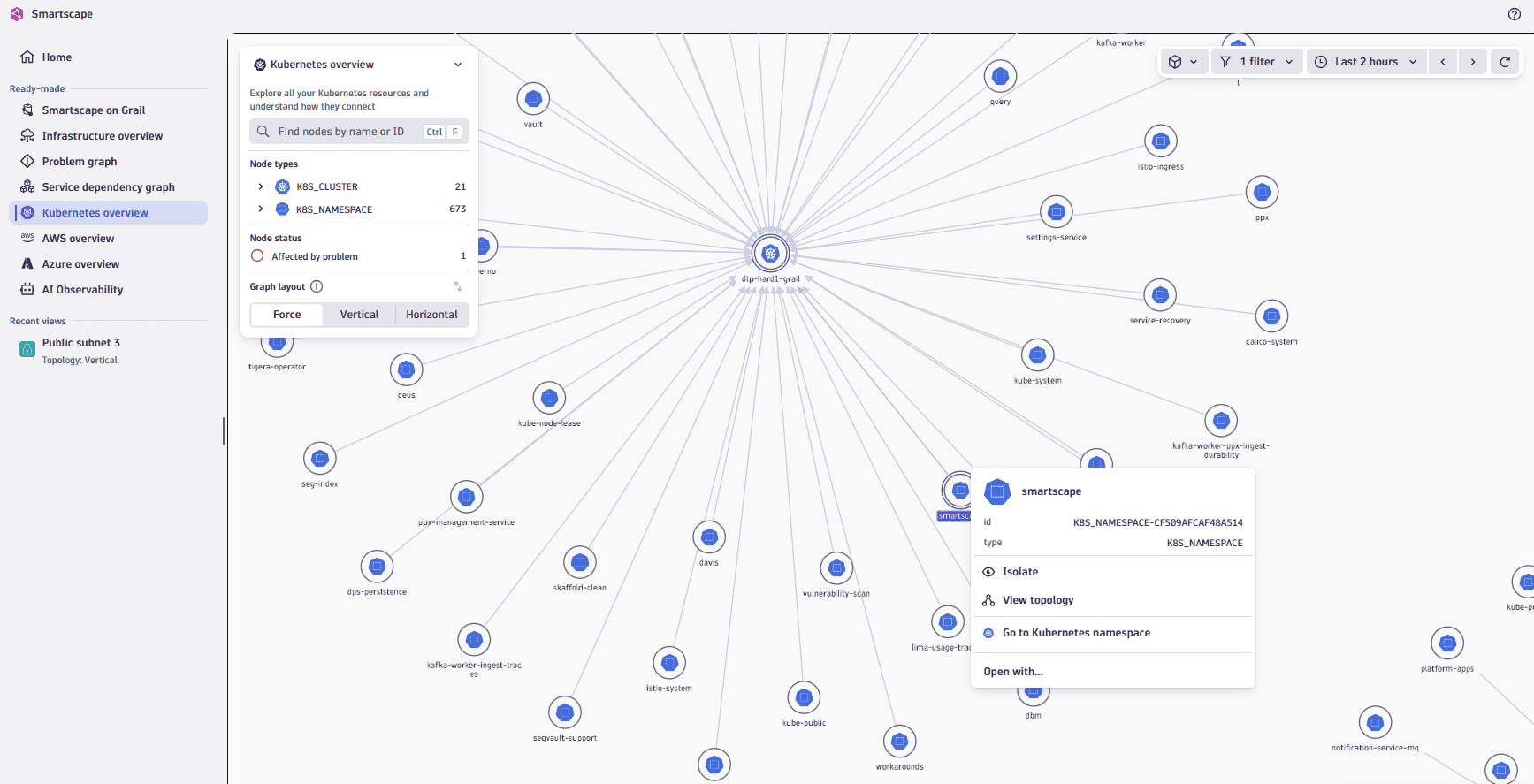
Kubernetes overview provides a full view of your Kubernetes environment, displaying all supported Kubernetes entity types and their relationships. Leveraging rich topological data in  Smartscape, this view helps you understand dependencies, identify misconfigurations, and navigate your Kubernetes environment with ease and context.
Constituent entities overview
Kubernetes overview visualizes your Kubernetes environment as a flat structure consisting of nodes and edges.
Nodes and edges
The nodes represent Kubernetes clusters, namespaces, deployments and other entities while the edges represent the relationships between these entities. The edges are displayed as arrows between the nodes and represent different types of relationships, such as belongs_to, contains, is_attached_to, and others.
Use cases
You can use Kubernetes overview to:
- Spot misconfigurations and validate your setup by analyzing the structure of the Kubernetes topology graph.
- Clearly visualize the layout of clusters and namespaces to facilitate cross-team collaboration or onboarding, aiding in explaining environment ownership and responsibilities.
Best practice tips
To use Kubernetes overview effectively, we recommend that you:
- Focus on specific areas by selecting a segment that defines your area of responsibility, such as specific clusters or namespaces relevant to your team.
- Use the Kubernetes topology graph to ensure that configured clusters and namespaces exist and are correctly associated with their intended clusters and namespaces.
- Drill down into any cluster or namespace in the
 Kubernetes to continue your exploration or investigation and access detailed health-relevant signals, metrics, events, and logs.
Related topics
Smartscape