Infrastructure overview
- Latest Dynatrace
- Explanation
- 5-min read
Infrastructure overview provides a high-level visual representation of your physical infrastructure.
It focuses on the physical stack, showcasing key infrastructure entities such as hosts, processes, disks, and network interfaces. By visualizing the relationships and interdependencies between these entities, the Infrastructure overview delivers a comprehensive understanding of how the underlying components of your environment interact to support your workloads.
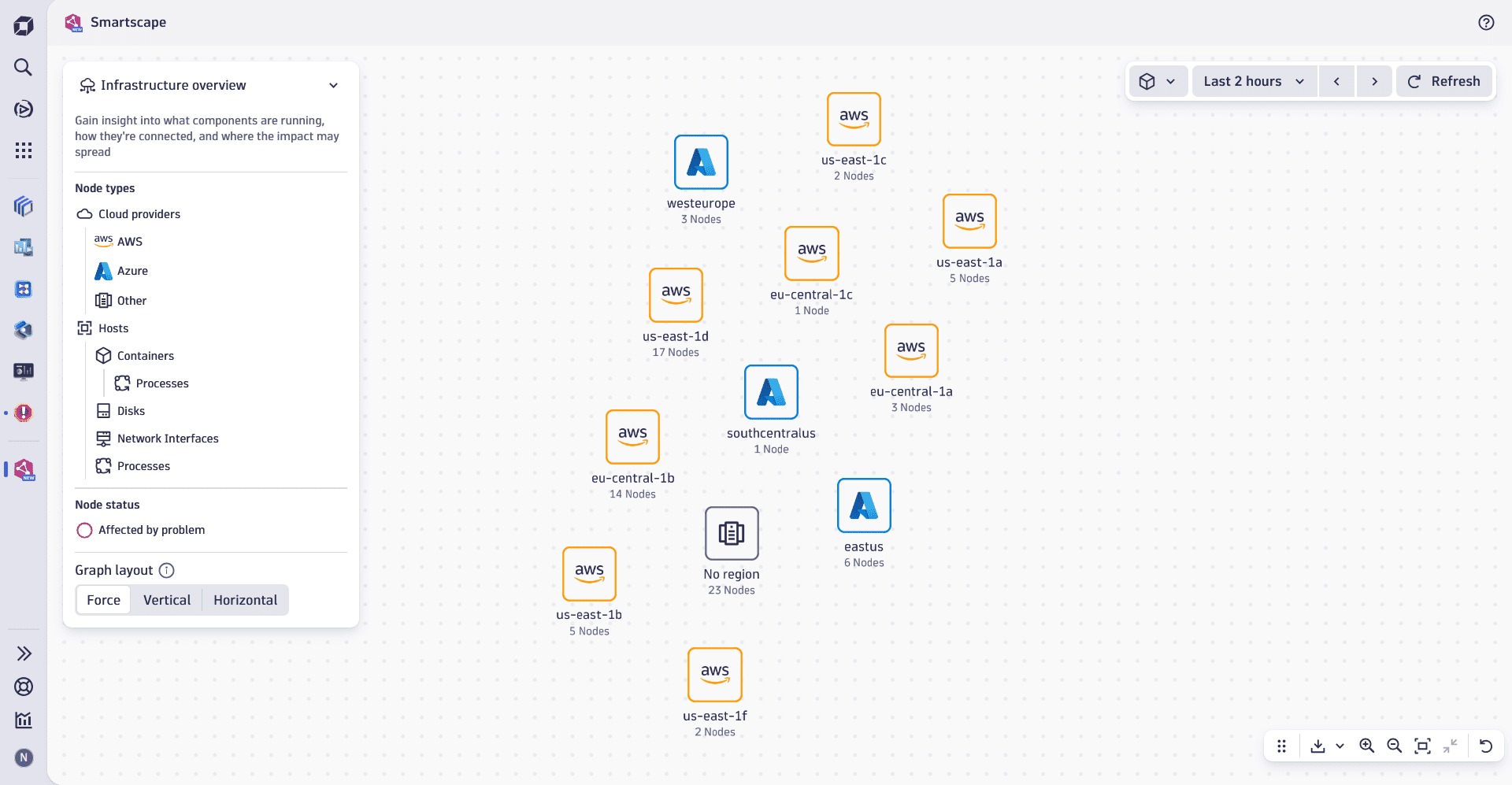
Constituent entities overview
Nodes
In the Infrastructure overview, nodes represent physical components detected within your environment. These nodes are organized in a hierarchical structure that can be visualized as follows:
- Cloud regions / data centers
- Hosts
- Containers
- Processes
- Non-containerized processes
- Disks
- Network interfaces
- Containers
- Hosts
Each level showcases specific infrastructure components and helps you traverse from the highest-level view of your environment, regions, down to individual processes within containers.
Edges
In the Infrastructure overview, edges represent calls relationships between components. These connections can be visualized at varying levels of granularity:
- Host-to-Host calls: displays interactions between hosts in your environment.
- Process-to-Process calls: tracks communication at the most granular level and shows how individual processes interact across the infrastructure.
Use cases
You can use Infrastructure overview to:
- Understand how your workloads are distributed by using the hierarchical structure of the view to drill down from regions to individual infrastructure components, such as containers and processes.
- Explore the relationships within containers to see how processes interact with each other by exploring the relationships within containers.
- Identify communication patterns, data flows, and potential bottlenecks at the infrastructure level by visualizing Host-to-Host calls.
- Identify problematic interactions or unexpected dependencies between processes, both within and across hosts by tracing process-level communication.
- Troubleshoot infrastructure issues.
Best practice tips
To use Infrastructure overview effectively, we recommend that you:
- Focus on individual hosts or regions to identify performance bottlenecks, overloaded resources, or problematic dependencies that may impact your system.
- Thoroughly investigate non-containerized processes to pinpoint issues or dependencies that stem from processes running outside of containers, such as legacy applications or custom workloads.
- Actively use the pin the tooltip functionality on nodes for easy key metric access. Key metrics such as CPU, memory, or disk utilization, and can help you gain insights necessary to detect and resolve performance issues faster.
- Drill down into any nodes in the
 Infrastructure & Operations app to continue your exploration of your infrastructure.
Related topics
 Smartscape