AWS overview
- Latest Dynatrace
- Explanation
- 5-min read
AWS overview provides a flat topology view of your AWS entities and their relationships. By displaying all supported AWS entity types in a single graph, this view enables you to understand how your AWS resources are distributed and connected across accounts, regions, availability zones, VPCs, and subnets. This allows you to validate your AWS setup, investigate dependencies during troubleshooting, and spot misconfigurations faster.
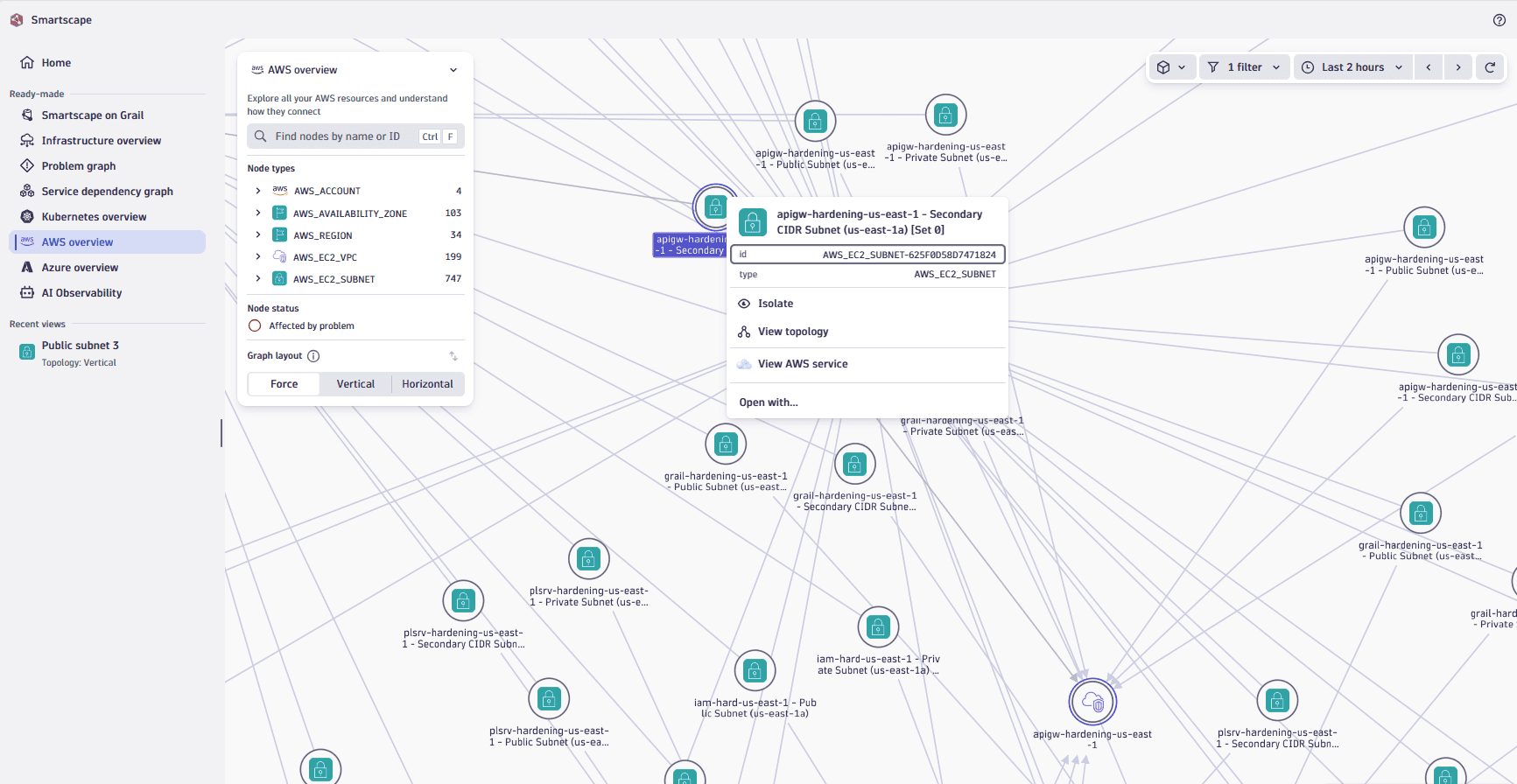
Constituent entities overview
AWS overview visualizes your AWS environment as a flat structure consisting of nodes and edges.
Nodes and edges
The nodes represent AWS accounts, regions, availability zones, VPCs, subnets and other entities while the edges represent the relationships between these entities. The edges are displayed as arrows between the nodes and represent different types of relationships, such as belongs_to, contains, is_attached_to, and others.
Use cases
You can use AWS overview to:
- Understand how your AWS resources are distributed across accounts, regions, availability zones, VPCs, and subnets in a single flat topology view.
- Identify which resources are deployed in specific availability zones to assess potential single-point-of-failure risks.
- Review your VPC and subnet organization to validate network segmentation and security zone configurations across accounts.
- Investigate infrastructure dependencies during troubleshooting to identify which resources might be affected by regional or zonal issues.
- Plan capacity and disaster recovery by understanding the full scope of resources across your accounts, regions, and availability zones.
Best practice tips
To use AWS overview effectively, we recommend that you:
- Focus on specific areas by selecting a segment that defines your area of responsibility, such as specific accounts, regions, or availability zones relevant to your team.
- Use the topology graph to verify that your VPCs, subnets, and availability zones are correctly organized and associated with their intended accounts and regions.
- Drill down into any account, region, availability zone, VPC, or subnet to continue your exploration or investigation and access detailed health-relevant signals, metrics, events, and logs.
- Review the distribution of resources across accounts and availability zones to ensure your architecture maintains high availability and fault tolerance.
Related topics
 Smartscape