View surrounding logs
- Latest Dynatrace
- How-to guide
- 1-min read
- Published Jul 02, 2025
View the surrounding logs for every log record to better understand the context for the data.
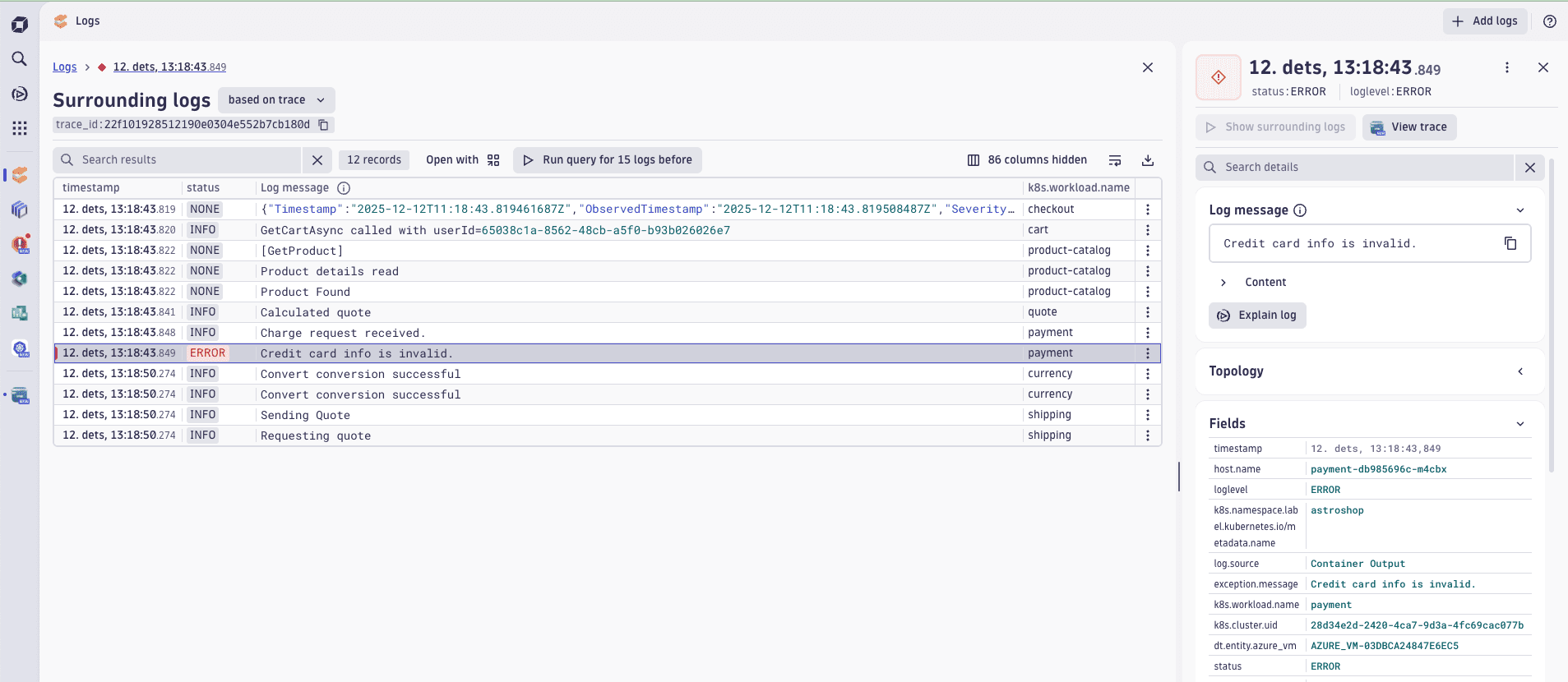
Surrounding logs of a log error based on trace ID correlation
To view surrounding logs
- In
 Logs, find a relevant log line in the result table and open its details.
 - Select Show surrounding logs.
The surrounding logs are shown for the context provided by the log record.
-
If
trace_idparameter is present, you should see other records with the same trace ID.For more information about automated correlation, see Connect log data to traces.
-
Alternatively, you can examine the surrounding logs for the same topology entity, for example, a host.
Select Run query for 15 logs before or Run query for 15 logs after to expand the context by loading more data before or after the timestamp of the original.